
GitOps simplifies cloud-native deployments by using Git as the single source of truth for managing infrastructure and application configurations. It relies on a pull-based model, where controllers continuously monitor and align cluster states with the desired configurations stored in Git. This approach enhances security, ensures consistency, and simplifies rollbacks.
Here are 7 tools that stand out for enabling GitOps in Kubernetes environments:
- Argo CD: A Kubernetes-native tool with a visual interface, multi-cluster support, and automatic drift correction.
- Flux CD: Lightweight and Kubernetes-native, offering modular features, secure secrets management, and advanced deployment strategies.
- GitLab CI/CD with Agent for Kubernetes: Combines GitOps workflows with GitLab's all-in-one DevOps platform.
- GitHub Actions: Push-based CI/CD with Kubernetes support, ideal for teams already using GitHub.
- Codefresh: Built on Argo CD, it integrates CI/CD pipelines and offers advanced monitoring and multi-cluster management.
- Pulumi: Manages infrastructure and Kubernetes resources using programming languages, suitable for multi-cloud setups.
- Terraform/OpenTofu: Focuses on infrastructure provisioning and complements Kubernetes GitOps workflows.
Quick Comparison
| Tool | Kubernetes Integration | Deployment Model | Multi-Cluster Support | Enterprise Features |
|---|---|---|---|---|
| Argo CD | Native in-cluster | Pull-based | Advanced | SSO, RBAC, multi-tenancy |
| Flux CD | Kubernetes-native CRDs | Pull-based | Yes | Kubernetes RBAC |
| GitLab CI/CD | Reverse tunnel connectivity | Hybrid | Yes | Full DevOps integration |
| GitHub Actions | External integration | Push-based | Limited | Secrets management |
| Codefresh | Argo-powered platform | Pull-based | Yes | Monitoring, RBAC |
| Pulumi | External provisioning | Push-based | Yes | Policy-as-code, state mgmt |
| Terraform/OpenTofu | External provisioning | Push-based | Yes | State locking, compliance |
Each tool serves specific needs, from Kubernetes-native workflows to multi-cloud environments. For teams prioritising automation, security, and scalability, GitOps tools like Argo CD and Flux provide robust Kubernetes integration. Others, like Pulumi and Terraform, excel in infrastructure provisioning, complementing GitOps workflows.
Choose based on your team's expertise, infrastructure needs, and long-term goals.
What Is... GitOps Tools?
1. Argo CD
Argo CD, a graduated project under the CNCF, turns Git repositories into the central source of truth for Kubernetes deployments. With its intuitive visual interface and strong community backing, it’s become a popular GitOps tool for cloud-native environments [3].
Kubernetes Integration Level
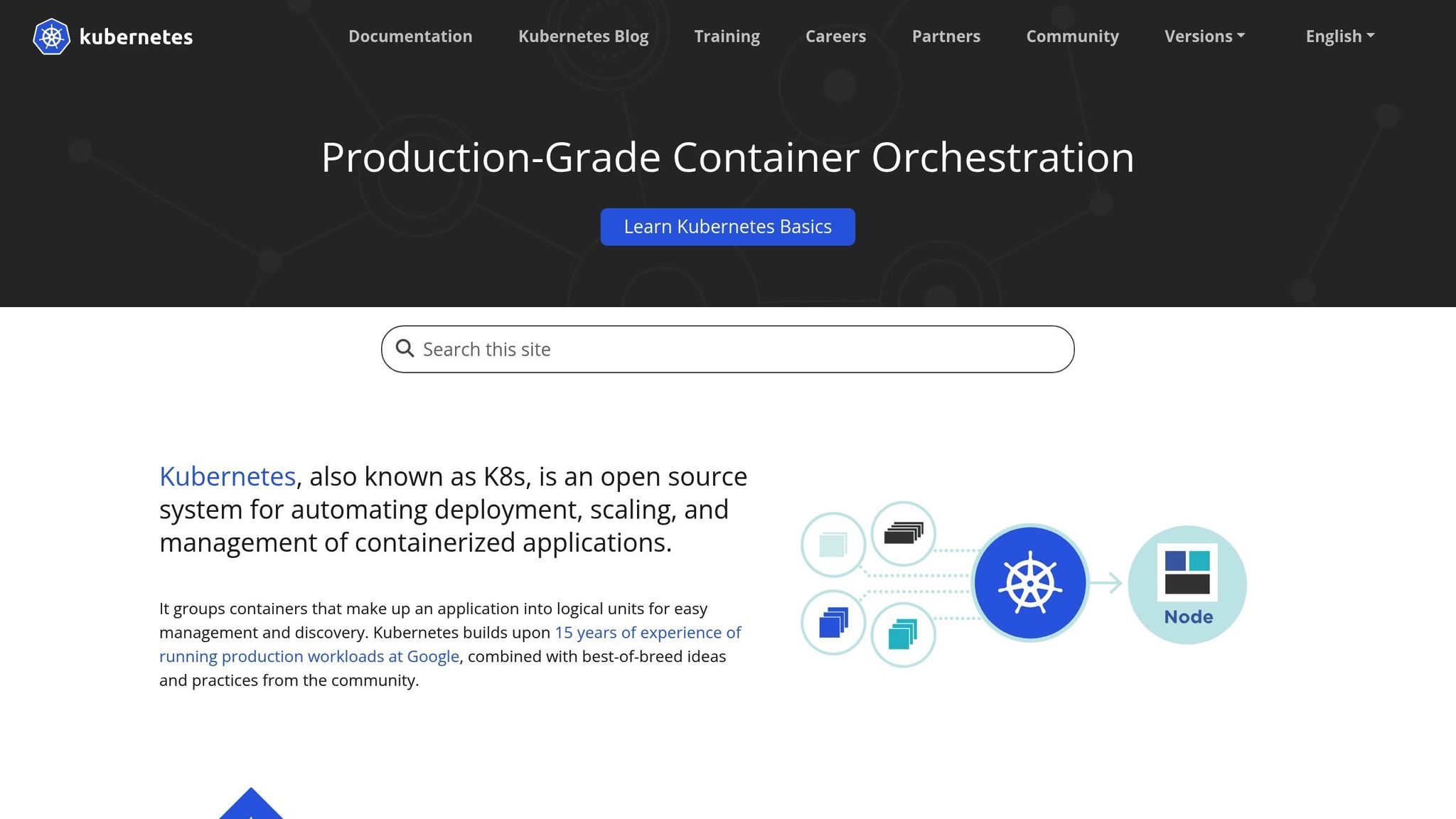
Designed specifically for Kubernetes, Argo CD delivers complete GitOps workflows. It automates synchronisation, supports self-healing, and works seamlessly with Helm charts, Kustomize, Jsonnet, and YAML manifests. Interestingly, its approach to Helm involves converting charts into sync waves and hooks rather than relying directly on the Helm CLI. This method offers pre-deployment visibility, helping teams anticipate issues before applying changes.
Argo CD processes manifests - be it through Helm, Kustomize, or plain YAML - via its GitOps Engine before applying them. This setup not only provides clear visibility into configuration differences but also lets teams decide which resources sync automatically and which need manual intervention. This native integration ensures flexibility in deployment strategies, making it adaptable to various needs.
Deployment Model (Pull/Push)
Argo CD follows a pull-based GitOps model. Its controllers constantly reconcile the cluster state with the Git-defined desired state, reducing risks by eliminating the need for external systems to push updates. Manual synchronisation is also an option for added control.
The tool offers a range of synchronisation strategies, including manual sync, automated sync, hooks, and wave deployments. These options give teams the flexibility to manage updates in ways that suit their workflows. Additionally, Argo CD excels at detecting and visualising drift between the desired state in Git and the actual state in the cluster. When discrepancies arise, it can automatically restore consistency, ensuring reliable operations across multiple environments.
Multi-cluster Support
Argo CD provides strong multi-cluster management capabilities. It can connect multiple Git repositories to a single cluster or manage several clusters from one instance, making it ideal for enterprises with distributed infrastructure. This centralised approach offers a unified view of operations across environments. With built-in multi-tenancy features, it supports complex permission structures and audit trails, catering to the needs of large organisations.
Enterprise Readiness
Argo CD stands out with its comprehensive web user interface. This UI provides visual status updates, interactive controls, and tools for managing syncs, diffs, logs, rollbacks, and deployment statuses. Teams transitioning from traditional CI/CD systems will appreciate how the UI simplifies tasks, allowing developers to manage applications without needing advanced kubectl skills. Live deployment monitoring and seamless integration with Git workflows further enhance its appeal.
Its straightforward design makes it easier for teams, including those new to GitOps, to manage deployments and train staff. For enterprise-grade security, Argo CD includes centralised role-based access control (RBAC) and SSO integration, making it easier to manage access across teams and environments. However, scaling with custom RBAC setups may require additional configuration.
As an open-source tool with commercial support options, Argo CD is trusted by teams running large-scale production workloads. Its status as a graduated CNCF project reflects its maturity and reliability. While its UI-based workflows might abstract some underlying details, and edge cases with tools like Helm or Kustomize may require careful attention, Argo CD’s combination of multi-cluster management, an intuitive interface, and strong community support makes it an excellent choice for teams adopting GitOps.
2. Flux CD
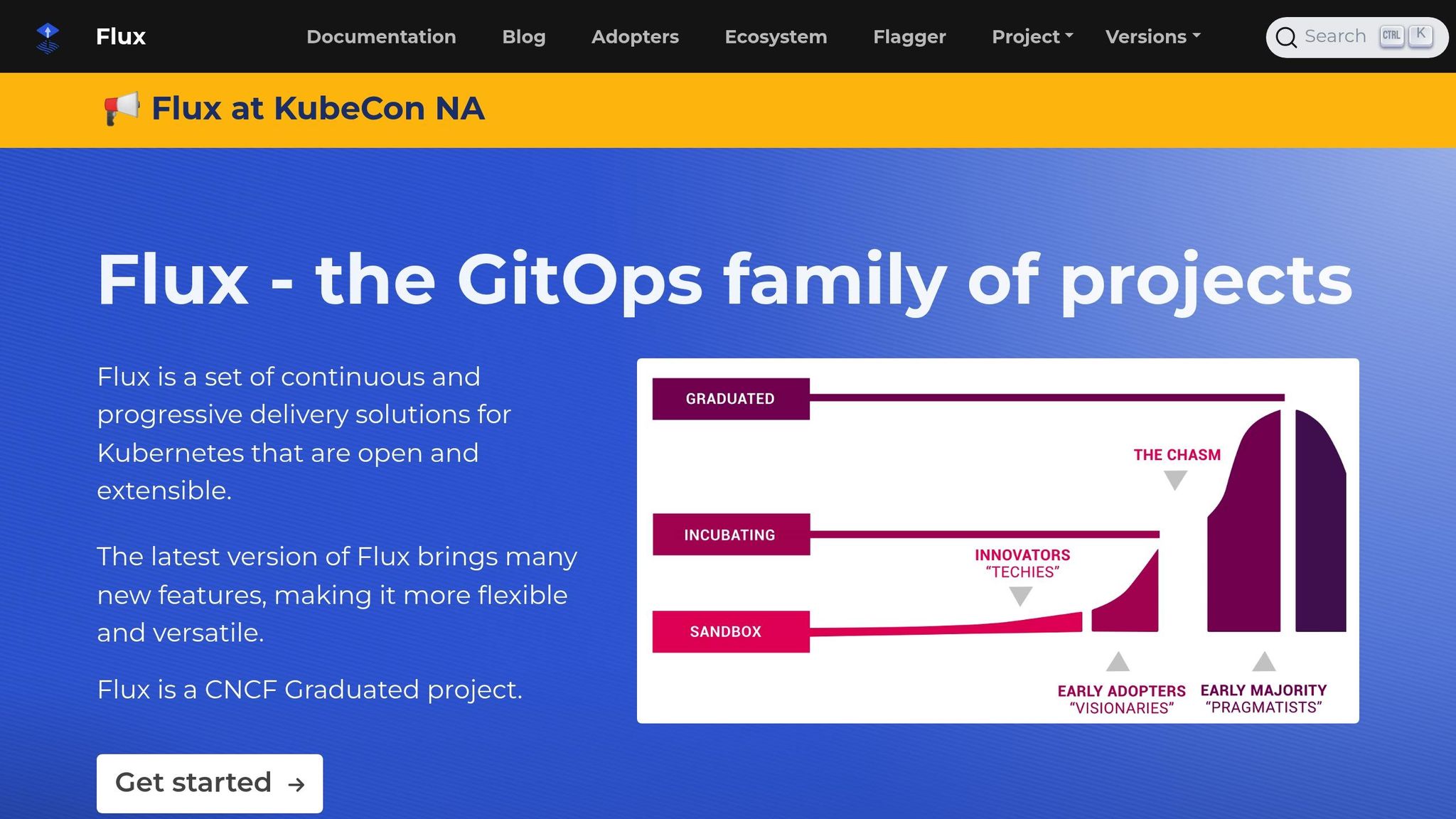
Flux CD is built to work seamlessly with Kubernetes, offering a modular toolkit that integrates directly into its ecosystem. By leveraging Kubernetes' native features, Flux CD embeds GitOps principles right into the platform's operations, making it a natural fit for API-driven workflows.
Kubernetes Integration Level
Flux CD operates as a core part of Kubernetes by utilising Custom Resource Definitions (CRDs) and controllers, essentially becoming an integral component of the cluster. Its modular architecture allows teams to pick and choose the features they need, keeping things efficient while maintaining GitOps functionality. It supports a variety of source types, making it easier to manage different configurations, such as Git repositories, Helm repositories, and S3-compatible buckets. For Helm charts, Flux uses a Go library, which streamlines their integration and enhances support for pre-packaged charts, simplifying day-to-day operations [2]. Additionally, Flux offers robust support for OCI artefacts and integrates natively with SOPS for secure secrets management, making it a strong choice for modern cloud-native setups [4].
Deployment Model (Pull/Push)
Flux CD follows a pull-based GitOps deployment model. This means its Kubernetes controllers continuously monitor Git repositories, automatically applying changes whenever they detect discrepancies. This ensures the cluster remains in sync with the configurations stored in Git. Flux offers both automated and manual sync options and includes garbage collection to remove resources that are no longer defined in the repository. This pull-based approach enhances security by minimising external dependencies. It also supports air-gapped environments, making it suitable for setups like VPS infrastructure running k3s. For advanced deployment strategies, such as Canary and Blue-Green updates, Flux employs its Notification Controller to trigger events.
Enterprise Readiness
Flux CD's deep Kubernetes integration allows it to scale effectively for enterprise-level demands. Designed with platform teams and security-conscious organisations in mind, it uses Kubernetes Role-Based Access Control (RBAC) for managing permissions, simplifying security for teams already familiar with Kubernetes standards. However, Flux lacks a built-in user interface, relying instead on command-line tools or external dashboards. This design appeals to teams that prefer CLI-based workflows or need to integrate Flux into their existing observability tools. While setting up Flux requires a good understanding of Kubernetes and CRDs, this complexity is balanced by its flexibility and advanced capabilities. Backed by the Cloud Native Computing Foundation (CNCF) and a strong open-source community, Flux is lightweight and well-suited for modern cloud-native environments, particularly those with limited resources. It’s a great choice for teams that value control and lean operations.
3. GitLab CI/CD with Agent for Kubernetes
GitLab CI/CD with Agent for Kubernetes combines the power of GitOps with GitLab's all-in-one DevOps platform. By bringing together source control, CI/CD pipelines, and GitOps into a single interface, it simplifies workflows and reduces complexity. This makes it a strong choice for organisations already using GitLab or those aiming to streamline their toolset.
Kubernetes Integration Level
While GitLab isn't exclusively focused on Kubernetes like some specialised GitOps tools, it provides robust Kubernetes support alongside its broader DevOps features. The GitLab Agent (also known as agentk) establishes secure, reverse-tunnel connections between GitLab and Kubernetes clusters. This setup eliminates the need to expose clusters to the internet, adding an extra layer of security while enabling GitOps workflows.
GitLab integrates with Flux to deliver Kubernetes-native continuous delivery directly within its platform. This allows teams to use Flux's pull-based GitOps model while managing everything through GitLab's unified interface. The agent also supports event-driven operations, enabling responses to cluster events. Teams can define deployment configurations within .gitlab-ci.yml files and organise them directly in their Git repositories, streamlining the process.
For organisations looking to consolidate their platforms, this integration removes the need for additional tools. However, for teams requiring highly specialised Kubernetes workflows, dedicated tools may offer more advanced features. Nonetheless, GitLab's unified approach provides flexibility for various deployment strategies.
Deployment Model (Pull/Push)
GitLab CI/CD supports both traditional push-based deployments and pull-based GitOps workflows through its integration with Flux. This dual approach allows organisations to transition to GitOps practices at their own pace. Event-driven operations further enhance deployment capabilities, enabling sophisticated strategies while maintaining the security benefits of pull-based models.
Multi-cluster Support
GitLab's agent architecture is designed for multi-cluster environments, supporting multi-tenancy with identity controls. Each Kubernetes cluster runs its own agent instance, which communicates securely back to GitLab. This setup centralises management and visibility across development, staging, and production clusters.
This architecture simplifies governance and auditing, especially for organisations implementing advanced deployment strategies like blue-green deployments, canary releases, or disaster recovery across distributed infrastructures. Teams can manage different environments using Git branches or directory structures, with role-based access control (RBAC) ensuring proper isolation between clusters.
Enterprise Readiness
GitLab CI/CD with Agent for Kubernetes is tailored for enterprise-scale operations. It supports multi-tenancy, team management, and RBAC, all integrated with GitLab's permissions model for precise control over deployments.
Security is a core focus, with features like container image scanning, dependency checks, and vulnerability assessments built directly into the pipeline. The agent architecture minimises security risks by avoiding exposed cluster credentials and instead uses short-lived tokens for authentication. For compliance, GitLab provides detailed audit logs of deployments and configuration changes, all traceable through Git commit history.
Enterprise users benefit from Single Sign-On (SSO) integration, enabling centralised identity management. The platform operates on a tiered subscription model, offering enterprise support, service-level agreements (SLAs), and regular security updates. Encrypted state storage and flexible backend options add further security for sensitive environments.
For organisations already invested in GitLab, this enterprise-level functionality seamlessly extends existing infrastructure. It leverages established security policies, compliance frameworks, and operational workflows, eliminating the need for additional tools or processes.
4. GitHub Actions
GitHub Actions provides a CI/CD solution that integrates seamlessly with the GitHub ecosystem, offering a push-based deployment model triggered by repository events. While not a native Kubernetes GitOps tool, it can be configured to align with GitOps principles. Unlike specialised GitOps tools that operate as controllers within Kubernetes clusters, GitHub Actions runs on GitHub's infrastructure. Below, we’ll explore its Kubernetes integration, deployment model, multi-cluster management, and enterprise features.
Kubernetes Integration Level
GitHub Actions enables Kubernetes deployments using tools like kubectl, Helm, or API calls, with credentials stored as repository secrets. However, it does not include continuous reconciliation. Authentication relies on service accounts, kubeconfig files, or OpenID Connect (OIDC) tokens.
This lack of continuous reconciliation means GitHub Actions won’t monitor your cluster’s state or automatically correct drift. Instead, it applies changes when workflows are triggered and reports the outcome to the GitHub interface. This makes it ideal for teams looking to extend their GitHub workflows to include Kubernetes deployments but less suitable for those needing a Kubernetes-native GitOps solution.
One of its key advantages is the marketplace of reusable actions, which simplifies common deployment tasks and reduces the need for custom scripting. For teams with unique security or execution requirements, self-hosted runners offer an alternative to GitHub's hosted infrastructure. However, GitHub Actions works best in a hybrid setup - handling CI tasks while triggering dedicated GitOps tools for deployment reconciliation.
Deployment Model (Pull/Push)
GitHub Actions follows a push-based deployment model, applying changes when workflows are executed. This provides immediate feedback within the GitHub interface but lacks automatic drift correction. In contrast, pull-based GitOps tools like Argo CD and Flux continuously monitor Git repositories and automatically pull changes to maintain the desired state.
The push-based model appeals to teams already familiar with traditional CI/CD workflows, offering simplicity and immediate results. However, it requires storing cluster credentials in GitHub secrets and ensuring network connectivity from GitHub’s infrastructure to your cluster, which introduces security considerations.
Pull-based systems differ by only requiring outbound access from the cluster to Git repositories, making them easier to secure. They also offer self-healing capabilities, automatically correcting drift caused by manual cluster changes. For teams with moderate security needs and existing GitHub workflows, GitHub Actions’ push model works well. However, for air-gapped environments or automatic drift correction, combining GitHub Actions with a pull-based GitOps tool is a better option, using GitHub Actions for CI and delegating CD to specialised operators.
Multi-cluster Support
Managing multiple clusters with GitHub Actions involves creating separate workflow jobs, each with its own credentials and deployment targets. For example, you might define steps for deploying to development, staging, and production clusters, using different kubeconfig files or service account tokens stored as secrets.
This approach works for organisations with a small number of clusters, where workflows can deploy to different environments based on branch names or manual approvals. GitHub’s environment protection rules also help enforce governance. However, as the number of clusters grows, the manual configuration overhead increases significantly.
Another challenge is the lack of unified visibility across clusters. While dedicated GitOps tools provide dashboards for monitoring deployments across all clusters, GitHub Actions requires checking individual workflow runs to track deployment status. This can make it harder to maintain a clear overview in multi-cluster environments.
Enterprise Readiness
GitHub Actions offers several enterprise-level features through GitHub’s organisation and team permissions model. Role-based access control (RBAC) integrates with GitHub’s permissions, letting teams control who can trigger workflows or approve deployments. Audit logs track workflow executions for compliance, and environment protection rules allow for approval workflows before deployments reach production.
Security features include encrypted secrets management, integration with GitHub’s vulnerability scanning tools, and OIDC authentication for keyless access to cloud providers like AWS, Azure, and Google Cloud. Branch protection rules and required code reviews add further layers of governance.
However, GitHub Actions has limitations compared to enterprise-focused GitOps tools. It lacks native multi-tenancy, fine-grained RBAC for Kubernetes resources, and advanced policy enforcement. Organisations with strict separation of duties or complex approval workflows may find dedicated GitOps tools better suited for deployment governance.
For mid-sized organisations with straightforward deployment needs, GitHub Actions is a strong choice, leveraging GitHub’s existing security features and code review processes. Larger enterprises with more complex multi-team or multi-cluster requirements might use GitHub Actions for CI while relying on dedicated GitOps tools for deployment and policy enforcement.
Pricing is based on compute minutes beyond the free tier, which can accumulate with frequent deployments. When considering costs, factor in both GitHub Actions charges and the operational effort required to manage credentials and workflows across repositories.
For organisations pursuing a comprehensive DevOps strategy or aiming to optimise cloud costs, consulting services like Hokstad Consulting can assist in designing integrated CI/CD and GitOps architectures. GitHub Actions serves as a capable CI component within a broader GitOps strategy.
Need help optimizing your cloud costs?
Get expert advice on how to reduce your cloud expenses without sacrificing performance.
5. Codefresh
Codefresh builds on the foundation of Argo CD by incorporating integrated CI/CD capabilities and enterprise management tools. Instead of acting as a standalone GitOps solution, Codefresh combines CI, CD, and GitOps into a single platform. This makes it particularly appealing to organisations looking to streamline their DevOps toolchain. Powered by Argo, it uses the core GitOps functionality of the CNCF project while adding features like advanced monitoring, pipeline orchestration, and management tools. Additionally, it offers seamless integration with Kubernetes.
Kubernetes Integration Level
Codefresh connects deeply with Kubernetes using native Custom Resource Definitions (CRDs) and controllers. This integration allows the platform to work effortlessly with Kubernetes-native resources, supporting Helm charts, Kustomize, and plain YAML manifests for flexibility.
One standout feature is its automatic cluster drift reconciliation. Codefresh continuously monitors the actual state of clusters and corrects any deviations from the desired state stored in Git. This self-healing mechanism ensures that manual changes are reverted automatically, maintaining consistency across environments. Unlike tools that act only when triggered, Codefresh actively detects and resolves drift in real time.
Deployment Model (Pull/Push)
Codefresh uses a pull-based GitOps deployment model, which aligns with industry best practices. This model enhances security by avoiding the need for external credential storage and requiring only outbound access from clusters to Git.
What sets Codefresh apart is its integration of CI/CD pipeline orchestration directly into the GitOps workflow. While most GitOps tools focus solely on deployments, Codefresh offers a unified platform for building, testing, and deploying applications. This all-in-one approach reduces the need for multiple tools, making it an attractive option for organisations transitioning from traditional CI/CD setups.
Multi-cluster Support
Codefresh simplifies multi-cluster management with a centralised dashboard that displays clusters, namespaces, and synchronisation statuses. Teams can link multiple Git repositories to a single cluster and oversee several clusters from one interface, streamlining operations across development, staging, and production environments.
For large organisations managing numerous clusters, this centralised approach is invaluable. Codefresh agents can be deployed to each cluster and configured with custom reconciliation intervals, ensuring synchronisation checks happen without overloading cluster resources. The platform is designed for scalability, using efficient caching and reconciliation techniques to maintain performance, even when managing hundreds of applications across multiple clusters.
Enterprise Readiness
Codefresh is tailored for enterprise-level change management, offering features that align with GitOps principles while ensuring traceable and secure workflows. It includes Single Sign-On (SSO) for secure access and fine-grained Role-Based Access Control (RBAC) that goes beyond Kubernetes' native capabilities. Administrators can define detailed access policies, dictating who can deploy, approve changes, or access specific clusters and namespaces.
The platform includes built-in notifications and comprehensive audit trails, which track all changes for compliance purposes. This provides clear visibility into who made changes and when. Development teams can also trigger rollouts and rollbacks through an intuitive web interface, bypassing the need for kubectl, without compromising on auditability.
Codefresh supports advanced deployment strategies like Canary and Blue-Green deployments, enabling sophisticated release patterns that meet enterprise requirements. Its compatibility with existing Kubernetes clusters makes it suitable for gradual adoption in environments already running Kubernetes workloads.
For organisations aiming to transform their DevOps practices and optimise cloud costs, expert services like Hokstad Consulting can offer guidance on integrating tools like Codefresh into broader cloud strategies. With its ability to support varied deployment patterns and its strong integration features, Codefresh is a solid choice for simplifying the DevOps toolchain while maintaining robust governance standards.
6. Pulumi
Pulumi takes a different approach compared to Kubernetes-focused GitOps tools by combining infrastructure and application management into one seamless process. As an Infrastructure as Code (IaC) tool, it allows teams to define cloud infrastructure and Kubernetes resources using familiar programming languages like TypeScript, Python, Go, C#, and Java. This means developers can use standard coding practices - such as loops, conditionals, and functions - to manage their cloud-native stack.
While tools like Argo CD and Flux are designed specifically for Kubernetes, Pulumi extends its capabilities across multiple cloud providers, including AWS, Azure, and Google Cloud. This makes it a great option for organisations needing to manage both infrastructure provisioning and application deployment in one unified codebase. Its broad functionality sets it apart, offering a unique integration and deployment model.
Kubernetes Integration Level
Pulumi offers strong Kubernetes integration through its Kubernetes provider, enabling teams to define and manage Kubernetes resources programmatically. However, its approach differs from tools like Flux, which embed directly into the cluster using Kubernetes Custom Resource Definitions (CRDs) and controllers. Instead, Pulumi operates as an external orchestration tool, managing Kubernetes resources from outside the cluster - similar to Terraform, but with the advantage of using general-purpose programming languages instead of configuration-specific syntax.
Pulumi doesn’t run continuously within your cluster. Instead, it executes when triggered, typically through CI/CD pipelines or developer workstations. This external model allows Pulumi to provision entire Kubernetes clusters, configure networking, manage storage, and deploy applications - all from a single codebase. It supports standard Kubernetes resources, Helm charts, and custom resources, offering flexibility for teams with varied deployment needs. For organisations managing infrastructure beyond Kubernetes - such as databases, networking, or other cloud services - Pulumi simplifies the overall DevOps toolchain by consolidating these tasks into one platform.
Deployment Model (Pull/Push)
Pulumi employs a push-based deployment model, setting it apart from the pull-based methods used by Argo CD and Flux. With Pulumi, deployments are initiated from a control plane - typically a CI/CD pipeline or a developer workstation - that pushes changes directly to the target infrastructure and Kubernetes clusters. This approach requires outbound connectivity from the deployment system to the target clusters and provides instant feedback on whether the deployment succeeded or failed.
Unlike Flux, which continuously runs in the cluster and automatically reconciles drift, Pulumi requires explicit deployment triggers. Teams must implement their own reconciliation logic for detecting and handling drift, offering more control for organisations that prefer manual approval gates or scheduled deployment windows.
Pulumi integrates smoothly with popular CI/CD systems like GitHub Actions, GitLab CI, Jenkins, and Azure Pipelines through its CLI and automation API. Teams can store Pulumi code in Git repositories and trigger deployments via their pipelines, adhering to the GitOps principle of using Git as the source of truth while leveraging the flexibility of general-purpose programming languages.
Enterprise Readiness
Pulumi is equipped with features designed for large-scale, enterprise-level deployments. Its role-based access control (RBAC) ensures that only authorised team members can make changes to production environments, offering a secure and organised way to manage permissions.
State management is another key feature, with encrypted backends available through either self-hosted options or the Pulumi Service, protecting sensitive infrastructure data. For compliance and audit purposes, Pulumi provides a complete history of infrastructure changes via Git commits and activity logs - an essential feature for organisations in regulated industries.
One of Pulumi’s standout features is Pulumi CrossGuard, which enables policy as code. This allows organisations to enforce compliance and security policies across all infrastructure deployments. Additionally, Pulumi integrates with enterprise identity providers via SAML and supports secrets management through cloud provider secret services.
Using general-purpose programming languages offers significant advantages, such as code reuse through libraries, testing frameworks, and standard version control practices. However, this also means teams need a higher level of software engineering expertise compared to declarative tools like Flux, which rely on simpler YAML manifests.
Pulumi is particularly well-suited for organisations managing infrastructure across multiple cloud providers, requiring complex deployment logic, or aiming to unify infrastructure and application management in one codebase. For teams already using Pulumi for infrastructure provisioning, extending its use to Kubernetes applications creates a seamless deployment experience. For expert help in integrating Pulumi into broader cloud strategies, organisations can turn to Hokstad Consulting. By bringing infrastructure and application deployments under one roof, Pulumi plays a key role in the evolution of cloud-native environments.
7. Terraform/OpenTofu
Terraform and OpenTofu take a unique approach to GitOps by focusing on provisioning and managing cloud infrastructure rather than handling deployments within Kubernetes clusters. Terraform, created by HashiCorp, has long been a go-to tool for infrastructure provisioning. OpenTofu, introduced in August 2023, emerged as an open-source fork after HashiCorp adopted the Business Source Licence (BSL). OpenTofu offers organisations a vendor-neutral option while maintaining API compatibility with Terraform.
Both tools rely on configuration files written in HCL (HashiCorp Configuration Language) to define infrastructure resources. These configurations are stored in Git repositories, making Git the definitive source of truth for infrastructure states - an important GitOps principle. However, unlike dedicated GitOps tools, Terraform and OpenTofu require explicit commands like terraform apply to implement changes. This makes them complementary to GitOps tools rather than direct replacements, as they provide the foundational infrastructure that Kubernetes-native tools build upon.
The choice between Terraform and OpenTofu often depends on organisational needs. Terraform boasts the largest ecosystem of providers and extensive community support, making it ideal for teams already invested in HashiCorp's ecosystem. On the other hand, OpenTofu appeals to those who prioritise open-source solutions and wish to avoid vendor lock-in. Both tools deliver similar features for infrastructure provisioning, and their API compatibility ensures teams can switch between them if necessary.
Kubernetes Integration Level
Terraform and OpenTofu operate outside Kubernetes clusters, offering external integration rather than native, in-cluster functionality. These tools can provision entire Kubernetes clusters using cloud services like EKS and manage Kubernetes resources via the Kubernetes provider. This includes deploying applications using Helm charts or Kubernetes manifests. However, this external approach requires state management outside of Kubernetes itself.
Terraform is typically executed from CI/CD pipelines or local workstations, pushing changes directly to the target infrastructure. This external model allows Terraform to manage not only Kubernetes clusters but also a wide range of infrastructure components, such as networking, databases, and storage systems, across multiple cloud providers.
For organisations with complex, multi-cloud environments, this capability is crucial. Terraform can handle everything from provisioning Kubernetes clusters to setting up networking, storage, and monitoring systems - all within a single codebase. However, this approach is generally used for one-time deployments rather than continuous reconciliation. To implement true GitOps workflows, teams often use Terraform for provisioning and then rely on tools like Argo CD or Flux for ongoing application synchronisation.
Deployment Model (Push/Push)
Terraform and OpenTofu use a push-based deployment model, which differs significantly from the pull-based approach used by tools like Flux and Argo CD. With Terraform, changes are applied by running explicit commands from a control plane, such as a CI/CD pipeline or a local workstation. This requires outbound connectivity from the deployment system to the target infrastructure and provides immediate feedback on the success or failure of deployments.
This push-based model is well-suited for organisations that prefer manual approvals or scheduled updates. Teams can also implement custom logic to detect and address infrastructure drift, giving them more control over when and how changes are applied.
To align with GitOps principles, many organisations integrate Terraform into CI/CD pipelines that trigger automatically when changes are committed to Git. This creates a semi-automated workflow where Git serves as the source of truth, and pipelines handle infrastructure updates. Popular CI/CD tools like GitHub Actions, GitLab CI, Jenkins, and Azure Pipelines can execute Terraform commands through its CLI or automation API.
A common enterprise pattern involves using Terraform for provisioning infrastructure while pairing it with Argo CD or Flux for application deployments. For instance, Terraform might set up an EKS cluster on AWS, install Flux via its Kubernetes provider, and then let Flux continuously reconcile application manifests from a Git repository. This layered approach combines Terraform's infrastructure management strengths with Flux's application orchestration capabilities.
Multi-cluster Support
Terraform and OpenTofu excel in managing multiple clusters across different environments. Teams can define multiple clusters within a single configuration or use separate state files, depending on their organisational needs. These tools also support workspaces and modules, which help organise configurations for different clusters. This flexibility extends across various cloud providers and regions, making them particularly useful for hybrid or multi-cloud setups.
However, their multi-cluster management differs from Argo CD's native capabilities. Argo CD can manage multiple clusters from a single instance and connect multiple Git repositories to a single cluster. In contrast, Terraform focuses on provisioning and configuring the infrastructure layer - such as clusters, networking, and storage - rather than ensuring application deployment consistency across clusters.
For a comprehensive multi-cluster GitOps strategy, many organisations use Terraform for infrastructure provisioning and pair it with Argo CD or Flux for application synchronisation. Terraform handles the initial setup, including cluster provisioning and GitOps tooling installation, while the GitOps tools manage ongoing application deployments. This division of responsibilities allows infrastructure teams to focus on infrastructure-as-code practices, while application teams handle deployments through GitOps workflows.
Enterprise Readiness
Both Terraform and OpenTofu offer features geared towards enterprise use, though their focus is more on infrastructure than application-level GitOps tools. Features like state locking to prevent concurrent modifications, remote state storage for team collaboration, and audit trails through Git history ensure governance and collaboration in enterprise environments.
However, enterprise teams need to carefully secure state files, as they often contain sensitive information like credentials and API keys. Tools like Terraform Cloud or Terraform Enterprise provide centralised state management, policy enforcement, and enhanced collaboration features. OpenTofu offers similar capabilities through community-driven solutions, staying true to its open-source roots while meeting enterprise requirements.
Policy-as-code capabilities allow organisations to enforce compliance, security, and cost policies across their infrastructure deployments. This is especially important for industries with strict regulatory requirements. Teams can define policies that validate infrastructure changes before deployment, ensuring non-compliant configurations don’t reach production.
Sensitive data management is another critical area, often addressed by integrating tools like HashiCorp Vault or cloud provider secret managers. Unlike Argo CD, which offers native multi-tenancy and role-based access control (RBAC) for application-level governance, Terraform focuses on infrastructure-level permissions and state file security.
For organisations seeking expert guidance, Hokstad Consulting provides specialised services in DevOps transformation and cloud infrastructure optimisation. Their expertise can help teams implement infrastructure-as-code practices while reducing costs and improving operational efficiency.
In practice, most enterprises use Terraform or OpenTofu for provisioning infrastructure and then rely on Argo CD or Flux for application GitOps. This two-tier strategy combines Terraform's strength in infrastructure management with the continuous reconciliation and Kubernetes-native features of dedicated GitOps tools, offering a well-rounded approach to managing cloud-native environments.
Comparison Table
To provide a clear picture of the GitOps tools discussed earlier, here's a breakdown of their features across four key areas: Kubernetes integration, deployment model, multi-cluster support, and enterprise readiness. Below is a table summarising these aspects, followed by a deeper dive into each criterion.
| Tool | Kubernetes Integration | Deployment Model | Multi-Cluster Support | Enterprise Readiness |
|---|---|---|---|---|
| Argo CD | Native in-cluster controller with full web UI | Pull-based | Advanced (centralised management from a single instance) | ✅ Native SSO, RBAC, multi-tenancy |
| Flux CD | Deep Kubernetes-native using CRDs | Pull-based | Yes (modular architecture) | ✅ Kubernetes RBAC integration |
| GitLab CI/CD with Agent | High (reverse tunnel connectivity) | Hybrid (push from CI, pull via Agent) | Yes (multiple agents per cluster) | ✅ Complete DevOps platform integration |
| GitHub Actions | Medium (external integration) | Push-based | Limited (requires additional setup) | ✅ Built-in secrets management |
| Codefresh | High (Argo-powered platform) | Pull-based | Yes (Argo CD foundation) | ✅ Commercial platform with monitoring |
| Pulumi | Medium (external provisioning) | Push-based | Yes (multi-cloud infrastructure) | ✅ Policy-as-code, state management |
| Terraform/OpenTofu | External (provisions clusters and resources) | Push-based | Yes (via workspaces and modules) | ✅ State locking, remote backends |
Kubernetes Integration
When it comes to Kubernetes integration, Argo CD and Flux CD stand out with their native in-cluster controllers, ensuring continuous reconciliation of state. GitLab CI/CD with Agent provides strong integration through secure reverse tunnels, while GitHub Actions and Terraform/OpenTofu operate externally, requiring additional configuration for Kubernetes environments.
Deployment Model
The tools can be grouped into pull-based and push-based models. Pull-based tools like Argo CD and Flux CD automatically synchronise cluster states, providing a hands-off approach once configured. Push-based tools, such as GitHub Actions and Terraform/OpenTofu, rely on explicit user commands to initiate changes. GitLab CI/CD with Agent takes a hybrid approach, combining elements of both methods.
Multi-Cluster Support
For managing multiple clusters, Argo CD and Flux CD excel with their in-cluster controllers, offering seamless centralised management. GitLab CI/CD and Terraform/OpenTofu support multi-cluster setups via external configurations, while GitHub Actions requires extra effort to enable this functionality.
Enterprise Readiness
Enterprise-level features vary across tools. Argo CD and Flux CD include built-in SSO, RBAC, and multi-tenancy, making them ideal for organisations with complex security and access needs. GitLab CI/CD offers deep integration with its DevOps platform, and Terraform/OpenTofu ensures governance through state locking and remote backends. Codefresh and Pulumi cater to enterprise needs with features like monitoring, state management, and policy-as-code.
Choosing the Right Tool
Selecting the best tool depends on your organisation's requirements. Argo CD is a strong choice for teams needing visual control and advanced multi-cluster management. Flux CD appeals to those focused on scalability and security within Kubernetes environments. GitLab CI/CD with Agent serves organisations already invested in the GitLab ecosystem, particularly those with stringent security requirements. GitHub Actions is a good fit for teams prioritising simplicity and tight source control integration. Meanwhile, Terraform and OpenTofu shine in infrastructure provisioning and can complement tools like Argo CD or Flux for application-level workflows.
For expert guidance on implementing these tools effectively, Hokstad Consulting offers tailored DevOps and cloud infrastructure services. They can help your team make informed decisions, streamline implementation, and optimise deployment processes.
Conclusion
Using Git as a single source of truth lies at the heart of GitOps success. Selecting the right GitOps tool depends on your infrastructure, team expertise, and operational needs. The tools discussed - Argo CD, Flux, GitLab, and Terraform - offer distinct advantages, from Argo CD's user-friendly visual management to Flux's lightweight Kubernetes-native approach, GitLab's integrated platform, and Terraform's infrastructure provisioning capabilities.
GitOps adoption brings clear benefits, including faster deployments and lower operational costs. Automated synchronisation and continuous reconciliation minimise manual intervention and reduce the risk of misconfigurations. The pull-based model employed by tools like Argo CD and Flux enhances security by safeguarding cluster credentials and simplifies rollbacks - often as easy as a Git revert - helping to minimise downtime.
Choosing the right tool depends on your operational maturity. Argo CD is ideal for teams seeking centralised, visual management, while Flux offers a streamlined solution for Kubernetes-native workflows. For those already using platforms like GitLab or GitHub, integrated solutions can simplify processes and reduce the need for additional tools.
The benefits are tangible: deployments can be up to 75% faster, errors reduced by 90%, and operational savings can exceed £40,000 annually [1]. For tailored support in implementing or optimising GitOps, Hokstad Consulting offers expertise in reducing infrastructure costs by 30–50% and accelerating deployment cycles. Their customised approach ensures you get the most out of GitOps while keeping cloud expenses in check.
As GitOps continues to evolve - incorporating progressive delivery, edge computing, and advanced multi-tenancy - it's essential to choose a tool that suits your current needs and can scale with future demands. CNCF-backed solutions like Argo CD and Flux provide long-term reliability, making them excellent choices for teams looking to align their tools with their skills, infrastructure, and strategic goals.
FAQs
How do tools like Argo CD and Flux improve security and streamline rollbacks in cloud-native environments?
GitOps tools such as Argo CD and Flux strengthen security by managing all infrastructure and application changes through version-controlled Git repositories. By doing so, they establish a single source of truth, which helps minimise the risk of unauthorised changes and simplifies the process of auditing any modifications.
These tools also make rollbacks straightforward. Teams can easily revert to a previous state directly from Git if something goes wrong. This means you can quickly restore a stable configuration, cutting downtime and reducing the need for manual fixes. This method promotes consistency, reliability, and quicker recovery in cloud-native environments.
What should teams consider when deciding between pull-based and push-based GitOps tools for Kubernetes deployments?
When deciding between pull-based and push-based GitOps tools for Kubernetes, it's essential to weigh your operational priorities and security needs.
Pull-based tools, such as ArgoCD and Flux, are a strong choice for teams focused on security. These tools enable clusters to pull configurations directly from a Git repository, which minimises the need for external access to the cluster. In contrast, push-based tools work well for simpler setups or when maintaining centralised control over deployments is a priority.
Key considerations include the size and complexity of your infrastructure, your team's level of expertise, and whether you prefer a decentralised, autonomous model or a centrally managed system. While pull-based tools often align with cloud-native approaches, the best option depends on your organisation's unique goals and workflows.
What are the benefits of integrating CI/CD tools like Codefresh and GitLab CI/CD with Kubernetes for streamlining DevOps workflows?
Integrating CI/CD tools like Codefresh and GitLab CI/CD with Kubernetes streamlines and speeds up DevOps workflows for organisations. These tools automate deployments, ensuring that updates to code are quickly and consistently applied to production environments.
By tapping into Kubernetes-specific features, such as GitOps agents, teams can ensure consistent and stable deployments while cutting down on manual tasks. This method not only boosts efficiency but also supports scalability, making it simpler to handle complex cloud-native systems.