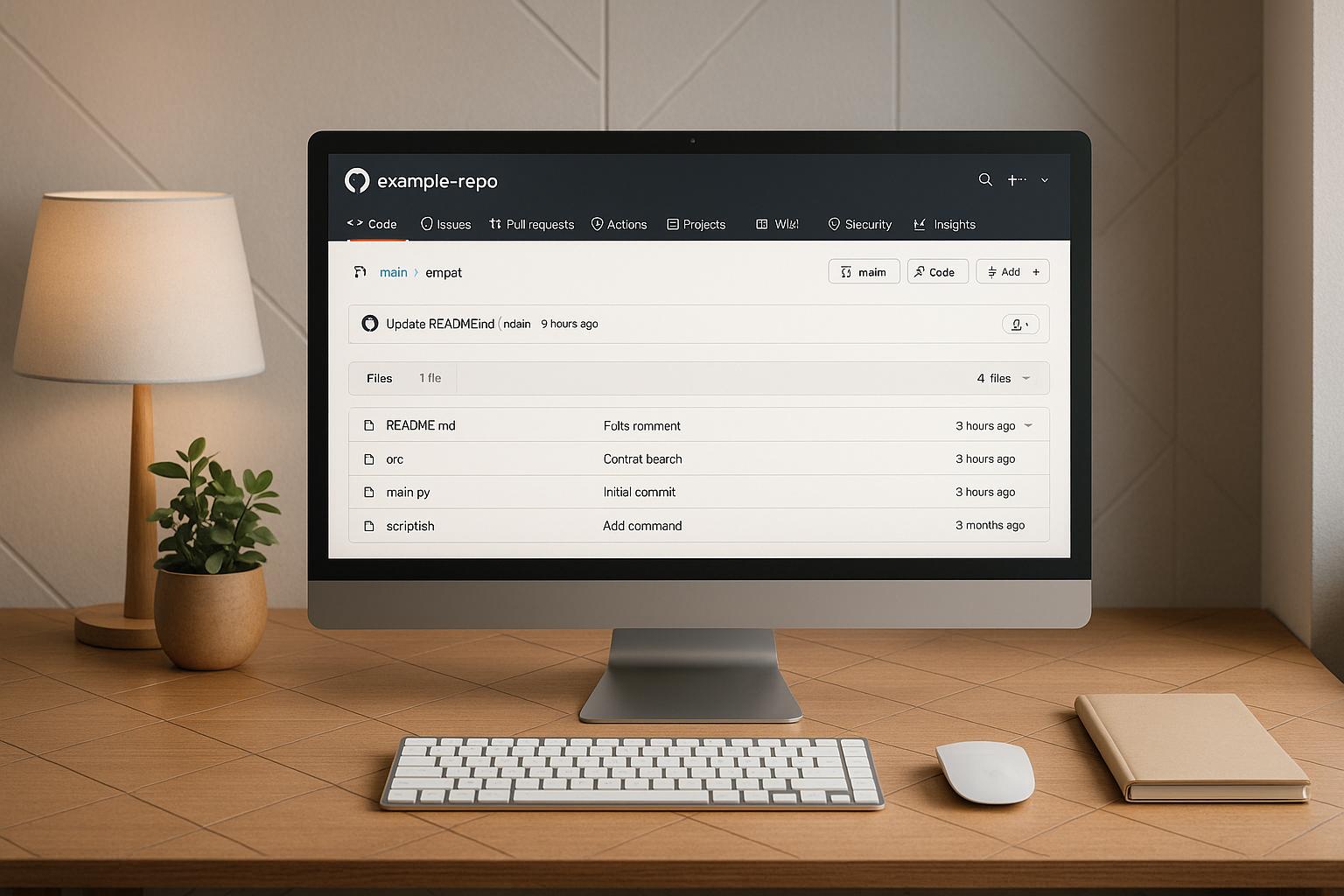
GitOps simplifies managing infrastructure and applications by using Git as the single source of truth. Here's the process in a nutshell:
- Set Up a Git Repository: Create a repository to store configuration files (e.g., Kubernetes manifests, Helm charts). Use clear structures like
/dev,/staging, and/prodfor environments. - Use GitOps Tools: Tools like Argo CD or Flux sync your repository with Kubernetes clusters, ensuring consistency.
- Define a Branching Strategy: Use branches like
mainfor production,developfor testing, andstagingfor pre-production. - Secure Access: Apply least-privilege principles, use SSH keys or tokens for authentication, and manage secrets with tools like Sealed Secrets or Vault.
- Automate Compliance: Set up pre-commit hooks, CI pipelines, and policy checks to validate configurations and catch errors early.
- Plan for Rollbacks: Leverage Git's history to revert to stable states when needed.
GitOps enhances deployment reliability by combining Git's version control with automation tools. This guide covers repository setup, security, automation, and connecting tools to streamline workflows.
Creating and Configuring Your Git Repository
Setting Up a New Git Repository
To kick things off, run the command git init my-gitops-repo to create a local Git repository for your GitOps setup.
Once the repository is ready, start adding your configuration files. These could include Kubernetes YAML manifests, Helm charts, or other infrastructure-as-code files that define your desired system state. Use git add . to stage the files and then commit them with git commit -m "Initial commit".
Next, link your local repository to a remote repository by running:
git remote add origin https://github.com/your-username/my-gitops-repo.git
Finally, push your changes to the remote repository with:
git push -u origin main
This remote repository will serve as the central source of truth for your GitOps workflow, with tools continuously monitoring it for updates.
Here’s a quick summary of the key steps:
| Step | Command | Purpose |
|---|---|---|
| Initialise | git init my-gitops-repo |
Create a new local repository |
| Add files | git add . |
Stage configuration files |
| Commit | git commit -m "Initial commit" |
Create the initial commit |
| Add remote | git remote add origin <repo-url> |
Link to a remote repository |
| Push | git push -u origin main |
Upload the repository to the remote server |
With your repository set up and connected, you can now organise your files in a way that suits your operational needs.
Repository Structure Options
When structuring your GitOps repository, you’ll need to decide between a mono-repo or multi-repo approach.
A mono-repo consolidates all configuration and code for various environments or services into one repository. This setup simplifies management and makes cross-environment updates easier, which can be particularly useful for smaller teams. However, as the project grows, mono-repos may become harder to manage and could complicate access control.
On the other hand, a multi-repo strategy separates repositories by environment, service, or team. This approach provides better isolation, clearer boundaries, and improved access control. However, it can require more coordination when making changes that affect multiple repositories.
Regardless of your choice, a common way to organise files is by creating top-level directories for each environment. For instance:
/dev
  /app1
  /app2
/staging
  /app1
  /app2
/prod
  /app1
  /app2
This structure not only keeps things tidy but also simplifies automation and monitoring for GitOps tools.
Branching Strategies for GitOps
After setting up your repository structure, it’s time to define a branching strategy that aligns with your deployment environments. A widely used method is to dedicate branches to specific environments. For example, main might be used for production, develop for development, and staging for pre-production testing.
Under this strategy, changes typically flow through feature branches. For instance, you might start with a branch named feature/xyz, merge it into develop for initial testing, then promote it to staging, and finally merge it into main for production deployment. Clear branch names like feature/xyz and hotfix/abc help track changes and their purposes.
This environment-based branching offers several benefits:
- It allows changes to be tested in lower environments before reaching production.
- It creates a clear audit trail of deployments.
- It enables easy rollbacks by reverting to previous commits if something goes wrong.
To strengthen your branching strategy, consider implementing branch protection rules. For example, you could block direct pushes to production branches and require pull request reviews. These safeguards ensure that every change is reviewed and approved before deployment, adding an extra layer of reliability to your GitOps workflow.
A well-thought-out branching strategy not only complements your repository structure but also enhances the overall efficiency and reliability of your GitOps processes.
Securing Git Repositories and Managing Access
Managing Repository Access and Permissions
To keep your GitOps repositories secure, it's essential to implement strict access controls. Start by applying the principle of least privilege - only grant users the access they absolutely need [3] [5]. Define specific roles for your team members: most users should have read-only access to monitor configurations and track changes, maintainers should handle write access for updates, and administrative rights should be limited to repository owners [3] [4] [5].
Platforms like GitHub and GitLab make it easier to organise teams and assign permissions at both the repository and branch levels. For example, you might set up a DevOps Engineers
group with write permissions for staging branches, while a Platform Admins
group has full control over production branches [3] [4] [5].
Another critical step is enforcing branch protection rules to block unauthorised changes. For instance, requiring pull request reviews before merging into key branches like main or production ensures all changes are carefully vetted [5] [8]. Additionally, the code owners feature can automatically assign reviewers for updates to sensitive directories or files, adding an extra layer of oversight [5] [8].
Don’t forget to audit repository access regularly. Review access permissions monthly, especially when team roles change or staff leave. Enable detailed logging of repository activity to maintain a reliable audit trail [2] [3] [4].
Once repository permissions are in place, the next step is to secure the authentication methods used by your GitOps tools.
Authentication Methods for GitOps Tools
After locking down repository access, focus on secure authentication for GitOps tools. Tools like Argo CD and Flux need to connect to your repositories, and the right authentication method ensures both security and operational efficiency.
HTTPS with personal access tokens is a straightforward option that supports easy token rotation and detailed auditing [5]. If your team already uses SSH, SSH keys provide strong cryptographic security. Create ed25519 SSH keys specifically for your GitOps tools and store them securely in your cluster’s secret manager [1] [5]. Remember to rotate SSH keys every 90 days since they don’t expire automatically [1].
For enterprise use, GitHub Apps offer a highly secure option with fine-grained permissions and robust auditing capabilities, making them ideal for production environments [5].
Here’s a quick comparison of these methods:
| Authentication Method | Security Level | Setup Complexity | Best Use Case |
|---|---|---|---|
| HTTPS with Tokens | High | Medium | Organisations needing token rotation |
| SSH Keys | High | Medium | Teams with existing SSH infrastructure |
| GitHub Apps | Very High | Medium | Enterprise production environments |
When setting up your tools, configure private repository credentials before creating applications to avoid accidentally exposing sensitive data.
Secret Management Practices
Beyond access controls and authentication, managing secrets securely is a cornerstone of GitOps. Never store plaintext secrets - such as API keys, database credentials, or certificates - in your Git repositories [1] [8]. Instead, use dedicated secret management tools.
For Kubernetes users, Sealed Secrets is a great option. It encrypts secrets with a controller running in your cluster, allowing you to commit encrypted versions to your repository safely. The controller then decrypts these secrets during deployment, preserving your GitOps workflow while keeping sensitive data secure [1] [8].
Another powerful tool is HashiCorp Vault, which provides centralised secret storage and rotation. When combined with the External Secrets Operator, Vault can automatically fetch and inject secrets into your Kubernetes deployments. This setup not only enables seamless secret rotation but also provides detailed access logs [1] [8]. The External Secrets Operator also supports other backends like AWS Secrets Manager, Azure Key Vault, and Google Secret Manager, making it a flexible choice for teams working in multi-cloud environments [1] [8].
Native secret managers like AWS Secrets Manager or Azure Key Vault are also excellent options. They integrate seamlessly with cloud services, offer automatic secret rotation, and include fine-grained access controls with comprehensive logging [1].
Automate secret rotation every 30–90 days to reduce risk. Ensure your GitOps tools are set up to receive updated credentials automatically, preventing potential deployment issues [1] [8].
According to Hokstad Consulting, a DevOps and cloud infrastructure advisory firm, automating access reviews and integrating secret management into existing cloud security frameworks can significantly lower risks and improve audit processes.
GitOps: Core Concepts & Ways of Structuring Your Repos
Need help optimizing your cloud costs?
Get expert advice on how to reduce your cloud expenses without sacrificing performance.
Repository Management for GitOps Workflows
Building on secure configuration and access management, having a well-organised repository is key to optimising your GitOps workflow. Let’s explore how to structure, automate, and standardise your repositories for smoother operations.
Organising Configuration Files
A well-structured repository is the backbone of a GitOps workflow. The goal is to ensure clear separation of configurations while maintaining consistency across the board.
Start by creating dedicated directories for different configuration types. For example:
- Use an
/appsdirectory for application manifests. - Use an
/infrastructuredirectory for cluster-level resources like ingress controllers, monitoring tools, and networking.
This separation not only makes it easier for teams to locate specific configurations but also reduces the risk of accidental modifications to critical infrastructure files.
To manage multiple environments efficiently, use environment overlays. Begin with a /base directory for shared resource definitions, then add overlays for specific environments, such as /overlays/dev, /overlays/staging, and /overlays/prod. Each overlay contains only the customisations needed for its environment. For instance, your base deployment might specify two replicas, while the production overlay increases it to five, and the development overlay reduces it to one.
Consistency in naming conventions is equally important. Stick to lowercase, hyphen-separated names (e.g., my-app-config instead of MyApp_Config or myAppConfig). Including a README.md file in each major directory can help document its purpose and any specific conventions.
Here’s an example of a well-organised repository structure:
├── apps/
│   ├── web-frontend/
│   └── api-backend/
├── infrastructure/
│   ├── ingress/
│   └── monitoring/
├── overlays/
│   ├── dev/
│   ├── staging/
│   └── prod/
└── base/
    ├── app-configs/
    └── infra-configs/
This structure not only simplifies navigation but also sets the stage for automating compliance and ensuring consistency across all configurations.
Automating Repository Compliance
Once your repository is organised, automating compliance ensures your workflow stays efficient and error-free. Start by implementing pre-commit hooks to catch issues early. These hooks can validate YAML syntax, enforce naming conventions, and flag misconfigurations before changes are committed.
Next, extend these checks to your CI pipeline. Tools like kubeval can validate Kubernetes manifests as part of your CI process, ensuring your configurations are deployment-ready. According to a 2023 GitLab survey, 78% of DevOps teams using GitOps reported improved deployment reliability and fewer manual errors thanks to automated compliance checks [9].
For example, a financial services company that adopted pre-commit hooks and CI linting saw a 40% reduction in onboarding time for new projects and a 30% drop in deployment errors [4].
Policy-as-code frameworks, such as Open Policy Agent (OPA), add another layer of compliance. These frameworks allow you to enforce policies like resource quotas, security labels, and RBAC rules. Automated drift detection, which compares your repository state with the current cluster state, helps identify unauthorised changes and ensures your repository remains the single source of truth.
Using Repository Templates
Standardising repositories with templates can significantly speed up new project setups while maintaining consistency. Templates provide a ready-to-use foundation, complete with proven directory structures, sample configurations, and automation scripts, eliminating the need to start from scratch.
For example, a technology firm reported a 25% reduction in configuration drift and a 20% improvement in deployment speed after adopting standardised templates with pre-configured Kustomize overlays for environment-specific configurations [6].
When creating templates, include essentials like:
- Pre-configured pre-commit hooks.
- Sample CI pipeline configurations.
- Example overlay structures for different environments.
Templates are especially helpful for organisations managing multiple projects. You can create tailored templates for different needs - such as one for microservices, another for batch jobs, and a third for infrastructure components - ensuring each project benefits from relevant configurations and automation.
Keep your templates up to date by versioning them and incorporating new tools and techniques. This ensures future projects benefit from the latest improvements.
Hokstad Consulting highlights that integrating automated compliance and cost checks into repository templates can help prevent configuration drift and maintain operational efficiency, especially for UK organisations operating under strict regulatory requirements.
Connecting Git Repositories to GitOps Tools and Pipelines
Once your repository is secured, the next step is connecting it to GitOps tools and CI/CD pipelines. This integration helps automate deployments to your Kubernetes clusters, streamlining the process and reducing manual effort.
Connecting Repositories to GitOps Tools
To link your Git repository with GitOps tools like Argo CD or Flux, you'll need to configure authentication and monitoring settings. While each tool has its nuances, the underlying principles are quite similar.
Setting up Argo CD connections can be done via the web UI or command line. Using the UI, navigate to Settings > Repositories on the Argo CD dashboard, then choose Connect Repo using HTTPS
or SSH
, depending on your preferred authentication method. You'll need to provide the repository URL and relevant credentials.
For those leaning towards automation, the CLI method is a great option. Use commands such as argocd repo add <repo-url> --username <user> --password <pass> for HTTPS connections. This approach is particularly useful for scripting and automation tasks [5].
Flux, on the other hand, relies on Kubernetes manifests to define GitRepository resources. You'll create a YAML file that specifies the repository URL, branch, and authentication details. For example, you'd define a GitRepository resource pointing to the main branch and a matching Kustomization resource that targets your configuration directory [6].
Authentication methods depend on your security needs and the repository platform. For public repositories, anonymous access might suffice. However, private repositories demand stricter security measures. SSH keys are often recommended for production environments, while GitHub App integration can offer detailed permissions and better audit logs, especially for enterprises [5].
You’ll also configure which branch and directory path your GitOps tool should monitor. This setup is particularly useful for multi-environment workflows, allowing different branches or directories to be managed independently within the same repository [6].
Once the repository connection is established, the next step is integrating CI/CD pipelines to ensure smooth and automated deployments.
Configuring CI/CD Pipelines for GitOps
Integrating your Git repository with CI/CD pipelines is crucial for automating deployments while maintaining consistency. This process begins with setting up triggers that respond to specific Git events. Popular platforms like GitLab CI, Jenkins, and GitHub Actions can monitor repository changes and initiate build processes automatically. These pipelines typically include stages for building applications, running tests, creating container images, and updating deployment manifests with new image tags or configuration tweaks [7][9].
A key principle in GitOps pipelines is keeping application code separate from deployment configurations. For example, your application repository might trigger a pipeline to build a new container image, but the deployment configuration updates should occur in a separate GitOps repository. This separation ensures that deployment configurations remain stable and auditable while allowing rapid updates to your application [9].
Monitoring and sync intervals can be adjusted to determine how frequently your GitOps tool checks for updates in the repository and applies them to your cluster. For sensitive environments, you might prefer manual sync policies, requiring human approval before deployments. By contrast, automatic sync is ideal for development environments where speed and iteration are a priority [2].
Tools like Argo CD and Flux play a critical role here, maintaining deployment consistency by continuously monitoring the repository. The automation relies on four essential components: the Git repository as the single source of truth, the continuous delivery pipeline for processing changes, the deployment tool for applying configurations, and the monitoring system to track deployment health [9].
Managing Rollbacks and Disaster Recovery
Git's version control features provide a solid safety net for rollbacks and disaster recovery in GitOps workflows. If a deployment fails or issues arise, Git history, tags, and branches enable quick restoration to a stable state.
Rollback strategies in GitOps differ from traditional methods. Instead of using tools like kubectl or deployment-specific commands, you simply revert the Git repository to a prior state. Commands like git revert or tagging stable releases allow you to quickly roll back to a known-good configuration. Once these changes are pushed to the repository, your GitOps tool will detect the update and automatically restore the cluster to the previous configuration [3][9].
Branch-based recovery adds another layer of resilience. Many organisations maintain separate branches for varying stability levels, such as a main branch for production and a staging branch for testing. If a production issue occurs, you can temporarily point your GitOps tool to the staging branch or create a hotfix branch based on a previous stable commit [8].
According to industry research, DevOps transformation, including automated CI/CD pipelines, can lead to up to 90% fewer errors in deployments and a 95% reduction in infrastructure-related downtime[10].
Testing your recovery procedures is essential. Regularly practising rollback scenarios in non-production environments ensures your team is prepared and your tools function as expected. This preparation is invaluable during real incidents when a quick response is critical.
Conclusion
Adopting structured, secure, and automated Git repository practices is the key to achieving smoother deployments and reliable recovery processes. The backbone of this approach lies in maintaining a clear separation between application code and deployment configurations, supported by strong structure, robust security measures, and automation. Essential elements like branching strategies, access controls, and secure authentication form the bedrock of a dependable GitOps workflow.
By integrating Git repositories with tools such as Argo CD or Flux, organisations can automate deployments and minimise errors. Coupled with efficient CI/CD pipelines and rollback strategies, this setup ensures a resilient system that can handle both routine updates and unexpected recovery scenarios with ease.
Key Takeaways
Here’s a recap of the most important points:
Repository structure and organisation are critical for GitOps success. Using separate directories for different environments, grouping related configuration files, and leveraging templates for repeatable setups allow workflows to scale alongside organisational growth. According to the 2023 CNCF GitOps Survey, over 70% of organisations using Kubernetes have adopted GitOps practices for at least part of their infrastructure management.
Security measures must be prioritised in GitOps implementations. Applying least-privilege access controls, using strong authentication methods like SSH keys or OAuth tokens, and managing secrets with encrypted solutions are vital steps to safeguard infrastructure from potential vulnerabilities caused by misconfigured repositories.
Automation and compliance play a crucial role in reducing manual errors and maintaining consistency. Repository templates, automated linting tools, and policy-as-code frameworks not only speed up onboarding but also ensure organisational standards are upheld, eliminating traditional deployment inefficiencies.
A well-organised repository combined with robust security and automated compliance doesn’t just simplify deployments - it also strengthens operational resilience.
How Hokstad Consulting Can Help
For organisations looking to optimise their GitOps workflows, Hokstad Consulting offers expert guidance and proven solutions. By building on these best practices, they help streamline deployments, ensure compliance, and reduce unnecessary costs.
Their DevOps transformation services focus on eliminating manual tasks and minimising human error through automation, allowing developers to dedicate more time to innovation. Additionally, their cloud cost engineering strategies can cut infrastructure expenses by 30–50% while maintaining reliable deployments.
Hokstad Consulting also provides strategic cloud migration services, ensuring zero downtime during GitOps implementation. Their ongoing support includes cloud security audits and performance optimisation. With a flexible engagement model, including a 'No Savings, No Fee' approach, their success aligns directly with your operational improvements.
For UK businesses, Hokstad Consulting’s expertise in local compliance ensures your repository setup not only meets regulatory standards but also enhances efficiency, giving you a competitive edge in the market.
FAQs
What are the pros and cons of using a mono-repo versus a multi-repo setup in GitOps?
When deciding between a mono-repo and a multi-repo strategy for GitOps, it’s essential to consider how each aligns with your team’s workflows and requirements.
A mono-repo approach consolidates all code and configurations into a single repository. This setup can simplify managing shared dependencies, ensure consistent policies, and provide a unified history of changes. However, as the repository grows, challenges may arise, such as slower build times, scalability issues, and an increased likelihood of conflicts in larger teams.
In contrast, a multi-repo setup allows teams to maintain separate repositories, offering more autonomy and reducing the chances of conflicts. This structure can also make access control more straightforward and support easier scaling for large organisations. On the flip side, it can complicate the management of shared dependencies and maintaining uniformity across repositories.
The choice between these approaches should be guided by factors like the size of your team, the complexity of your projects, and the level of collaboration required. For tailored advice on refining your GitOps workflows, it’s worth seeking insights from specialists in DevOps and cloud infrastructure.
How can organisations securely manage access to Git repositories in a GitOps workflow?
To keep Git repositories secure within a GitOps workflow, it's essential to prioritise strong authentication and authorisation practices. Opt for SSH keys or personal access tokens to manage authentication securely. At the same time, implement role-based access control (RBAC) to ensure users only have permissions that align with their roles, reducing the likelihood of unauthorised changes.
Another key step is enabling branch protection rules. These rules can block direct changes to critical branches and enforce pull requests for any updates, adding an extra layer of security. It's also wise to routinely review access logs and repository settings to spot and address potential vulnerabilities. By following these steps, organisations can keep their GitOps workflows both secure and well-organised.
How do tools like Argo CD and Flux simplify automated deployments in a GitOps workflow?
Tools like Argo CD and Flux are essential for streamlining deployments in a GitOps setup. They ensure that the desired state of your application, as defined in your Git repository, is consistently reflected in your infrastructure. By constantly monitoring your repositories for updates, these tools automatically align your environment with any configuration changes.
Using these tools enables continuous delivery with minimal manual effort. This approach not only speeds up deployments but also reduces the likelihood of errors, as everything is governed by version-controlled configurations. Their declarative design fits seamlessly with GitOps principles, making them indispensable for managing modern infrastructure workflows.