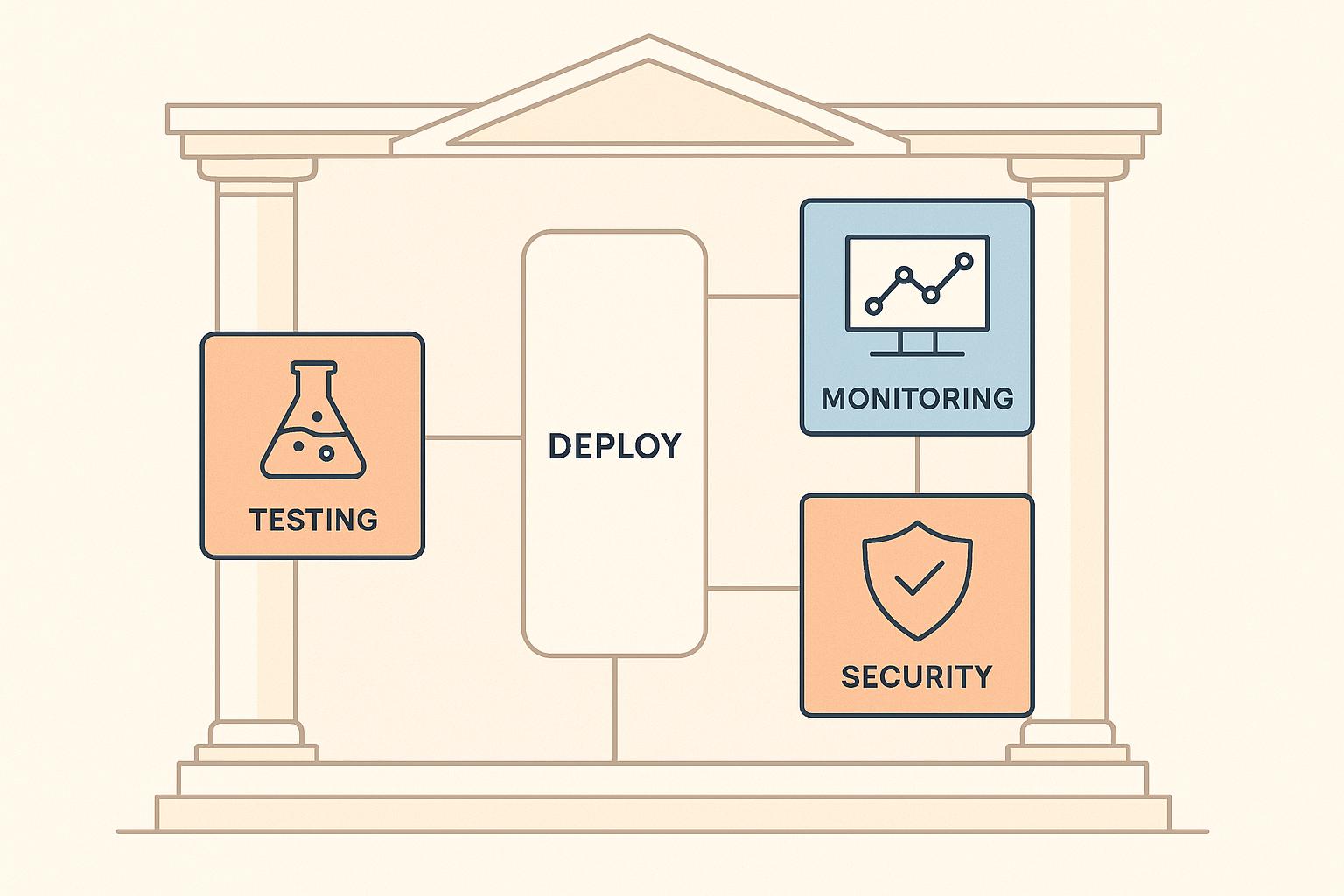
Staging environments are critical for testing CI/CD pipelines before production. They mimic production conditions, helping to catch issues early and reduce deployment risks. This article outlines a detailed checklist to ensure your CI/CD tools are properly validated in staging, covering key areas like integration, security, performance, and monitoring.
Key Takeaways:
- Verify tool compatibility: Ensure CI/CD tools integrate seamlessly with your tech stack and testing frameworks.
- Match staging with production: Use containerisation and Infrastructure as Code (IaC) tools like Docker and Terraform for consistency.
- Test CI workflows: Automate unit, integration, and end-to-end tests, and prioritise regression testing for quick feedback.
- Validate deployment processes: Test scripts for clean deployments, updates, and rollbacks, ensuring they target staging resources.
- Focus on security and compliance: Run SAST, DAST, and SCA scans, manage secrets securely, and validate regulatory compliance.
- Monitor performance and scalability: Optimise test execution times, use parallel testing, and stress-test your CI/CD infrastructure.
- Set up monitoring and alerts: Centralise logs, track metrics, and test alert notifications for pipeline health.
By following this checklist, you can ensure your CI/CD pipeline is reliable, secure, and ready for production, minimising downtime and deployment errors.
A Tester's Guide to CI/CD: as an Automated Quality Control System
Pre-Staging Preparation: Setting the Foundation
Before diving into testing your CI/CD tools in a staging environment, you need to establish a solid foundation. Skipping this step is like constructing a building on shaky ground - problems are bound to arise later. Once the groundwork is in place, you can move forward with confidence, using the checklist below to validate each CI/CD component.
Verify Tool Compatibility and Configuration
Minimise deployment risks by ensuring your CI/CD tools integrate seamlessly with your version control system and tech stack. Double-check that authentication and webhook configurations are set up to trigger builds automatically whenever code is pushed. Your tools should also support the testing frameworks your team relies on, whether for unit testing (e.g., JUnit, Jest, pytest), UI testing (e.g., Selenium, Playwright, Cypress), or API testing (e.g., Postman, RestAssured) [1][4].
If you're working with user interfaces, confirm that tools like Selenium (ideal for older systems) or Playwright and Cypress (suited for modern applications) are compatible. For API testing, particularly in microservices environments, ensure tools such as Postman or RestAssured integrate properly. Don't forget about mobile testing - tools like Appium should be configured for both Android and iOS platforms.
Create a compatibility matrix that outlines tool versions, integrations, and limitations. Keep a record of repository URLs, authentication details, firewall configurations, branch protection rules, build triggers, test sequences, environment configurations (e.g., database URLs, API endpoints, credentials), and timeout thresholds. Make sure branch protection rules are in place to prevent direct commits to the main branches and to enforce testing workflows for pull requests before merging.
Configure build triggers to specify which branches - typically development and main - should initiate builds. Define a logical sequence for automated tests, starting with unit tests, followed by integration tests, and concluding with end-to-end tests. Ensure environment-specific settings point to staging resources, not production, and establish rollback procedures for handling critical test failures.
Set Up Infrastructure and Environment Parity
To minimise deployment risks, ensure that your staging environment is as close to production as possible. This includes matching software versions, configurations, resource allocations, and network settings. Use containerisation tools like Docker and Kubernetes, along with Infrastructure as Code (IaC) solutions such as Terraform or CloudFormation, to standardise and replicate environments [3][5].
Allocate enough CPU, memory, and storage in staging to support parallel test execution without slowing down performance. Ensure network bandwidth is sufficient for downloading dependencies, running tests, and deploying applications. Use separate database instances for staging, which can be reset between test runs without impacting other environments.
Clearly document any intentional differences between staging and production. For instance, you might scale down resources in staging to save costs, but these differences must not compromise the validity of your tests. Implement monitoring systems that mirror those in production, including log aggregation, metrics collection, and alerts. Provision storage for test artefacts, build logs, and reports, and ensure backup and disaster recovery plans are in place. Finally, establish a change control process to manage updates and modifications to the staging environment.
Prepare Test Data and Access Controls
Reduce risks during deployment by using realistic test datasets that mimic production patterns while safeguarding sensitive information. Apply data masking to remove personally identifiable information (PII) before importing data into staging. Maintain a version-controlled repository of test data that covers normal, edge, and error cases. For example, when testing payment systems, use test credit card numbers and create realistic but fictional customer profiles.
Keep your test data repository updated to reflect current production trends, ensuring comprehensive test coverage. Version control these datasets to easily reproduce specific test scenarios when needed.
Implement Role-Based Access Control (RBAC) with separate credentials for staging, and track access using audit logging. Enforce multi-factor authentication for sensitive operations. Developers should have permissions to trigger builds and view test results, but only authorised personnel should be able to modify CI/CD configurations or deploy to staging. Use distinct credentials for staging access - separate from production - and securely manage API keys, database passwords, and authentication tokens.
Enable audit logging to monitor system access and changes. Set up service accounts for automated tools, granting only the permissions necessary for their tasks. Regularly review access permissions, especially when team roles change or staff leave the organisation.
Document all CI/CD configurations in detail, including build triggers, test sequences, deployment scripts, and environment settings. Store test scripts and configuration files in version control systems like Git. Develop runbooks that outline standard procedures for CI/CD operations, troubleshooting, and incident response. Maintain a shared knowledge base or wiki to capture lessons learned, common issues, and their resolutions, ensuring the documentation stays current and accessible to the entire team.
Core Checklist for CI/CD Testing in Staging
This checklist focuses on verifying essential CI/CD processes before moving to production, ensuring a smooth and reliable deployment pipeline.
Validate Continuous Integration (CI) Workflows
Start by confirming that build triggers activate on every push, branch creation, and pull request. Automated tests - such as unit, integration, and smoke tests - should run immediately, delivering clear and actionable feedback. A layered testing approach works best: unit tests check individual code components, integration tests ensure different modules work together, and smoke tests verify the core functionality and stability of each build. For instance, if you're working on a JavaScript project with Jest, your CI pipeline should automatically execute these tests whenever there’s a code push or pull request.
To avoid delays, prioritise critical regression and smoke tests for quick feedback. Ideally, the pipeline should execute unit tests first, followed by integration tests, and conclude with end-to-end tests. This approach catches issues early when they’re simpler and cheaper to resolve.
Integrate static code analysis into your workflow to identify and address problems immediately, preventing the pipeline from progressing with flawed code.
Simulate different CI scenarios to ensure robustness. Test successful builds that pass all tests, failures that halt the process, and edge cases to uncover configuration problems. Developers should receive detailed feedback, highlighting which tests failed and why. Additionally, integrate your CI tool with your version control system so build statuses are visible directly on pull requests, making it easy to assess whether changes are safe to merge.
Once the CI workflows are validated, shift focus to testing automated deployment processes.
Test Automated Deployment Processes
Deployment scripts are the backbone of automation, handling tasks like environment setup, configuration, and rollbacks. In the staging environment, these scripts need thorough testing to ensure they perform consistently and reliably. Run deployment scripts multiple times to confirm they target staging-specific resources, such as databases, API endpoints, and credentials, without mistakenly pointing to production.
For containerised applications, deploy across staging instances to verify consistent behaviour. To test rollback mechanisms, simulate failed deployments. The system should automatically revert to the last stable version, and rollback times should be measured and documented. Quick rollbacks are critical for maintaining service availability during unexpected issues.
Ensure proper artefact handling throughout the pipeline. Build artefacts should be correctly created, versioned, and stored, with clear tagging using version numbers, commit hashes, and timestamps. This makes it easy to trace which code version is deployed at any given time.
Test deployment scripts under various scenarios: clean deployments to an empty environment, updates to an existing setup, and intentional failures caused by configuration errors. Each scenario should behave predictably, with detailed logs explaining what happened and why.
Once deployment processes are confirmed, you’re ready to validate the full end-to-end pipeline.
Integration Testing and End-to-End Pipeline Execution
After verifying CI and deployment workflows, test the entire application flow - from code commit to deployment. End-to-end testing replicates real user scenarios, ensuring the pipeline operates as intended. This means a code commit triggers a build, automated tests and quality checks run, and the application is deployed to staging.
All components - testing frameworks, CI/CD platforms, and monitoring tools - must work together seamlessly. Whether you’re using Selenium, Cypress, or Playwright for UI testing, or tools like Postman and RestAssured for API testing, these frameworks should integrate smoothly with your CI/CD orchestrator. Test results should feed directly into the platform, guiding pipeline decisions.
Verify that failed tests halt the pipeline, preventing unvalidated code from progressing, while successful tests allow deployment to continue. Test this mechanism by introducing intentional bugs and ensuring the pipeline pauses as expected.
Monitoring tools should track deployment health and performance throughout the pipeline. Logs from each stage - build, test, and deployment - should be centralised and easily accessible for troubleshooting.
Run the full pipeline to simulate real-world operations. For example, a developer pushes code, the CI server builds the application, automated tests and quality checks run, artefacts are versioned and stored, and the application is deployed to staging. Record the duration of each stage, identify bottlenecks, and test with various changes like new features, bug fixes, or dependency updates to ensure a seamless workflow. Document the process to highlight areas for improvement and establish a baseline for future optimisation.
Finally, regularly review and streamline your test cases. Remove flaky or redundant tests and use code coverage tools to ensure critical functionality is tested without unnecessarily increasing execution times. The aim is to create an efficient validation process that delivers fast, reliable feedback to developers.
Need help optimizing your cloud costs?
Get expert advice on how to reduce your cloud expenses without sacrificing performance.
Security, Performance, and Monitoring Validation
Once your CI and deployment workflows are validated, it's time to focus on three critical aspects: security, performance, and monitoring. These elements are essential to determine whether your pipeline is ready for production or needs adjustments.
Conduct Security and Compliance Testing
Security testing should be multi-layered, combining tools like SAST, DAST, and SCA:
- Static Application Security Testing (SAST) scans your source code for vulnerabilities.
- Dynamic Application Security Testing (DAST) checks running applications for weaknesses.
- Software Composition Analysis (SCA) identifies risks in third-party dependencies.
Configure these tools to flag only critical and high-severity issues, ensuring that builds fail for these problems while logging medium and low-severity issues for future fixes. This approach helps maintain development momentum without compromising on critical security standards. First, test these tools in a staging environment to understand their outputs, false positives, and how well they integrate with your CI/CD platform.
Pay close attention to secrets management. Credentials, API keys, and sensitive information should never be hardcoded or exposed in logs. Test secret rotation processes and access controls in staging, and ensure sensitive data is masked in logs. If your pipeline handles personally identifiable information (PII), confirm compliance with regulations like GDPR.
For organisations under regulatory frameworks such as PCI DSS, HIPAA, or SOC 2, staging is the perfect place to validate compliance. Automate checks for these standards and ensure your pipeline maintains detailed audit logs of changes, deployments, and access events. Approval workflows and change management processes should also align with compliance requirements.
Security findings should be reviewed and prioritised promptly. Not every issue demands immediate action - some may be false positives or acceptable risks. Document your security configurations in version control, just as you would for test scripts, and create dashboards to track security metrics over time.
With security validated, shift your focus to performance.
Evaluate Performance and Scalability
After security, ensure your pipeline performs efficiently and scales as needed. Start by measuring test execution times for unit tests, integration tests, and end-to-end tests. This helps identify stages that consume the most time.
Use tools like Docker and Kubernetes to replicate production conditions. This setup can uncover environment-specific performance issues and ensure consistent behaviour across environments. Parallel testing is another effective strategy to shorten pipeline cycle times, as many CI/CD platforms support running multiple test jobs simultaneously.
Monitor resource usage - CPU, memory, and disk I/O - during pipeline execution. Experiment in staging to optimise configurations, parallelisation levels, and resource allocations. Document performance baselines and define acceptable thresholds for execution times. Test caching mechanisms for dependencies and build artefacts to further reduce execution times. If your infrastructure is cloud-based, validate that auto-scaling works as expected by provisioning resources during peak demand and scaling down when demand decreases.
Load testing ensures your CI/CD infrastructure can handle production demands. Create realistic load profiles based on factors like the number of developers committing code, deployment frequency, and test suite complexity. Trigger multiple builds simultaneously, run tests in parallel, and monitor the system's response. Key metrics to track include build queue times, test execution times, and resource usage.
For stress testing, push your system beyond expected loads. For example, attempt ten times the usual number of concurrent builds to identify breaking points. Document your system's maximum capacity and ensure there's room for growth. Ideally, performance degradation should occur gracefully, with builds queued rather than failing outright.
Once performance metrics are in place, focus on real-time monitoring.
Monitor Logs and Alerts for Pipeline Health
Effective monitoring is crucial for maintaining pipeline health. Start by centralising logs from all stages of the pipeline. This simplifies troubleshooting when failures occur.
Track key metrics such as build success rates, test execution times, deployment frequency, and recovery times after failures. These metrics offer visibility into pipeline health and can highlight trends that signal potential issues.
Set up alerts for specific failure scenarios, such as build failures, excessive test execution times, critical vulnerabilities detected by security scans, or deployment errors. Avoid overwhelming your team with unnecessary alerts by carefully tuning thresholds to minimise false alarms. Test alert notifications through channels like email, Slack, or PagerDuty to ensure they reach the right people.
Health checks should also cover the pipeline infrastructure itself. Confirm that CI/CD servers are responsive, repository connections are stable, and external services are functioning correctly. Dashboards can provide real-time updates on pipeline status, helping teams quickly identify and address problem areas.
Establish data retention policies for logs and records. For example, keep detailed logs for 30 days to support troubleshooting, while retaining summary metrics for longer periods to monitor trends.
Finally, test your monitoring setup under various conditions. Simulate failures at different pipeline stages to ensure alerts trigger correctly, introduce performance issues to verify monitoring accuracy, and confirm that log aggregation works under heavy loads.
Document your monitoring configurations and alert thresholds to help new team members understand what’s normal and what requires investigation. Regularly review and refine your monitoring strategy, adjusting thresholds and adding new metrics as needed.
For expert advice on optimising CI/CD pipelines and preparing for production, consult Hokstad Consulting (https://hokstadconsulting.com), specialists in streamlining DevOps practices, cloud infrastructure, and hosting costs for businesses in the UK.
Post-Testing Review and Documentation
After testing, it's crucial to dive into the data - reviewing build success rates, test durations, and code coverage. This analysis helps identify inefficiencies and lays the groundwork for better documentation and process improvements.
Analyse Test Results and Address Issues
Start by reviewing the metrics gathered during testing. Look at the success-to-failure ratio of builds in your staging tests. If the success rate falls below acceptable levels, it’s time to uncover the root causes before moving forward.
Pay close attention to flaky tests - those that pass inconsistently. These tests can damage trust in your automation process and should be tackled immediately. Document which tests are unreliable, investigate the reasons behind their behaviour, and decide whether to fix or remove them. A pipeline riddled with flaky tests generates false alarms, undermining confidence in the system [1].
Create a structured system to categorise and prioritise issues. Classify them by severity - from critical problems that block deployment to minor ones earmarked for future improvement. You can also group issues by type, such as configuration errors, tool integration failures, or test script defects [1][2].
For every issue, document the root cause. Whether it stems from code, infrastructure, or environment setup, link it back to specific test cases or pipeline stages. This creates a clear trail for teams to trace problems and implement preventative measures [1].
Compare your staging test results with baseline metrics from previous deployments. For example, if your goal is to complete builds within 15 minutes or achieve over 80% code coverage, check whether these targets were met. If performance deviates significantly, investigate and document the reasons [1].
Not all issues can - or should - be fixed immediately. For unresolved problems, maintain a risk register. Note the issue's description, severity, potential impact, and likelihood of occurring in production. Explain why it remains unresolved - whether due to external dependencies, acceptable trade-offs, or the need for further investigation. Include mitigation strategies like monitoring plans, rollback procedures, or manual interventions [2].
Document Findings and Optimisation Recommendations
Centralise all documentation in one place. This should include configuration details, test reports, and remediation actions. Record the CI/CD pipeline setup and test outcomes, including hardware, software versions, dependencies, and staging environment settings [5].
Keep detailed test result reports, noting execution timestamps, pass/fail statistics, and performance metrics. Document every remediation action - what was changed, why, and the results. This creates an audit trail, showing how the pipeline has evolved over time [2][5].
Develop troubleshooting guides and escalation procedures. Include user guides for team members working with the staging environment and CI/CD tools. Highlight any known differences between staging and production environments to avoid surprises. Provide contact lists for support and escalation paths for critical issues [5].
Offer recommendations to improve test quality. Identify flaky or redundant tests that can be removed to reduce maintenance and improve reliability. Pinpoint areas where additional automated tests are needed to enhance coverage [1].
For performance, suggest strategies like parallel testing to cut down pipeline execution times. Recommend environment improvements, such as using Docker or Kubernetes, to ensure consistency across development, staging, and production. If certain tools underperformed, propose better-suited alternatives [1][3].
Suggest process changes like adopting test-driven development or shift-left testing to catch defects earlier. For infrastructure, recommend scaling adjustments or resource allocation changes based on performance testing results [2].
Hold a post-staging retrospective with teams from development, QA, and operations. Discuss what worked well - like effective test strategies or smooth tool integrations - and identify areas for improvement, such as bottlenecks or unclear documentation. Assign action items with owners and deadlines to address these points [3].
Create a knowledge base or wiki to document common issues and their solutions. This speeds up troubleshooting in future cycles and encourages organisational learning. Review lessons learned quarterly to identify broader improvements for the CI/CD programme [3].
Thorough documentation sets the foundation for stakeholder approval.
Seek Stakeholder Sign-Off for Production Readiness
The final step is securing stakeholder approval to confirm production readiness. Use a checklist that includes test results, remediation status, and risk registers to guide the sign-off process.
- Development teams should verify code quality and functionality validation through test results [1].
- Quality assurance teams should ensure all critical test cases passed and that test coverage meets standards [1].
- Operations teams should confirm that performance metrics, scalability, and configurations are production-ready [2].
- Security teams need to review security testing results, compliance checks, and any vulnerabilities [2].
- Business stakeholders should assess whether the pipeline aligns with business goals and timelines [2].
Compile all findings into an audit document, including an executive summary, key metrics, and readiness assessment. Break down results by test category - unit, integration, functional, performance, and security - highlighting any unresolved issues and their mitigation plans [1][2].
Obtain explicit approval from each stakeholder group, documenting the date, time, and authorising individual for audit purposes. If concerns arise, establish escalation procedures to address them before sign-off [2][3].
Host a handover meeting with production teams to review the sign-off document and address any questions. Provide access to test logs, configuration details, and monitoring dashboards. Set up communication channels for production teams to escalate issues or request clarification during deployment [5].
Define clear acceptance criteria for unresolved issues, ensuring stakeholders agree on monitoring and alerting rules to address them in production. Plan post-deployment reviews to assess whether these issues impact production and to implement permanent fixes if needed [2].
For expert guidance in optimising CI/CD pipelines and preparing for production, Hokstad Consulting offers tailored solutions for UK businesses. Visit Hokstad Consulting to learn more.
Conclusion
Testing CI/CD tools in staging isn't just a formality - it’s a critical safeguard against potential production disasters. By thoroughly validating pipelines before deployment, teams can identify issues early, avoid last-minute surprises, and instil confidence throughout the organisation.
A systematic checklist ensures every detail is accounted for. From checking tool compatibility and matching staging environments to production, to validating security protocols, performance metrics, and monitoring systems, each step contributes to one overarching goal: ensuring production readiness. Skipping this process increases the risk of deploying pipelines that might fail under real-world conditions, leading to downtime, security gaps, and unnecessary frustration for developers.
Beyond mitigating risks, rigorous staging tests provide additional benefits. Automated testing for every code change speeds up feedback cycles, and implementing shift-left testing significantly reduces rework while accelerating delivery timelines. When staging environments closely replicate production, environment-specific bugs are eliminated, ensuring consistency and reliability across all testing phases.
However, the work doesn’t end after staging validation. Continuous monitoring, regular audits of test suites, and strong feedback mechanisms are essential to maintaining healthy pipelines over time. Test suites should adapt as applications evolve, with outdated or unreliable tests removed to preserve trust in automation.
Staging validation addresses the needs of multiple stakeholders. Developers gain confidence in their code, operations teams are reassured of smooth deployments, security teams can confirm compliance and vulnerability management, and business leaders see that quality standards and deadlines are being met. A robust staging checklist ensures these diverse needs are covered.
For UK businesses looking to optimise their CI/CD pipelines and minimise deployment risks, expert support can make all the difference. Hokstad Consulting offers tailored DevOps solutions, specialising in automated CI/CD pipelines, Infrastructure as Code, and monitoring systems that remove manual inefficiencies. Visit Hokstad Consulting to learn how their strategies can transform your deployment processes.
FAQs
How can I make sure my staging environment accurately reflects the production environment to minimise deployment issues?
To make sure your staging environment behaves as closely as possible to your production setup, start by replicating the infrastructure and configurations. Match the operating systems, database versions, and software dependencies to minimise any inconsistencies. Pay attention to environment variables, network settings, and third-party integrations, ensuring they are aligned wherever feasible.
Next, work with realistic test data that mirrors your production data in terms of structure and size. Just remember to anonymise it to protect sensitive information. Keep staging and production environments in sync by regularly applying updates - automating this process can save time and reduce errors. Finally, perform thorough monitoring and testing of staging deployments to spot and address any issues before they make their way into production.
What are the best practices for handling secrets and sensitive information in a CI/CD pipeline during staging?
To keep secrets and sensitive information safe in a CI/CD pipeline during staging, consider these key practices:
- Leverage a secrets management tool: Store sensitive items like API keys, tokens, and passwords in a secure vault or secrets manager. Avoid embedding them directly in your pipeline or code repository.
- Apply role-based access control (RBAC): Restrict access to secrets by following the principle of least privilege. Only authorised individuals or systems should have access.
- Encrypt data in transit and at rest: Protect sensitive information by using robust encryption methods, whether it's being transmitted or stored.
- Rotate secrets regularly: Automate the process of updating and replacing secrets periodically to minimise potential risks.
- Monitor and audit access: Keep detailed logs of who accesses secrets and when. Review these logs frequently to spot and address any unauthorised activity.
Adopting these steps helps safeguard sensitive data and reduces the chances of exposure during staging.
What are the best ways to monitor and optimise the performance of my CI/CD pipeline in a staging environment?
To keep your CI/CD pipeline running smoothly in a staging environment, start by analysing performance metrics to pinpoint any bottlenecks. Pay close attention to key indicators like build times, deployment frequency, and error rates. Leveraging automation tools can make this process easier by tracking these metrics in real time, giving you a clear picture of areas that need attention.
Make it a habit to review logs and test results regularly to confirm the pipeline is working as it should. Monitoring tools can be invaluable here, helping you spot anomalies or delays early on. It’s also a good idea to run load tests in the staging environment to see how the pipeline holds up under varying conditions.
One crucial step is ensuring your staging setup is as close to production as possible. This means aligning configurations, dependencies, and data sets. By maintaining this consistency, you can catch potential issues early and address them before they affect your live environment. This approach not only boosts reliability but also improves efficiency.