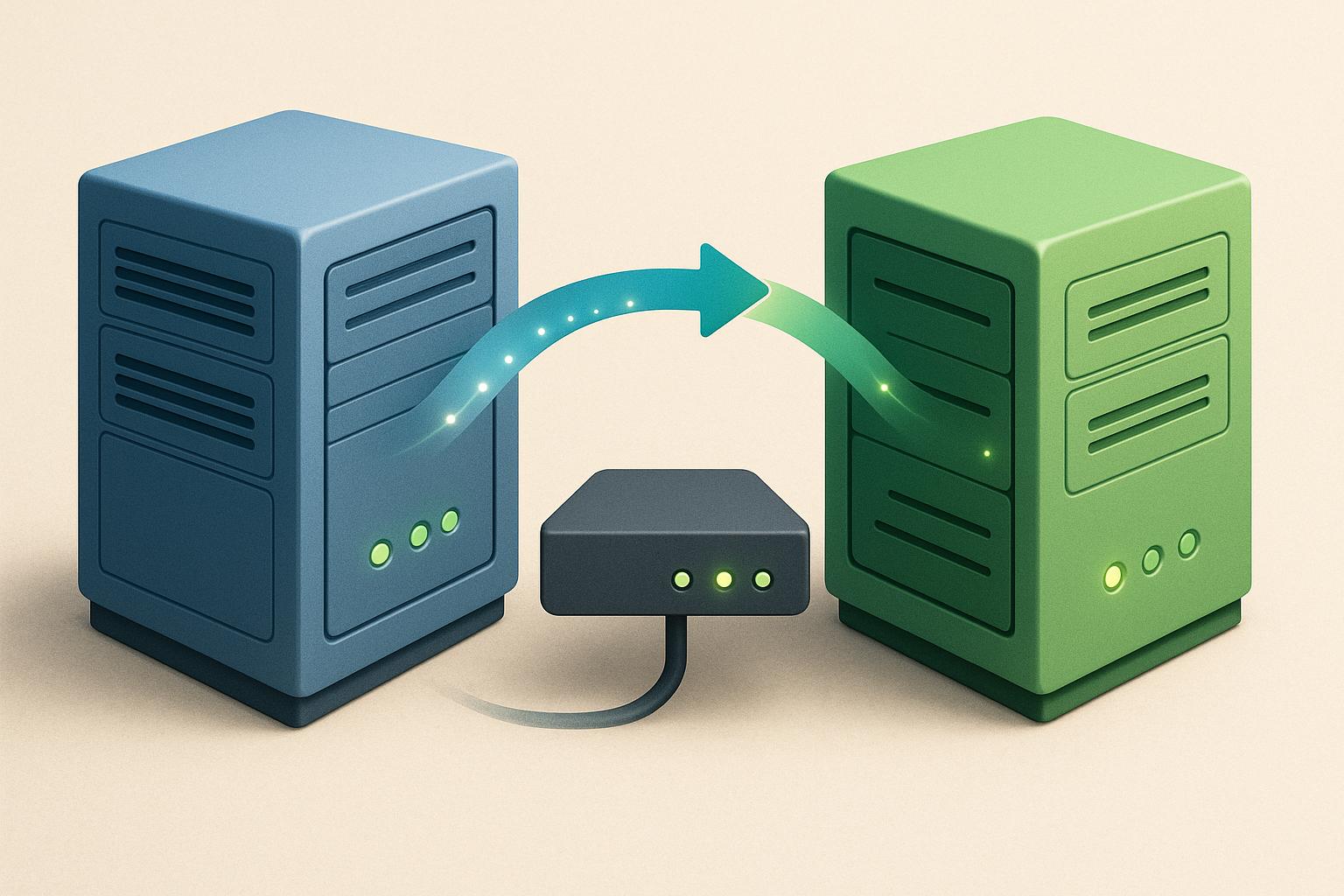
Blue-green deployment is a method that allows teams to release software updates with minimal downtime and quick rollbacks. By maintaining two identical environments - blue (active) and green (idle) - you can switch traffic between them during deployments. This approach is particularly useful for sectors in the UK like finance, healthcare, and e-commerce, where downtime can have serious consequences. Here's a quick overview of the best practices to make blue-green deployments successful:
- Use Load Balancers: Quickly switch traffic between environments and ensure smooth transitions.
- Apply Rolling Updates: Gradually migrate traffic to reduce risks and test stability.
- Automate with CI/CD Pipelines: Streamline deployments, testing, and rollbacks for consistency.
- Monitor Both Environments: Track metrics in real-time to catch issues early.
- Leverage Infrastructure as Code (IaC): Ensure consistency and security across environments.
These practices help reduce errors, improve deployment speed, and maintain system reliability. Below, we explore each of these strategies in detail.
Production Level Blue-Green Deployment CICD Pipeline | Blue Green Deployment
1. Use Load Balancers to Switch Traffic Between Environments
A load balancer acts as the gatekeeper between your users and your blue and green environments, providing a single point of control for all production traffic. Instead of exposing both environments directly, it offers a unified public endpoint (like a URL or IP address) while managing internal connections to the blue and green versions behind the scenes. When you're ready to deploy a new version, you simply adjust the load balancer's configuration to shift traffic from blue to green. This approach ensures a smooth transition without disrupting the user experience.
This method is widely considered the gold standard for blue-green deployments because it offers more control compared to alternatives like DNS switching. As DevOps.com notes, it is best practice to manage blue-green deployment switches via load balancers, due to the extra control they provide.
Unlike DNS changes, which can take minutes or even hours to propagate due to caching, updates to a load balancer's configuration take effect instantly at the network edge. This means you can switch traffic in seconds and quickly revert to the previous version if something goes wrong.
Here’s how load balancers work: major cloud providers offer native application load balancers that allow you to define separate target groups or backend pools for your blue and green environments. Once the new version is deployed to green and passes testing, you update the load balancer's listener to route traffic to the green target group. It then begins directing new requests to green while gracefully winding down existing connections to blue.
One key advantage of load balancers is their ability to perform gradual traffic shifts. For example, you can initially route a small percentage of users to the green environment, monitor its performance, and increase traffic gradually as confidence grows.
Health checks are another critical feature. Load balancers automatically monitor the health of instances and stop routing traffic to any that fail. Real-time monitoring of key metrics is essential so that, if issues arise, traffic can be quickly reverted to the blue environment.
In the UK, optimising load balancer configurations can also help manage costs. For instance, DNS records for .co.uk domains should point to the load balancer's static endpoint. Terminating SSL/TLS at the load balancer allows you to cover both environments with a single certificate, simplifying management.
Here’s a practical example: imagine a UK online retailer using two identical Kubernetes clusters behind a cloud load balancer. During a busy shopping period, they deploy a significant feature to the green environment. By gradually increasing traffic to green and closely monitoring checkout error rates, they ensure a smooth rollout. If any issues arise, they can instantly revert all traffic back to blue, ensuring customers experience no prolonged outages.
That said, there are some common pitfalls to watch out for. Misconfigured health checks, differences between environments, and overlooked updates to routing rules or security groups can all cause problems. These risks can be minimised by enforcing environment parity through Infrastructure as Code, practising cutover and rollback procedures in non-production environments, and managing load balancer configurations as version-controlled artefacts. Additionally, database compatibility is critical - if the green environment requires an incompatible schema, flipping the load balancer won't work. In such cases, backwards-compatible schema changes or dedicated data migration strategies are necessary.
For organisations navigating complex multi-cloud or hybrid setups, expert guidance can make a big difference. Specialist consultancies like Hokstad Consulting can help design cost-effective blue-green architectures and load-balancing strategies tailored to your needs. Their expertise ensures that environments remain consistent, routing rules are secure, and automation is reliable, addressing the challenges of running parallel environments without excessive costs.
2. Apply Rolling Updates for Gradual Traffic Migration
Rolling updates are a smart way to reduce risk during deployments by gradually shifting traffic, ensuring fewer users are affected if issues arise.
Start by deploying the new version to the green environment. From there, route a small percentage of traffic to it while keeping a close eye on key metrics. If everything checks out and health indicators remain within acceptable thresholds, you can slowly increase the traffic share.
This method, similar to canary deployments, relies on production-ready blue and green environments. Traffic percentages are controlled through tools like load balancers, Ingress controllers, or service meshes, making the process manageable and precise [2][3][5].
Why Rolling Updates Work
By limiting how many users are exposed to the new environment at any given time, rolling updates minimise the potential impact of errors. If you notice increased error rates or slower performance during the initial phase, you can pause the rollout, giving the green environment time to stabilise [3][5].
Choosing the Right Rollout Strategy
The pace of your rollout should match how critical your application is. For high-stakes services, start small - perhaps 5–10% of traffic - and allow a brief soak period to verify stability. If metrics like error rates and response times meet your success criteria, you can gradually increase traffic [3][5].
Monitoring Each Phase
Real-time monitoring is essential. Keep a close watch on both blue and green environments, tracking metrics like response times, error rates, and resource usage. Use automated alerts and dashboards to spot any anomalies early. If problems arise, you can pause or even roll back the update [2][3][5].
Managing Databases and Stateful Components
When dealing with databases or stateful services, compatibility is key. Only make backward-compatible schema changes, and consider techniques like dual-writing or message queues to maintain data consistency during the transition [3][6].
Automating with CI/CD Pipelines
CI/CD pipelines can streamline rolling updates. Automate the process to deploy to the green environment, run smoke tests and health checks, and incrementally shift traffic. If any step fails, the pipeline should automatically roll back to the previous version. This level of automation significantly reduces risks and ensures smoother deployments [2][3][5].
Avoiding Common Pitfalls
To ensure success, avoid:
- Rushing traffic shifts
- Skipping tests for rollback paths
- Making non-backward-compatible database changes
- Allowing configuration drift
Maintain parity between environments using Infrastructure as Code, and always test thoroughly in staging before going live [3][4][6].
Real-World Applications in the UK
Rolling updates are particularly useful for UK organisations in sectors like finance and healthcare, where maintaining high availability is critical. They allow these industries to manage risk effectively while ensuring vital services remain stable during deployments [3][5].
For complex setups or when balancing the costs of dual environments, expert help can make a big difference. Hokstad Consulting offers tailored solutions to design efficient rolling update workflows, covering everything from CI/CD optimisation to monitoring and rollback strategies.
3. Automate Deployments with CI/CD Pipelines
Managing blue-green deployments manually can be a juggling act: building artefacts, setting up the green environment, running tests, redirecting traffic, and preparing for rollbacks. Automating these tasks with CI/CD pipelines simplifies the process and ensures consistency by version-controlling each step. This approach aligns perfectly with the seamless traffic management and gradual rollouts discussed earlier.
CI/CD pipelines streamline deployments by scripting every step into a repeatable, version-controlled workflow. Each release follows a tried-and-tested process, reducing errors and speeding up the deployment cycle. Whether you're using GitHub Actions, GitLab CI, Jenkins, or Azure DevOps, your pipeline takes care of everything: building the new version, updating the green environment, running tests, performing health checks, and reconfiguring the load balancer to shift traffic. If anything fails, the pipeline halts, preventing problematic releases from reaching users.
Building an Effective Pipeline
A well-designed CI/CD pipeline isn’t just about speed; it reinforces the reliability of blue-green deployments.
Here’s how a typical blue-green pipeline works:
- Source and Build Phase: The pipeline compiles code, runs unit tests, and generates a versioned artefact.
- Environment Provisioning: Using Infrastructure as Code, it creates or updates the green environment to mirror the blue environment exactly.
- Testing: Integration and smoke tests confirm the green environment is fully operational.
One critical element is database migrations. These should be handled in a backwards-compatible manner, allowing both blue and green environments to work with the updated database during the transition. This ensures data integrity and supports clean rollbacks if needed.
Once migrations are complete, automated health checks evaluate the green environment's performance. If everything looks good, the pipeline manages the traffic switch while post-deployment monitoring tracks performance. Should any issues arise, an automated rollback mechanism ensures a quick return to the blue environment.
Real-World Impact
Automating blue-green deployments can be a game-changer. Tasks that once took hours of planned downtime - often during weekends - can now be completed in minutes during regular business hours. This shift reduces team fatigue, eliminates costly overtime, and allows organisations to respond faster to changing business needs.
For instance, a UK-based e-commerce company that switched from manual weekend releases to an automated CI/CD blue-green pipeline saw deployment times shrink dramatically. The result? Near-zero downtime and the ability to quickly revert traffic to the previous environment if something went wrong.
Integrating Load Balancer Control
A key part of any blue-green pipeline is automating load balancer updates. Once the green environment passes all tests, the pipeline gradually shifts traffic from blue to green, starting with a small percentage (e.g., 5%) and increasing as stability is confirmed. If any issues arise, the load balancer is quickly reconfigured to point back to blue, ensuring minimal disruption.
Security and Governance
Automated pipelines should include robust security measures. Role-based access control ensures only authorised personnel can promote releases to production. Every deployment step must be logged for auditing and compliance, which is especially important in regulated industries like finance and healthcare in the UK. Automated security scans should also run as part of the pipeline to check for vulnerabilities and ensure that both blue and green environments meet the same security standards. These measures enhance the overall safety and reliability of blue-green deployments.
Getting Started
If your team is new to automating blue-green deployments, start small. Choose a low-risk service to pilot the process. From the beginning, codify everything - your infrastructure, configurations, and pipeline definitions. Keep things simple at first: focus on building, testing, deploying to green, and performing a controlled traffic switch.
Treat each pipeline run as a learning opportunity. Monitor results, refine your tests and health checks, and gradually expand automation to more critical services. Make sure your operational teams are trained and comfortable with the new process before retiring manual methods.
For organisations lacking in-house expertise, external support can make the transition smoother. Hokstad Consulting specialises in helping UK businesses design and optimise CI/CD-driven blue-green workflows, combining the speed and reliability of automation with cost-effective cloud management strategies.
Need help optimizing your cloud costs?
Get expert advice on how to reduce your cloud expenses without sacrificing performance.
4. Monitor Both Environments in Real-Time
Automation and load balancers play a vital role in blue-green deployments, but they’re not the whole story. Without proper monitoring, you could miss critical problems. During the key transition period, you’re running two fully functional systems, each capable of failing in different ways. The blue environment might struggle under traffic, while the green environment could reveal hidden flaws once real users start interacting with it.
Why Both Environments Deserve Equal Attention
A common mistake teams make is focusing their monitoring efforts solely on the new green environment, treating blue as a passive fallback. This approach can lead to serious oversights. For example, the blue environment might degrade during or after a rollback, perhaps due to cache warm-up problems or a sudden spike in database activity. If you’re not keeping an eye on it, you could miss these issues until it’s too late. By monitoring both environments equally, you ensure they’re both ready to handle traffic shifts when needed.
Failing to monitor effectively can result in undetected error spikes, slower performance, or even incomplete rollbacks. These problems can lead to compliance breaches or unhappy customers - especially in industries bound by strict SLAs or regulations.
What to Watch Before, During, and After the Switch
Good monitoring means keeping an eye on multiple layers of your system. Start with key application metrics like HTTP error rates (4xx/5xx), latency percentiles (p50, p95, p99), throughput, queue lengths, and background job failures. Don’t forget infrastructure metrics like CPU usage, memory consumption, disk I/O, and network latency for both application and database nodes.
It’s equally important to monitor user experience. Track metrics like page load times from UK regions, transaction completion rates, sign-in success rates, and drop-offs in key processes such as checkout or KYC (Know Your Customer). Use centralised, searchable logs tagged by environment and version to quickly identify issues. Exception tracking and distributed tracing tools can also help compare system behaviour between blue and green environments.
Comparing Environments in Real Time
Once you’ve established baseline metrics for the blue environment during normal UK traffic patterns, use side-by-side dashboards to compare it with green as you gradually shift traffic. Focus on differences in latency, error rates, throughput, and resource usage.
Set up automated alerts to flag issues. For example, if green’s error rate exceeds blue’s by 0.5 percentage points or if p95 latency rises by 10–20%, your system should pause traffic shifts or even trigger an automatic rollback.
Imagine a UK e-commerce site testing a new checkout service. The team routes 10% of traffic to green. Within minutes, dashboards show that payment failures with a specific UK card processor have jumped from 0.5% to 4% on green, while blue remains stable. At the same time, p95 latency increases by 25%. An alert halts the deployment, and traffic is redirected back to blue. Tagged logs and distributed traces help engineers quickly identify the issue - a misconfigured timeout - and fix it before most users are affected.
Tools and Patterns for Monitoring in the Cloud
Modern tools make it easier to monitor blue-green deployments. Platforms like Prometheus, paired with Alertmanager and Grafana dashboards, or SaaS solutions like Datadog, New Relic, and AWS CloudWatch, enable you to track environment-specific metrics. For logging, tools like the ELK or OpenSearch stack, Loki, or managed logging services allow you to filter data by environment, version, and region.
Health checks are another critical piece. Use Kubernetes readiness and liveness probes, application-specific health endpoints, and cloud load balancer health checks to evaluate both environments independently. Distributed tracing tools like OpenTelemetry or Jaeger can make it easier to spot subtle performance issues by comparing call graphs and timings.
Integrating Monitoring into CI/CD Pipelines
For safe, repeatable deployments, monitoring should act as a gatekeeper. After deploying to green, your CI/CD pipeline should run automated tests and synthetic checks that simulate key user actions. If metrics breach acceptable thresholds, automated rollbacks should kick in.
For example, if error rates or latency exceed predefined limits, your pipeline should stop traffic increases and re-route everything back to blue. Integrating alerts with tools like Slack, Teams, or PagerDuty ensures engineers on call in the UK are notified immediately.
Avoiding Common Monitoring Pitfalls
Even with a solid plan, some gaps can derail a blue-green deployment. One common blind spot is ignoring downstream dependencies like payment gateways, third-party APIs, or data feeds, which might behave differently in the UK. It’s also crucial to monitor both technical metrics and business KPIs to catch issues that raw performance data might miss.
Another frequent mistake is failing to label telemetry data. Logs and metrics should always be tagged with environment, version, and region information to make troubleshooting faster and more precise.
Security Monitoring for Parallel Environments
Running blue and green environments side by side increases your attack surface. Both environments must follow the same security standards - patch levels, TLS configurations, WAF rules, and IAM policies - to prevent vulnerabilities in one environment from becoming a weak point.
Aggregate security logs from WAF, IDS/IPS, and IAM events into a SIEM, tagging them by environment and adjusting timestamps to UK time. Include runtime security and vulnerability scans in your CI/CD pipeline to ensure the green environment is secure before shifting traffic. Monitoring for configuration drift in security settings is essential, especially when dealing with sensitive UK financial or personal data.
For organisations that lack in-house expertise, external consultants like Hokstad Consulting can help UK businesses implement blue-green strategies that integrate monitoring, security, and cost management from the start.
Practical First Steps
To get started, make sure both environments are instrumented identically. Use the same dashboards, alerts, and service level objectives (SLOs) so you can compare them directly. Develop a go/no-go checklist based on objective metrics, such as an error rate change of less than 1%, p95 latency within target, and no spike in 5xx responses.
Set up dashboards for key metrics like HTTP errors, latency, CPU/memory usage, and business KPIs. Use alerts with varying severities - warnings for minor issues during initial traffic shifts and critical alerts for serious problems that require an immediate rollback.
If you’re using blue-green deployments for database changes, such as with Amazon RDS, monitor database metrics and replication lag to catch any synchronisation or performance issues early.
5. Use Infrastructure as Code and Security Controls
To keep blue-green deployments secure and dependable, incorporating Infrastructure as Code (IaC) alongside robust security controls is a game changer.
Running two production environments simultaneously - blue and green - adds a layer of complexity that manual configurations simply can't handle efficiently. Manual adjustments increase the risk of environment drift, where discrepancies arise between the two environments. These differences can lead to unpredictable deployments, where something that works in green might fail in blue during a rollback. Even worse, a security loophole in one environment could jeopardise your entire system.
Why Infrastructure as Code Is Key for Blue-Green Deployments
IaC allows you to define your infrastructure in code, which is version-controlled and repeatable. This eliminates the risk of configuration drift. Tools like Terraform, AWS CloudFormation, and Ansible enable you to create blue and green environments from identical templates, ensuring consistency every time. Whether you're updating security settings or scaling resources, you make the change once in the code and apply it uniformly to both environments. This approach ensures reliability and removes the errors that manual setups often introduce.
Getting Started with IaC for Blue-Green Deployments
To begin, map out your existing infrastructure using your preferred IaC tool. Integrate this into your CI/CD pipeline and store the code in a version control system like Git. Use branch protections to enforce reviews before applying changes. By leveraging environment variables or workspaces, you can differentiate between blue and green environments while keeping their configurations identical.
Consistent Security Across Both Environments Is Non-Negotiable
Blue-green deployments inherently double the attack surface, so both environments must adhere to the same security standards. Any inconsistency could lead to vulnerabilities. This means using secured OS images, enforcing strict network controls, applying robust IAM policies, encrypting data in transit and at rest, and ensuring regular patching for both environments.
For example, imagine someone manually opens an unnecessary port in the green environment's security group but not in blue. During a cut-over, this could expose the system to potential threats. With IaC, a terraform plan would flag the drift, or an automated policy-as-code rule would prevent the deployment. You could then quickly reapply the baseline configuration to both environments, ensuring they remain secure and aligned.
Automating Security Checks in Your Pipeline
Security shouldn't slow down your release process - it should work seamlessly in the background. Automate tasks like static application security testing (SAST), dependency checks, and IaC validation to catch misconfigurations before deployment. Policy-as-code gates can block promotions until all security checks are passed.
This automation ensures that every deployment meets the same security standards. Misconfigurations are caught early, allowing you to release updates frequently without compromising security. For UK organisations handling sensitive data - such as payment details or health records - this approach aligns with ICO guidance on data protection while maintaining deployment speed.
Managing Secrets and Sensitive Configurations
Store sensitive information like secrets in a secure external manager, and reference them in your IaC code through IAM roles. Regularly verify that secret rotation works seamlessly across both environments.
Tracking Success Metrics
To gauge the effectiveness of IaC and security controls, track metrics that reflect reliability and security improvements in your blue-green deployments. Consider monitoring:
- Successful environment switches without incidents
- Time to recover during rollbacks
- Security issues identified in pre-production versus production
- Configuration drift incidents
- Mean time to patch vulnerabilities across both environments
A decline in production issues and misconfigurations, paired with faster and more frequent releases, signals that your IaC and security strategies are delivering results.
Simplifying Compliance
IaC also streamlines compliance efforts by providing a single, auditable infrastructure definition. This ensures consistency across blue and green environments, making it easier to meet regulatory requirements while maintaining a high standard of operational integrity.
Conclusion
Blue-green deployment has reshaped how organisations handle software releases, turning what was once a high-stakes process into a manageable, low-risk operation. By supporting continuous delivery, it ensures that deployments are not just efficient but also resilient.
Key practices underpinning blue-green deployments include load balancers for seamless traffic switching, rolling updates to minimise risk, CI/CD automation for consistency, real-time monitoring to catch issues early, and Infrastructure as Code (IaC) to maintain parity across environments. Together, these elements enable zero-downtime deployments, even when releases are frequent. As DevOps.com notes, blue-green deployment is a powerful reliability engineering technique
[4]. Similarly, BlazeMeter highlights its ability to provide powerful risk mitigation
when combined with automation, monitoring, and compatibility practices [5]. The numbers back this up: organisations leveraging automated CI/CD pipelines, IaC, and monitoring tools report up to 75% faster deployments and 90% fewer errors [1]. In some cases, clients have experienced a 95% reduction in downtime and deployment cycles that are up to 10 times faster [1].
That said, blue-green deployment is not without challenges. Its effectiveness hinges on managing infrastructure, traffic routing, and database states properly [4]. Common pitfalls - like loosely managed environments, inadequate monitoring, manual DNS changes instead of using load balancers, or poorly planned database migrations - can undermine its benefits. To avoid these issues, teams should adhere to IaC principles, invest in comprehensive observability, default to load balancers for traffic routing, and rehearse database migration strategies using tools that explicitly support blue-green workflows [3][4][6].
For UK businesses, these practices translate directly into reduced downtime and cost savings in pounds. Downtime can severely impact revenue and reputation, especially in industries like e-commerce, financial services, and public sectors. Success can be measured by tracking metrics such as deployment frequency, lead time for changes, mean time to recovery, and change failure rates before and after adopting blue-green practices. On a broader scale, metrics like reduced planned downtime, increased revenue during quieter release periods, and improved customer satisfaction further highlight the benefits [8][7].
For organisations transitioning legacy systems to modern, automated blue-green workflows or dealing with strict regulatory and uptime requirements, external expertise can be a game-changer. Firms like Hokstad Consulting specialise in designing tailored CI/CD pipelines, selecting the right load-balancing and IaC tools, and optimising cloud architectures to ensure both uptime and cost efficiency. Their services also include automation and AI-driven monitoring solutions, helping businesses integrate blue-green deployment seamlessly into their operations.
FAQs
How can small businesses implement blue-green deployment on a budget?
Small businesses can embrace blue-green deployment by concentrating on automation and keeping a close eye on cost management. Implementing automated CI/CD pipelines can cut down on manual work, streamlining updates and saving valuable time. At the same time, choosing cloud resources that match your specific needs helps keep costs in check without sacrificing performance.
By using tools that simplify the deployment process and fine-tuning your infrastructure for scalability, blue-green deployment becomes achievable, even on a tight budget. This method ensures updates are dependable and operations run more smoothly.
What are the key challenges of database migrations in blue-green deployments, and how can they be addressed?
Database migrations during blue-green deployments can be challenging, particularly when dealing with schema changes, maintaining data consistency, and avoiding downtime. Here’s how to tackle these issues effectively:
Plan schema changes with care: Focus on making changes that are backward-compatible. This allows both the blue (current) and green (new) environments to work simultaneously. For instance, instead of renaming or deleting columns, consider adding new ones to maintain compatibility.
Thoroughly test migration scripts: Always test your database migration scripts in a staging environment that closely mirrors your production setup. This helps uncover potential problems early, reducing the risk of unexpected issues during deployment.
Ensure data synchronisation: Use specialised tools or custom scripts to keep data synchronised between the old and new environments. This step is crucial to prevent data loss or inconsistencies during the transition.
By carefully planning, testing, and synchronising, you can reduce risks and make the database migration process during blue-green deployments much smoother.
How does Infrastructure as Code improve security and consistency in blue-green deployments?
Infrastructure as Code (IaC) plays a crucial role in maintaining security and consistency by automating how infrastructure is set up and configured. Instead of relying on manual processes, which can be error-prone, IaC uses code to standardise deployments, ensuring they are both repeatable and predictable.
One of the key benefits of IaC is its ability to recreate environments exactly as they were, which streamlines troubleshooting and speeds up issue resolution. Additionally, it supports version control, allowing you to document every change and maintain a secure, traceable record of your infrastructure configurations.