Spot Instances can cut cloud costs by up to 90%, but they come with risks like interruptions. Kubernetes makes it easier to manage these risks with features like automated rescheduling and workload distribution.
Here’s what you need to know:
- Spot Instances are cheaper virtual machines offered by cloud providers but can be terminated at short notice.
- Kubernetes helps handle interruptions through automated scaling, node management, and workload placement.
- A 70/30 mix of Spot and on-demand nodes balances cost savings and reliability.
- Tools like Cluster Autoscaler and interruption handlers ensure smooth operations.
- Best practices include diversifying instance types, automating interruption handling, and monitoring costs closely.
For UK businesses, this approach offers savings while maintaining performance. The article explains how to set up and optimise Spot Instances for AWS, GCP, and Azure, along with tips for cost tracking and scaling.
Kubernetes on Spot Instances for a Cost-Effective and Reliable Cloud Setup
Preparing Kubernetes Clusters for Spot Instance Integration
To integrate Spot Instances into your Kubernetes cluster, you'll need to set up multi-node pools, optimise scheduling, and build in resilience against interruptions.
Cluster Requirements and Prerequisites
To make the most of Spot Instances, your cluster must support multiple node pools or groups. This separation allows you to manage on-demand and Spot Instances effectively. Ensure your Kubernetes version supports key features like node labels, taints, and affinity rules for handling mixed node environments. Additionally, you'll need autoscaling tools, such as Cluster Autoscaler or Karpenter, to handle the dynamic nature of Spot Instances.
Set up IAM permissions to manage node provisioning, scaling, and tagging. For example, if you're using AWS EKS, create IAM roles with policies that allow actions like EC2 Spot Instance management, scaling node groups, and tagging resources. GCP and Azure have similar permission requirements tailored to their platforms.
Create two distinct node groups: one for on-demand nodes to handle critical workloads and another for Spot nodes designed for interruptible tasks. A well-balanced configuration between these groups is essential for both cost efficiency and reliability.
Label your Spot nodes (e.g., lifecycle=Spot) and apply taints (e.g., spot=true:NoSchedule) to ensure that only interruption-tolerant workloads are assigned to them.
Configure your autoscaling tools to manage both on-demand and Spot node types efficiently. This setup ensures that interrupted Spot nodes are replaced quickly and that your cluster maintains the desired balance.
With the node pools in place, the next step is to fine-tune pod scheduling for your mixed environment.
Configuring Pod Scheduling and Workload Resilience
In your pod specifications, use tolerations to allow pods to bypass taints on Spot nodes. Combine this with node affinity rules to guide the scheduler. For example, you can prioritise Spot nodes for batch processing workloads while allowing a fallback to on-demand nodes if Spot capacity is unavailable.
To avoid workload concentration, use topology spread constraints to distribute pods evenly across node types. This approach reduces the risk of service disruption. Additionally, implement PodDisruptionBudgets (PDBs) to limit the number of pods evicted simultaneously during node terminations, ensuring a minimum number of replicas remain operational.
Leverage PriorityClasses to ensure critical workloads are scheduled on reliable on-demand nodes, while less critical tasks can benefit from the cost savings of Spot Instances. To handle Spot Instance interruptions, set up cloud-specific interruption handlers. These tools detect termination signals and coordinate graceful pod drainage, minimising service impact.
Integration Checklist
Before you start deploying workloads, ensure the following tasks have been completed:
| Preparation Task | Status Check |
|---|---|
| Node Groups | On-demand and Spot node pools created and configured |
| Node Labels | Spot nodes labelled (e.g., lifecycle=Spot) |
| Node Taints | Spot nodes tainted (e.g., spot=true:NoSchedule) |
| Pod Configuration | Tolerations applied to pods designated for Spot nodes |
| Scheduling Rules | Node affinity and topology spread constraints set up |
| Autoscaling | Cluster Autoscaler or Karpenter configured for mixed node pools |
| Disruption Protection | PodDisruptionBudgets and PriorityClasses implemented |
| Interruption Handling | Cloud-specific interruption handlers deployed and tested |
| Permissions | IAM roles with Spot Instance management permissions configured |
| Monitoring | Alerts and observability tools set up for interruptions and pending pods |
Test your setup by simulating Spot Instance terminations to verify that pods are rescheduled correctly and services remain stable. This testing phase helps identify and fix any configuration gaps before deploying production workloads.
Finally, robust monitoring is crucial. Set up alerts for interruption events, pending pods, and scaling issues. Monitoring these metrics ensures you can address capacity or configuration problems promptly, maintaining both performance and cost efficiency.
For UK organisations looking for expert advice, Hokstad Consulting offers tailored support to optimise Kubernetes clusters for cost savings and reliability. Their expertise can help ensure your cluster is ready to fully benefit from Spot Instances while keeping operations running smoothly.
Best Practices for Running Spot Instances in Kubernetes
Once your cluster is set up, following these practices will help you get the most out of Spot Instances in Kubernetes, balancing performance with cost efficiency.
Use Multiple Instance Types and Zones
When it comes to Spot Instances, diversity is your best friend. By using a mix of instance types and spreading them across different availability zones, you can avoid putting all your eggs in one basket. Spot capacity is reclaimed differently depending on the instance type and zone, so distributing workloads reduces the risk of losing all your capacity at once.
For instance, if you're running compute-heavy tasks, try combining instance types like m5.large, m5a.large, m4.large, and c5.large. This way, if one type becomes unavailable, your cluster can keep running on the others.
It’s also a good idea to spread your nodes across multiple availability zones in the same region. Tools like AWS's MixedInstancePolicy let you specify both instance types and zones, adding a layer of resilience by mitigating zone-specific capacity issues. This geographical spread ensures that even if one zone faces interruptions, your workloads remain unaffected.
When setting up autoscaling groups or node pools, enable diversification policies. Many cloud providers offer features that automatically balance instances across your chosen types and zones, saving you the hassle of manual configuration.
Keep an eye on Spot pricing trends as well. Prices can vary a lot between similar instance types, so choosing the right combination could save you even more on top of the standard Spot discounts.
Set Up Automation for Interruption Handling
Spot Instances are cost-effective, but they can be interrupted. That’s why automating interruption handling is key to maintaining service availability.
Cloud providers like AWS offer advance termination notices - AWS, for example, provides a two-minute warning before a Spot Instance is terminated. Use these signals to trigger automated scripts that gracefully migrate workloads. Tools like the AWS Node Termination Handler are particularly useful for EKS clusters, as they automatically cordon and drain nodes when termination signals are detected.
The process should be straightforward: as soon as a termination notice is received, cordon the affected node to stop new pods from being scheduled on it. Then, drain the node while respecting PodDisruptionBudgets to ensure workloads shut down gracefully.
Also, set up workflows to replace interrupted nodes immediately. This minimises downtime and ensures your cluster maintains its performance. When combined with autoscaling strategies, these automation measures help keep your cluster running smoothly, even during interruptions.
Use Autoscaling and Resource Allocation Tools
Managing a mix of Spot and on-demand nodes can be tricky, but tools like Cluster Autoscaler and Karpenter make it much easier. These tools automatically adjust the number and type of nodes based on workload demands. They scale up Spot nodes when available, and fall back to on-demand nodes when Spot capacity runs out.
To make the most of this, create multiple node groups with tailored scaling policies. For example, configure Spot node groups to scale aggressively for batch jobs and cost-sensitive workloads, while keeping on-demand node groups more conservative for critical services. A common approach is to aim for a 70% Spot to 30% on-demand node ratio, striking a balance between cost savings and reliability.
Scheduling policies can also help. Use node affinity rules to direct non-critical workloads to Spot nodes, while reserving on-demand capacity for essential services. This ensures you maximise savings without compromising on reliability.
Monitor pending pod metrics to identify when autoscaling isn’t keeping up with demand. If pods remain pending for too long, it could point to capacity constraints or misconfigurations that need immediate attention.
Finally, configure scale-down policies carefully. Prioritise removing underutilised Spot nodes first, while ensuring critical workloads always have enough capacity. This approach keeps your costs low without sacrificing stability.
For UK businesses looking to fine-tune their Spot Instance strategies, Hokstad Consulting offers expertise in cloud cost optimisation and DevOps. They can help organisations reduce cloud expenses by 30–50% through effective Spot Instance deployments, all while maintaining reliable operations.
Need help optimizing your cloud costs?
Get expert advice on how to reduce your cloud expenses without sacrificing performance.
Implementation Steps for Major Cloud Providers
Setting up Spot Instances in your Kubernetes cluster can differ based on your cloud provider, but the process generally follows similar principles across AWS, Google Cloud, and Azure. Each platform has its own tools and terminology, so here's a breakdown of how to approach it for each major provider.
AWS Elastic Kubernetes Service (EKS)
To use Spot Instances in EKS, you’ll need to create dedicated node groups that can handle interruptions without impacting your workloads. Start by setting up a new Auto Scaling Group for Spot Instances, which you can do using either eksctl or AWS CloudFormation.
If you’re using eksctl, create a new node group with the --spot flag. This automatically configures the Auto Scaling Group to use Spot pricing. It’s a good idea to specify multiple instance types, such as m5.large, m5a.large, m4.large, and c5.large, to increase the chances of securing capacity.
Once your Spot node group is up and running, it’s essential to label and taint the nodes so that workloads are assigned appropriately. Use the following commands:
kubectl label nodes <spot-node-name> spot-instance=true
kubectl taint nodes <spot-node-name> spot=true:PreferNoSchedule
This ensures that critical workloads won’t accidentally run on these nodes, which could be interrupted.
To make the most of Spot Instances, configure the Cluster Autoscaler to recognise your Spot node group. Update the autoscaler deployment with the correct node group tags so it can automatically scale your Spot capacity up or down, falling back to on-demand nodes if needed.
Interruption handling is key for maintaining reliability. Deploy the AWS Node Termination Handler to manage termination notices. It will cordon and drain nodes when they’re about to be terminated, allowing pods to be rescheduled smoothly.
For a balanced setup, consider a mixed instances policy in your Auto Scaling Group. A common approach is to allocate 70% of your capacity to Spot Instances and 30% to on-demand nodes, helping you save costs while maintaining stability.
Google Kubernetes Engine (GKE)
In GKE, the equivalent of Spot Instances is called Spot VMs (previously known as preemptible VMs). To use them, create a separate node pool with the --preemptible flag enabled.
When you create a Spot node pool, GKE automatically adds the label cloud.google.com/gke-spot to these nodes. You can use this label in your node affinity settings to ensure that only certain pods are scheduled on Spot nodes. For instance, you can specify in your pod configuration that it requires this label, ensuring workloads are directed appropriately.
To prevent unsuitable workloads from running on Spot nodes, apply taints during node pool creation. Only pods with matching tolerations will be scheduled on these nodes, giving you precise control over workload placement.
GKE’s node pool autoscaling integrates seamlessly with Spot VMs. Enable autoscaling on your Spot node pool, and GKE will automatically add or remove nodes based on demand, simplifying capacity management.
For interruption handling, GKE provides built-in mechanisms that detect when a Spot VM is about to be terminated. The platform begins draining the node, giving you time to reschedule workloads. You can also use preStop hooks in your applications to handle shutdowns gracefully.
Azure Kubernetes Service (AKS)
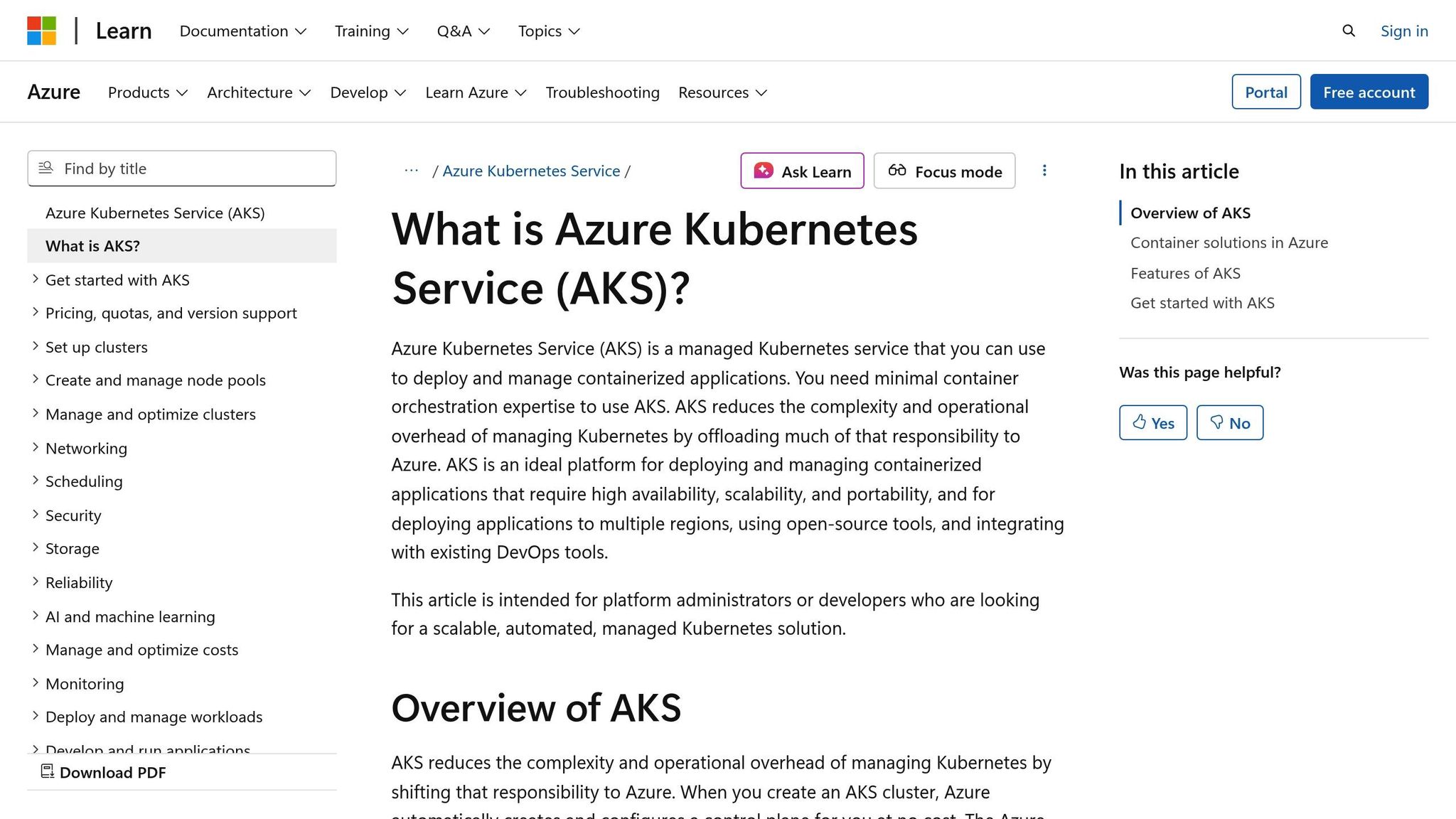
In AKS, Spot functionality is provided through Spot VMs in node pools. To set this up, create a new node pool using the Azure CLI with the --priority Spot parameter.
Customise your Spot nodes by applying labels and taints. For example:
kubectl taint nodes <spot-node-name> kubernetes.azure.com/scalesetpriority=spot:NoSchedule
This ensures that only specific workloads run on Spot nodes. Use pod tolerations and affinity to control workload placement, ensuring critical applications remain on regular nodes while batch or fault-tolerant tasks take advantage of Spot pricing.
Enable autoscaling for your Spot node pool to manage capacity automatically. AKS’s cluster autoscaler adjusts the number of Spot nodes based on pending pods and resource needs, helping you balance cost and performance.
For interruption handling, AKS integrates with Azure Event Grid. You can set up event subscriptions that trigger workflows to drain nodes gracefully when Spot VMs are about to be evicted. This allows your workloads to shut down properly and reschedule on available resources.
Regardless of the platform, keeping an eye on your node pool composition is essential for balancing cost savings with application reliability. Regularly review how your workloads are distributed between Spot and regular nodes, and adjust configurations as needed to optimise performance and costs.
For UK businesses, expert advice can make a big difference. Hokstad Consulting, for example, specialises in cloud cost optimisation and can help reduce cloud expenses by 30–50% through effective Spot Instance deployments. Their expertise ensures you achieve both cost efficiency and operational reliability.
Cost Reduction and Management
Getting started with Spot Instances is just the beginning. To truly maximise savings and maintain smooth operations, continuous monitoring and tweaking are essential. Effective cost management involves using the right tools, making regular adjustments, and sometimes seeking expert advice. Monitoring performance and costs in real time helps track progress and identify areas for improvement.
Tracking Cost Savings and Usage Metrics
Keeping an eye on Spot Instance performance and savings is crucial. Most cloud providers, like AWS, offer billing dashboards that make it easy to track spending. For instance, AWS Cost Explorer shows that Spot Instances can save up to 90% compared to on-demand pricing[2]. These dashboards provide detailed breakdowns of Kubernetes cluster expenses over time, with costs conveniently displayed in pounds sterling.
For real-time insights, Kubernetes-native tools like Prometheus and Grafana are invaluable. They allow you to monitor resource usage and track key metrics such as:
- The ratio of Spot to on-demand nodes
- Node utilisation rates
- Pod scheduling success
- Interruption frequency
- Workload rescheduling times
- Average Spot node lifetimes
Custom dashboards can highlight cost trends and uncover opportunities for further optimisation. For businesses operating in hybrid or multi-cloud environments, third-party tools that aggregate cost and usage data across providers can be especially helpful. These platforms often include advanced reporting, automated alerts for overspending, and detailed analysis of different node types, making them a solid choice for complex setups.
Adjusting Node Group Ratios
Once you’ve gathered detailed cost and usage data, you can fine-tune your node group ratios for better efficiency. Regularly reviewing and adjusting the balance between Spot and on-demand instances ensures that your configuration remains cost-effective and reliable.
Using mixed instance policies within your cloud provider’s auto scaling groups is a practical way to manage this balance. For example, you could set three on-demand nodes as a minimum to handle critical workloads, while scaling up with Spot Instances to meet additional demands. This strategy guarantees stable resources for essential tasks while taking advantage of Spot capacity for less critical workloads.
Your ratio decisions should reflect both workload requirements and market conditions. For instance:
- During periods of high demand, increasing the on-demand ratio can help maintain service reliability.
- Fault-tolerant tasks like batch processing or development environments can handle a higher proportion of Spot Instances.
- Production databases and real-time applications typically require more on-demand capacity for stability.
When Spot capacity is plentiful, you can safely increase your reliance on Spot Instances to save more. Automation tools, such as cluster autoscalers, can dynamically adjust these ratios, but strategic oversight is still necessary to align with business goals and manage risks effectively.
Using Consulting Services for Better Results
While managing Spot Instances in Kubernetes can be done internally, bringing in experts can speed up the process and help you avoid common pitfalls. Consulting services with expertise in cloud cost management can offer tried-and-tested strategies to optimise your setup. This kind of guidance complements your monitoring efforts and ensures your approach evolves alongside your business needs.
For example, Hokstad Consulting specialises in cloud cost management and DevOps transformation. They’ve helped businesses cut cloud expenses by 30–50% through a combination of right-sizing, automation, and smart resource allocation[1]. Their services include tailored solutions like custom interruption handlers, advanced scheduling policies, and detailed cost dashboards, all designed to make Spot Instance management more efficient.
Some consulting firms align their fees with the savings they achieve, capping costs as a percentage of those savings. This approach ensures their goals align with yours. Additionally, ongoing support and monitoring help maintain optimisation as workloads change and cloud providers roll out new features. For UK businesses, consulting expertise can also address local regulatory and compliance challenges, making it a valuable resource for navigating complex requirements.
Conclusion
Bringing Spot Instances into Kubernetes clusters is a smart way to cut cloud costs while keeping performance intact. With potential savings of up to 90%, this strategy is particularly appealing for UK businesses aiming to reduce cloud expenses without sacrificing quality [2][3].
The effectiveness of this approach lies in the natural synergy between Kubernetes and Spot Instances. Kubernetes’ resilience, automated scaling, and advanced workload scheduling make it well-equipped to handle the unpredictable nature of Spot capacity. By carefully managing node groups, handling interruptions efficiently, and using monitoring tools, organisations can significantly lower costs while ensuring applications remain reliable and responsive. These lessons translate into actionable steps for improving Kubernetes deployments.
Key Takeaways
- Start small and scale gradually: Begin with non-critical workloads to test reliability before expanding usage.
- Automate and monitor effectively: Use interruption handlers, pod disruption budgets, and cost tracking tools to maintain smooth operations.
- Choose workloads wisely: Leverage Kubernetes features like taints, tolerations, and node affinity to optimise workload placement.
- Diversify instances and zones: Spread workloads across various instance types and availability zones to reduce the risk of capacity shortfalls.
How Hokstad Consulting Can Help

For businesses looking to make the most of these strategies, expert guidance can make all the difference. Hokstad Consulting specialises in cloud cost engineering and DevOps transformation, helping organisations achieve savings of 30–50% while improving performance and reliability [1].
Their services include designing tailored Spot Instance strategies for UK businesses, setting up automated systems to handle interruptions, and building custom monitoring dashboards that track costs in pounds sterling. What’s more, their fee structure often aligns with the savings they help you achieve, making their success directly tied to your cost reduction goals.
Whether you’re just starting to explore Spot Instances or want to refine an existing setup, professional support can help you move faster and avoid common mistakes. Hokstad Consulting’s expertise ensures you can maximise savings while maintaining the performance your business depends on.
FAQs
How can businesses maintain reliability when using Spot Instances in Kubernetes clusters, given their potential for interruptions?
To keep Kubernetes clusters running smoothly while using Spot Instances, businesses can adopt a few smart strategies. One approach is to set up node pools with mixed instance types. This means combining Spot Instances with On-Demand or Reserved Instances, ensuring critical workloads remain uninterrupted, while less critical tasks can benefit from lower costs. Another helpful tactic is assigning priority-based workloads, so essential processes always take precedence.
Kubernetes also provides tools to manage Spot Instances effectively. Features like Pod Disruption Budgets (PDBs) help control how workloads are impacted during interruptions, while the Cluster Autoscaler, configured specifically for Spot Instances, ensures resources are scaled dynamically to match demand. Together, these tools maintain performance and availability with minimal disruption.
If you're looking for tailored guidance on balancing costs and performance, Hokstad Consulting offers expertise in designing cloud infrastructure strategies that align with your business goals.
How can I configure Kubernetes to effectively use Spot Instances on cloud platforms like AWS, GCP, and Azure?
To save costs using Spot Instances in Kubernetes, it's all about finding the right balance between reducing expenses and keeping your applications reliable. Here’s how you can do it:
- Create a node pool for Spot Instances: This allows you to run workloads on these more affordable resources within your Kubernetes cluster.
- Use taints and tolerations: These settings help you control which workloads are assigned to Spot Instances, making them ideal for non-critical or flexible tasks.
- Set up a fallback system: Combine Spot Instances with on-demand or reserved nodes to ensure your applications keep running smoothly, even if Spot Instances are interrupted.
- Enable autoscaling: Let your cluster adjust the number of Spot Instances automatically, depending on workload demands.
With these configurations in place, you can cut costs while still maintaining strong performance and reliability. For expert help in fine-tuning your Kubernetes setup and cloud infrastructure, Hokstad Consulting offers tailored solutions to maximise efficiency.
What are the best tools and strategies for monitoring cost savings and performance when using Spot Instances in Kubernetes?
To keep a close eye on cost savings and performance when working with Spot Instances in Kubernetes, it's essential to pair the right tools with effective strategies. Tools like Prometheus and Grafana are excellent for monitoring metrics and creating clear, visual representations of performance data. Meanwhile, Kubernetes-native solutions, such as the Kubernetes Metrics Server, offer valuable insights into resource usage.
For tracking costs, integrating your Kubernetes setup with cloud provider tools - like AWS Cost Explorer or GCP Cost Management - can provide a detailed breakdown of savings achieved through Spot Instances. Additionally, setting up alerts for instance interruptions and leveraging cluster autoscalers tailored for Spot Instances can help maintain a balance between cost efficiency and consistent performance.
To make the most of Spot Instances, it's a good idea to regularly evaluate your workload patterns and tweak your Spot Instance configurations. This way, you can optimise savings without sacrificing reliability.