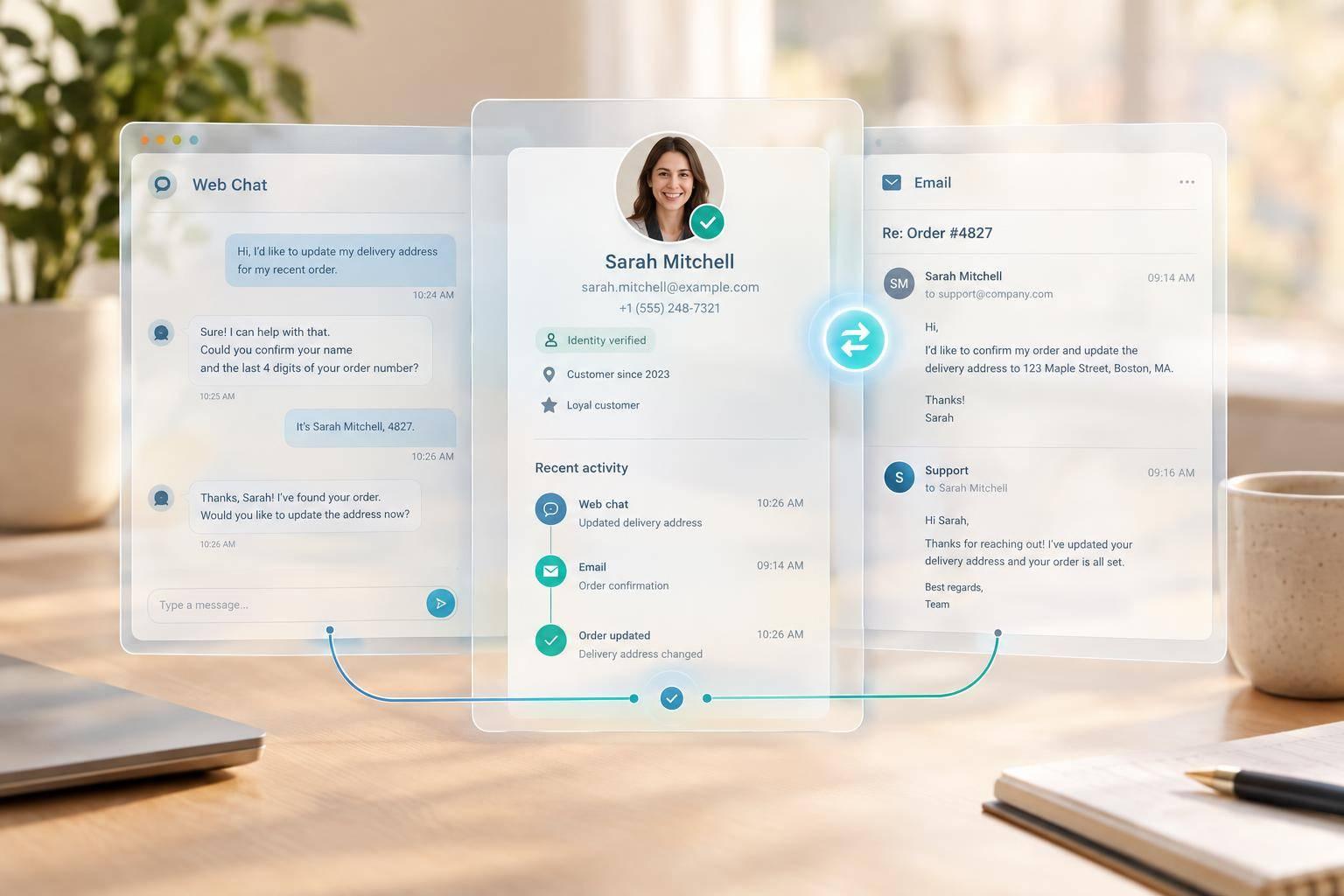
I’d build an omnichannel AI agent around one shared record - not two separate conversations. When your customer moves from web chat to email, it should remember confirmed details and unfinished work, while checking who can access the record and approve actions.
I’d focus on four things:
- Keep context: separate conversation history, verified preferences and task progress, then retrieve only what’s needed.
- Check access: verify identity before linking channels, and treat incoming email as untrusted input.
- Control actions: prevent duplicate work, check uncertain tool results and pause automation when a human takes over.
- Test before expanding: start with one workflow and check recovery, privacy, delivery and task completion.
For a £49.99 return started in chat, that means asking by email only for what’s missing - not restarting the request or claiming it’s complete. My release rule: prove that context survives the switch without exposing private data or repeating an action.
::: @figure 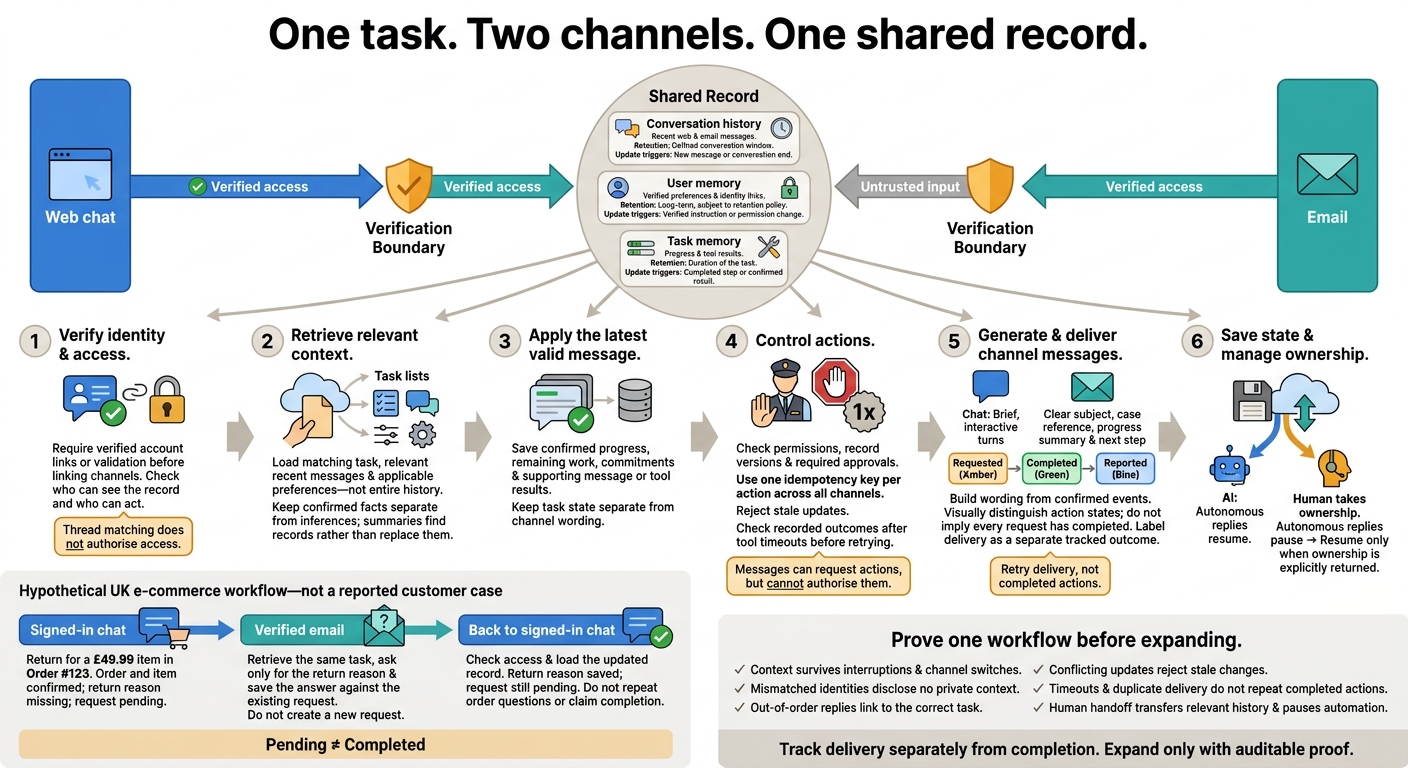 {Omnichannel AI Agents: Safe Context Across Web and Email}
:::
Build a Shared Context Record
The shared record must let users switch between web chat and email without losing context.
Separate Conversation, User and Task Memory
Split the shared record into three scopes: conversation history, user memory and task memory [2]. Conversation history stores what was said. User memory holds verified preferences and identity links. Task memory tracks completed steps and work still to do.
| Memory type | Purpose | Retention | Update triggers |
|---|---|---|---|
| Conversation history | Recent web and email messages | Defined conversation window | New message or conversation end |
| User memory | Verified preferences and identity links | Long-term, subject to the retention policy | Verified instruction or permission change |
| Task memory | Progress and tool results | Duration of the task | Completed step or confirmed result |
Keep these scopes separate, but have each update the same shared record. That record must persist when users change channels, without allowing unverified email content into trusted memory.
Retrieve Relevant Context and Save Progress
Before each turn, retrieve only the matching task, relevant recent messages and applicable preferences - not the entire history. Use summaries to find records, not replace them. Keep confirmed facts separate from inferences, and check the source message or tool result before relying on a detail that could affect the outcome.
After each completed step, save progress, remaining work, commitments and tool results, along with the supporting message or tool response. Don’t turn temporary choices into lasting preferences. A newer verified instruction should override an older preference only when permissions allow it.
Verify Identities and Link Email Threads
Connect a web user with an email sender through verified account links and validation. Thread matching does not authorise access: a sender address or subject alone does not prove identity or permission [1]. Keep untrusted incoming content separate from trusted processing, and pass unresolved cases to a human.
Require verified linking before continuing the same user’s task across channels. Once the shared record has been safely updated, the agent can use that context in both web chat and email.
Move Tasks Between Web Chat and Email
Once the shared record is linked, a channel switch continues the same conversation history, user memory and task memory. Verify identity, load the shared record, apply the latest message and save the updated task state. Switching channels changes the message format, not the task state.
Match Messages to Each Channel
Keep chat brief and interactive. Give emails a clear subject, case reference, progress summary and next step.
| Detail | Web chat | |
|---|---|---|
| Interaction speed | High; short turns and immediate confirmations | Low; asynchronous with reply expectations |
| Message structure | Interactive choices and short text turns | Descriptive subjects and concise summaries |
| Identity check | Signed-in session | Verified link or token |
| Thread handling | Single session thread | Case reference and linked thread |
| Record lookup | Live record lookup | Lookup by case ID or verified address |
| Human handoff | Immediate handoff | Human agent takes over the case |
Messages can request actions, but cannot authorise them [1].
Turn Shared Events into Chat and Email Messages
Generate each channel’s wording from the shared record. Keep one shared internal event record containing the case ID, event ID, actor, event type, timestamp, result and task status.
Store that state separately from message wording, and distinguish between requested, completed and reported actions. Build channel messages from confirmed events, then record delivery separately.
| Shared event | Chat wording | Email wording |
|---|---|---|
| Preference change confirmed | I've updated your delivery preference to 'Leave with neighbour'. | Confirmation: Your delivery preferences have been updated. Future orders will be left with your designated neighbour. |
| Return confirmed | Done! Your return for the £49.99 item is confirmed. | Your return request for Order #123 (£49.99) has been processed. Please find your shipping label attached. |
| Clarification needed | Could you confirm which item you'd like to return? | To proceed with your return, please specify which items from your order dated 4 November 2026 are being sent back. |
| Human handoff accepted | I'm connecting you to a specialist who can help with this refund. | Your request regarding the £49.99 refund has been escalated to our finance team. A specialist will contact you within 24 hours. |
Example: Start a Return in Chat and Continue by Email
Hypothetical UK e-commerce workflow - not a reported customer case: A customer starts a return for a £49.99 item in Order #123 through signed-in chat. The agent saves the confirmed order and item, with the return reason still missing and the request still pending. When the customer continues by email, the system verifies the email link and retrieves the same task. It asks only for the return reason, then saves the answer against the existing return request without creating a new one.
When the customer returns to signed-in chat, the agent checks access and loads the updated record: the return reason is saved and the request is still pending. It does not ask for the order details again or claim the return has been completed.
Manage Access, Updates and Human Handoffs
Define Privacy and Human Handoff Rules
When context moves across channels, check who can see it and who can act on it before retrieving or sharing information. The shared record stays in place, but access depends on the person’s role and the channel. Limit tool permissions, restrict sensitive fields and check each request against the sender’s permissions. Log disclosures, changes and approvals.
Treat a human handoff as another channel transition: stop autonomous replies and record who owns the task. Escalate conflicting instructions and actions that need approval. The agent should resume autonomous handling only when ownership is explicitly returned to it.
Prevent Duplicate Actions and Conflicting Updates
Without action controls, two people or agents could update the same task at once. A task may appear in both chat and email, so use one idempotency key per action across all channels.
Check record versions and permissions before execution. Reject stale updates and revoke approvals when the approved details change. Consume approvals atomically, so a single approval cannot authorise two executions. Record event IDs, correlation IDs, results and ownership changes.
Retry delivery, not completed actions. Set retry limits and send exhausted attempts for review. If a tool times out, check its recorded outcome first: an unknown outcome does not mean failure. Require confirmation for high-impact actions and flag conflicts for review rather than resolving them silently [1].
Build and Test Cross-Channel Continuity
Plan Shared Records and Channel Connections
Once the shared record and handoff rules are in place, test one clearly defined workflow from start to finish before scaling. Map the workflow, define the shared record and verified identity links, then connect it to web chat and email. Pass only sanitised data from untrusted intake to privileged processing [1].
Test Interruptions, Identity Errors and Recovery
Test what happens when sessions stop, replies arrive out of order, identities don’t match or deliveries arrive twice. Recovery must keep confirmed progress without exposing another user’s information or repeating completed actions.
| Component | Design objective | Main risk | Validation test |
|---|---|---|---|
| Shared record | Keep confirmed conversation history, preferences and task progress | Expired session | Resume after 24 hours; check that all three are restored |
| Email linkage | Attach replies to the correct task | Missing headers or out-of-order replies | Strip In-Reply-To and reorder replies; check that they still link to the correct task |
| Identity matching | Link only verified accounts | Mismatched identities | Supply mismatched web and email identities; confirm no private context is disclosed |
| State updates | Keep the latest valid state | Conflicting updates | Submit conflicting chat and email updates together; check that stale changes are rejected |
| Tool execution | Recover safely | Timeout and duplicate delivery | Inject a timeout and replay delivery; confirm completed actions are not repeated |
| Human handoff | Transfer usable context | Continued automation | Trigger handoff; check that relevant history is transferred and automation pauses |
Measure Context Accuracy and Task Completion
Track latency, error rate, cost per workflow (£) and approval turnaround time. Check whether identity, preferences, latest task progress and conversation history stay aligned across web chat and email. Track delivery separately from completion.
Conclusion: Validate One Workflow Before Expanding
With the shared context record, handoff rules and channel formatting in place, make expansion a release gate. Test one bounded workflow across web chat and email before extending it further.
Check that the shared record survives a channel switch without losing meaning or control. Before release, verify that the workflow:
- Retrieves only relevant context, saves confirmed progress and links verified identities.
- Formats messages for each channel and enforces privacy boundaries.
- Requires authorised approval for sensitive actions and records the approver, exact action arguments and timestamp.
Save intent before sending, and use provider idempotency keys where supported. Investigate an unknown delivery status before resending [3].
Require auditable proof that the right context came from the verified record, the task completed, and recovery caused no disclosure without permission or duplicate action. If the evidence is insufficient, abstain. Allow expansion only after that workflow passes the continuity checks across web chat and email.
FAQs
What if I use a different email address?
If you use a different email address, your session context and history won’t carry over automatically. The agent treats each address as a separate identity to keep your data secure.
To pick up where you left off, keep using your primary account. Merging your history or linking another address to your saved preferences and task progress requires our system’s identity reconciliation process. This keeps your data secure and linked to the correct identity.
Can I correct or delete what the agent remembers?
Correcting or deleting what an agent remembers depends on how its data controls work. Deletion alone is not enough. Systems also need strict retention limits, as little personal data as possible, strong access controls, and a clear separation between sensitive content and metadata used to run the system.
Hokstad Consulting recommends external, centralised stores, such as Redis, rather than local session storage. This gives better control over how data is stored, how long it is kept and how it is deleted.
How are conflicting chat and email instructions handled?
Conflicting chat and email instructions must trigger automatic escalation. The system should validate each step and reconcile records, rather than let the model silently decide which value is correct.
Any unresolved conflict or unfamiliar path should go to human review or secondary analysis. This ensures inconsistencies are checked explicitly, not settled through assumptions.