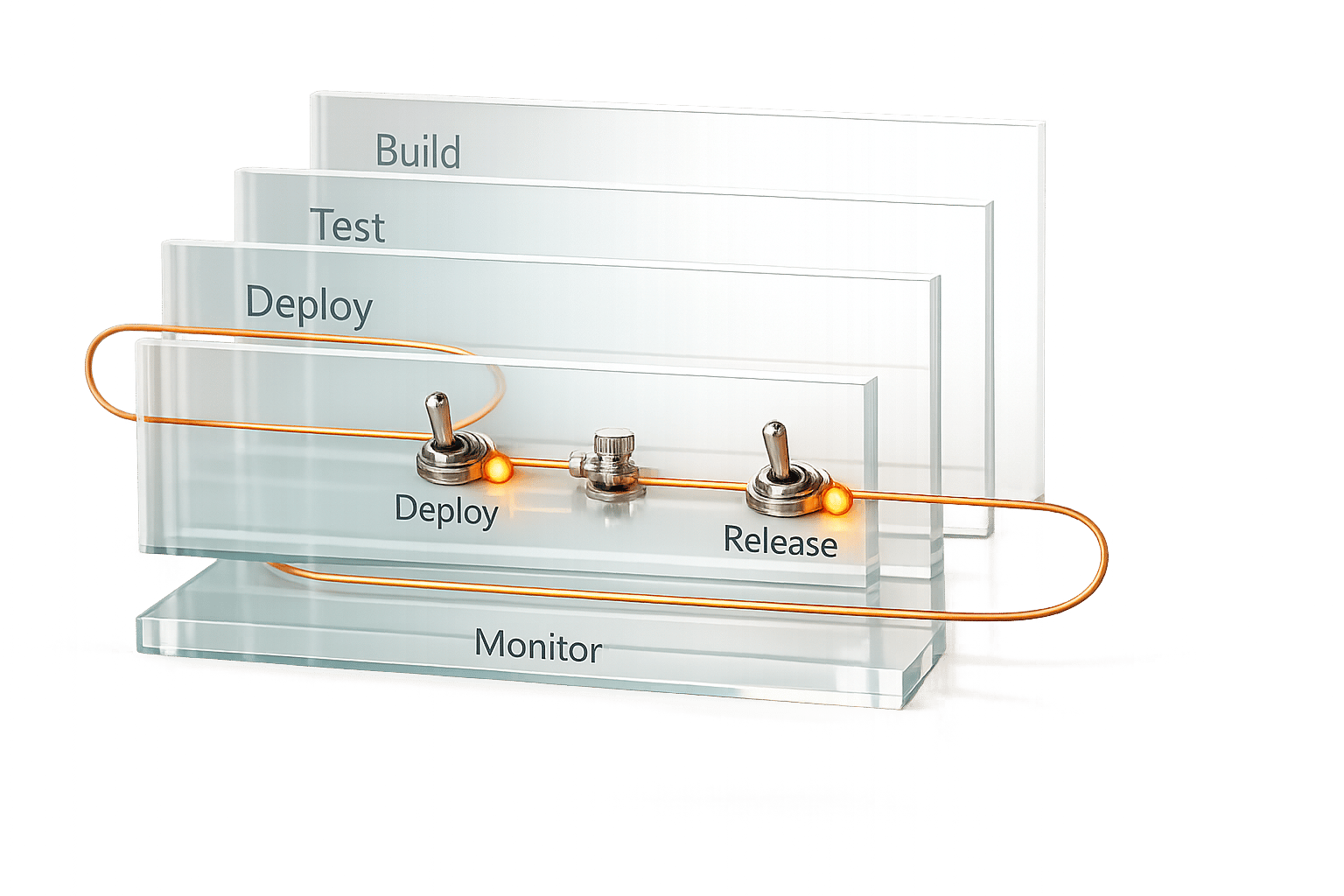
Feature toggles (or feature flags) are a simple yet powerful way to manage software releases. They allow you to enable or disable features without redeploying code, making them a valuable tool in Continuous Integration/Continuous Deployment (CI/CD) pipelines. Here's why they matter:
- Enable safer deployments: Deploy incomplete or experimental features without exposing them to users.
- Quick issue resolution: Use toggles as kill switches to disable problematic features instantly.
- Support progressive rollouts: Gradually release features to specific user groups or environments.
- Facilitate testing: Toggle features on and off to test different states in live environments.
Feature toggles are integrated into every CI/CD stage:
- Build: Wrap new code in toggles to safely merge into the main branch.
- Test: Validate behaviour in both ON and OFF states.
- Deploy: Push code with toggles OFF to avoid premature exposure.
- Release: Gradually enable toggles while monitoring performance.
Proper management is essential to avoid technical debt. Plan for toggle removal within 2–4 weeks after full rollout, automate cleanup, and track toggle performance to maintain a clean, efficient pipeline.
Feature Toggle Promotion via CI/CD Pipeline by Nilesh Mevada & Naresh Jain #AgileIndia 2022
Integrating Feature Toggles into CI/CD Pipeline Stages
::: @figure 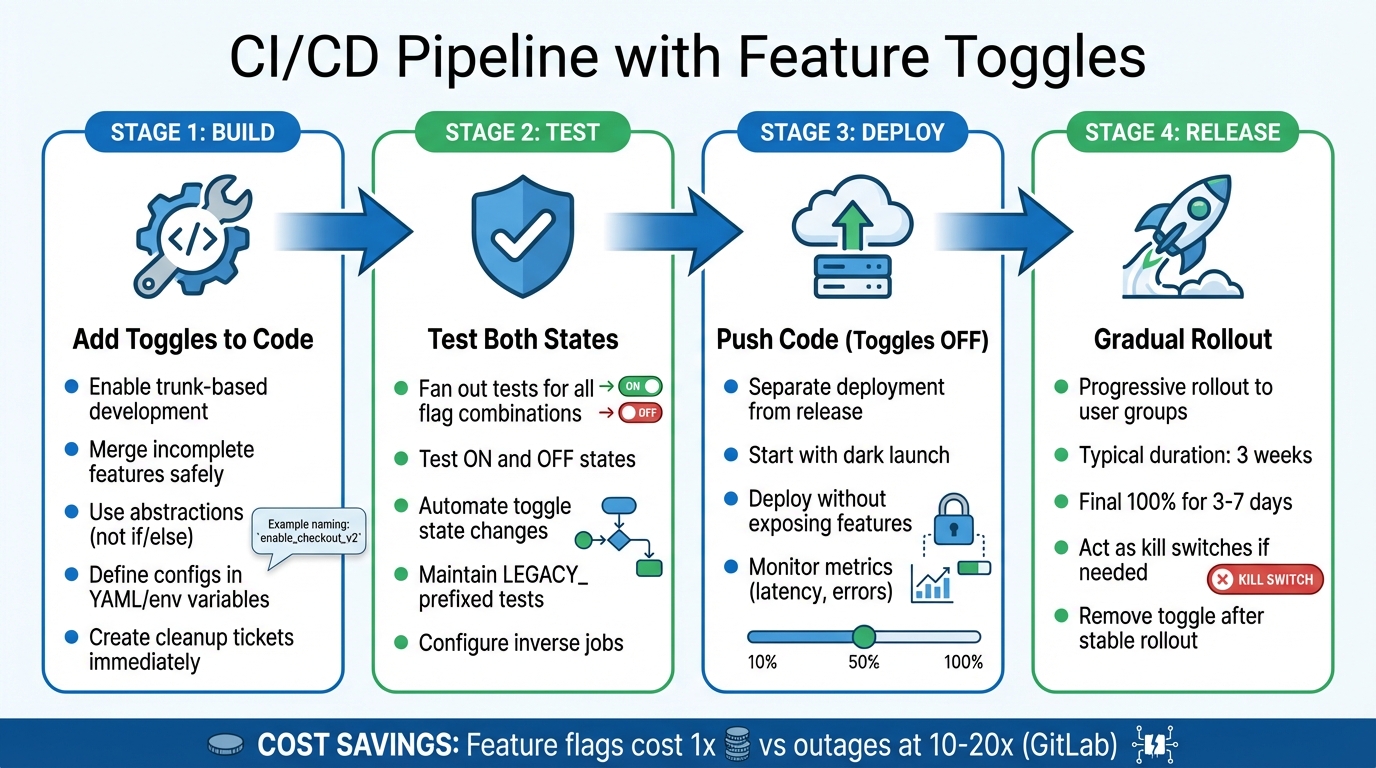 {Feature Toggle Integration Across CI/CD Pipeline Stages}
:::
{Feature Toggle Integration Across CI/CD Pipeline Stages}
:::
Integrating feature toggles into your CI/CD pipeline requires a tailored approach at each stage. Whether you're building code, testing it, or rolling out features, the process ensures smooth deployments while minimising risks. According to GitLab, resolving issues with feature flags costs significantly less than fixing outages - 1 versus 10–20 times less, to be precise [8]. This cost difference underscores the importance of proper toggle integration throughout the pipeline.
Build Stage: Adding Toggles to Code
In the build stage, feature toggles enable trunk-based development, allowing developers to merge incomplete features into the main branch daily without exposing them to production users [3]. To avoid clutter, use abstractions instead of piling up if/else statements. For example, a PurchasingCompleting abstraction can toggle between a One-Click Purchase
feature and a Shopping Cart
component at the boot level [6]. This approach supports the CI/CD principle of separating deployment from release.
Toggle configurations should be defined in YAML files, environment variables, or other configuration files and versioned alongside the code [5][3][8]. Descriptive names like enable_checkout_v2 or KILL_SWITCH_recommendations help the team understand each toggle's purpose instantly [2][3]. To prevent technical debt, create a cleanup ticket for each toggle at the same time you implement it [3].
Test Stage: Testing with Toggles
Once the code is integrated, thorough testing ensures that toggles work as intended in all scenarios. Testing both states of a toggle is essential. Your CI pipeline should fan out
after unit tests to run integration and end-to-end tests for all meaningful flag combinations [6]. Automate toggle state changes with tools like GitLab's QA::Runtime::Feature API-driven classes [9].
Maintain tests for both legacy and new behaviours until the toggle is removed. Prefixing original tests with LEGACY\_
can help identify them easily [11]. This practice ensures that regressions in the original functionality are avoided. Additionally, configure inverse jobs to automatically test the opposite state of a flag whenever its definition changes [10].
Deploy and Release Stages: Gradual Rollouts
Feature toggles allow you to separate deployment (moving code to production) from release (making the feature available to users) [2][12][13]. Start with a dark launch for internal testing [2][3], and closely monitor metrics like latency and error rates during canary rollouts. Adjust rollout percentages based on these findings to catch issues early.
Temporary feature toggles generally last about three weeks, with the final rollout at 100% for three to seven days before removal [3]. These toggles can also act as kill switches, allowing you to instantly disable features that cause problems [2][4][12].
Managing Feature Toggles Effectively
After integrating and deploying features, managing toggles effectively becomes crucial for maintaining a streamlined CI/CD workflow. Without proper oversight, feature toggles can quickly spiral into technical debt. While they are incredibly useful, their power comes with responsibility. Careful management ensures the pipeline remains agile while reducing the risk of long-term issues.
Short-Lived vs Long-Lived Toggles
Feature toggles aren't all the same. They vary in terms of how long they are needed and how frequently they change. Here's a breakdown:
| Toggle Category | Longevity | Dynamism | Primary Purpose |
|---|---|---|---|
| Release | Short (Days/Weeks) | Low (Static) | Helps with trunk-based development by hiding unfinished code. |
| Experiment | Short (Weeks) | High (Dynamic) | Enables A/B testing and running multivariate experiments. |
| Ops | Long (Months/Years) | Low (Static/Reactive) | Acts as a kill switch to disable problematic features quickly. |
| Permissioning | Long (Years) | High (Dynamic) | Manages user access levels, beta programmes, or entitlements. |
Mismanaging short-lived toggles by treating them as permanent can lead to flag debt
, increasing the mental load for developers and complicating the codebase [16][6].
Removing Outdated Toggles
To avoid clutter, it’s essential to plan for the removal of toggles right from the start. Create cleanup tickets when implementing toggles and schedule their review and deletion within two to four weeks of a full rollout [6][3]. Setting firm expiry dates ensures temporary toggles don’t overstay their welcome.
Another useful strategy is enforcing a Work-In-Progress (WIP) limit for active toggles [14][15]. This encourages teams to clean up old toggles before introducing new ones. When removing a toggle, don’t forget to eliminate any legacy tests tied to it, keeping only those relevant to the updated functionality.
Automating Toggle Management
Relying solely on manual processes for managing toggles isn’t practical as the system scales. Instead, store toggle configurations in version control and automate synchronisation with CI/CD tools like Jenkins or GitHub Actions [17]. This GitOps-style workflow improves auditability and allows for code reviews for every toggle change.
Automation can go further by integrating pre-merge validation scripts into your CI/CD pipeline. These scripts can enforce naming conventions (e.g., domain.service.feature-name), check for required metadata (such as owner details and associated Jira tickets), and prevent duplicate flags. Once a toggle is removed from the codebase, CLI tools or APIs can archive it automatically in your management system. This keeps dashboards up to date and reduces confusion about which toggles are still active.
Next, we’ll explore how to monitor toggle performance and refine deployment processes further.
Monitoring and Improving CI/CD Pipelines with Feature Toggles
Building on integration and management strategies, monitoring plays a critical role in refining pipeline performance.
Tracking Toggle Performance and Usage
Effectively monitoring feature toggles involves connecting runtime telemetry with CI/CD pipeline metrics. For example, storing flag states in OpenTelemetry (OTEL) traces allows comparisons between new code paths and older implementations [7]. Linking feature flags to Service Level Objectives (SLOs) makes it easier to evaluate how toggling features impacts service health [20]. Additionally, logging how often each flag is triggered can help determine when it’s time to retire them [2].
Delivery metrics like Change Failure Rate can highlight how flag-driven rollouts reduce post-deployment issues. Similarly, Lead Time for Changes demonstrates the advantages of smaller, isolated deployments [19]. Monitoring the Never Merged Ratio can expose inefficiencies caused by persistent toggles. Progressive rollouts often follow a staged pattern - starting with small increments (e.g., 1%, 5%, 25%, 50%) before reaching 100% [3]. These metrics provide valuable insights and enable teams to act swiftly when rollbacks are necessary.
Rollback and Recovery Methods
Feature toggles simplify rollback processes by turning them into instant configuration changes. If a production issue arises, toggling a feature off provides immediate relief without requiring a full redeployment. This approach significantly reduces Mean Time to Recovery (MTTR), with many teams aiming to resolve issues in under an hour [22].
Dark launches are another useful strategy, allowing teams to test new features with internal users or a very small portion of traffic (as low as 0.1%) before rolling them out fully. Operational flags act as permanent kill switches, enabling the quick disabling of problematic features [3][19]. To ensure safety, flag designs should default to a disabled state if the toggle service becomes unavailable [21].
Improving Deployment Efficiency
To optimise CI/CD pipelines with feature toggles, focus on key performance indicators. Aim for deployment frequencies of daily or hourly, Lead Times for Changes under one day, and a Change Failure Rate below 15% [22]. Efficiency can also be improved by reducing evaluation overhead through caching flag states [18]. Keeping the Toggle Point
(where the code branches) separate from the Toggle Router
(which determines the execution path) helps maintain a cleaner codebase [1]. Furthermore, documenting dependencies between flags prevents issues like nested toggles or unexpected behaviours [18].
Automated notifications via tools like Slack, Microsoft Teams, or PagerDuty ensure teams stay informed about flag state changes [5]. Integrating resilience tests into the pipeline can proactively assess the system’s stability behind a feature flag, catching issues early while their impact is still minimal [5]. These measures demonstrate how feature toggles can enhance the efficiency and reliability of modern CI/CD pipelines.
At Hokstad Consulting, we recommend these monitoring and efficiency strategies as key elements in building a resilient CI/CD workflow.
Conclusion
Feature toggles have reshaped how teams approach CI/CD pipelines, offering a practical way to separate code deployment from feature release. This separation allows for continuous code updates while keeping feature exposure controlled and deliberate.
With this approach, risky, high-pressure release events are replaced by smoother, ongoing processes. Developers can merge code daily without relying on long-lived branches, while operations teams benefit from instant kill switches that eliminate the need for emergency rollbacks. For product teams, feature toggles enable precise control over progressive rollouts, A/B testing, and targeted releases tailored to specific user groups.
To prevent technical debt, most release toggles should only remain active for 2–4 weeks, from their creation to removal after a stable 100% rollout [3]. Automating the cleanup of toggles ensures they don’t clutter the codebase, and standardised naming conventions enhance team-wide clarity and collaboration.
At Hokstad Consulting, feature toggles are a cornerstone of our deployment strategy. They allow us to deliver updates rapidly - sometimes multiple times a day - while maintaining full control. With robust monitoring and automated management systems in place, we help turn deployment stress into a process marked by confidence and efficiency.
FAQs
How do feature toggles improve deployment safety in CI/CD pipelines?
Feature toggles play a crucial role in making deployments safer within CI/CD pipelines. They give teams the ability to control the release of features with precision - without requiring a full code redeployment. This means teams can roll out features gradually, quickly disable any that cause issues, and test changes directly in production environments with less disruption.
By keeping new functionality hidden behind toggles, deployment risks are significantly reduced. This helps minimise system instability and allows teams to address potential issues swiftly. The result? A smoother, more reliable release process, particularly valuable for handling complex deployments while maintaining system stability.
How can outdated feature toggles be managed and removed effectively?
Managing and removing outdated feature toggles is crucial for keeping CI/CD pipelines running smoothly. One practical method is to set up automated cleanup processes. These systems can routinely check for toggles that haven’t been used or updated within a specific timeframe, such as 60 days. Once identified, these toggles can be flagged for removal, cutting down on unnecessary clutter.
Another useful tactic is to actively monitor toggle usage. By tracking how frequently toggles are evaluated or applied, teams can pinpoint those that are no longer serving a purpose. These can then be marked for review and, if appropriate, removed.
Lastly, having a lifecycle management process for feature toggles is essential. This should cover their entire journey - from creation and activation to retirement. By ensuring toggles are removed as soon as they’re no longer needed, teams can minimise technical debt and keep deployment workflows efficient.
How do feature toggles support gradual rollouts and testing in live environments?
Feature toggles let teams roll out new features step by step, focusing on specific user groups or regions. This method enables controlled testing in real-world settings, allowing teams to track performance and gather user feedback without affecting everyone.
A major advantage is the ability to turn off problematic features instantly if something goes wrong. This avoids the hassle of a full code redeployment, making releases smoother, cutting downtime, and boosting flexibility in development workflows.