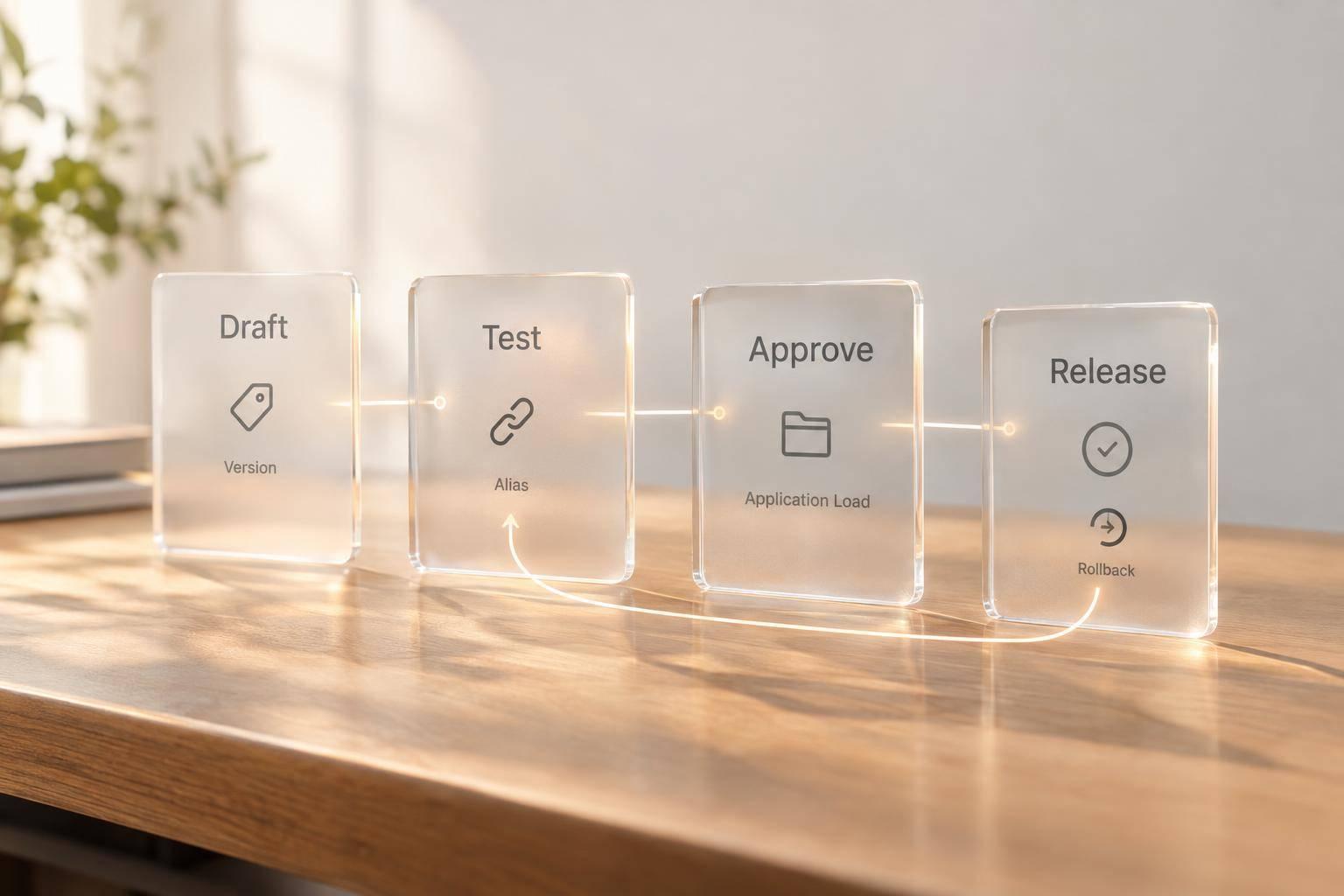
I use Databricks Prompt Registry to version, test and release prompts - not just store their text. Each registered template gets an immutable version in Unity Catalog. An alias such as production lets your application load the approved version without copying the prompt into code.
My release checklist covers:
- Setup: Check MLflow support, choose a catalog and schema, and grant access to the right people and applications.
- Testing: Validate variables, compare outputs and record approval before promotion.
- Application use: Load by URI, render inputs and log the resolved version without sensitive data.
- Team controls: Separate authoring, review and release duties; check dependencies before retiring prompts.
- Recovery: Keep an approved rollback version and test worker reloads. Alias references are cached for 60 seconds by default.
My rule: check the version your application actually loads, not just where the alias points.
::: @figure 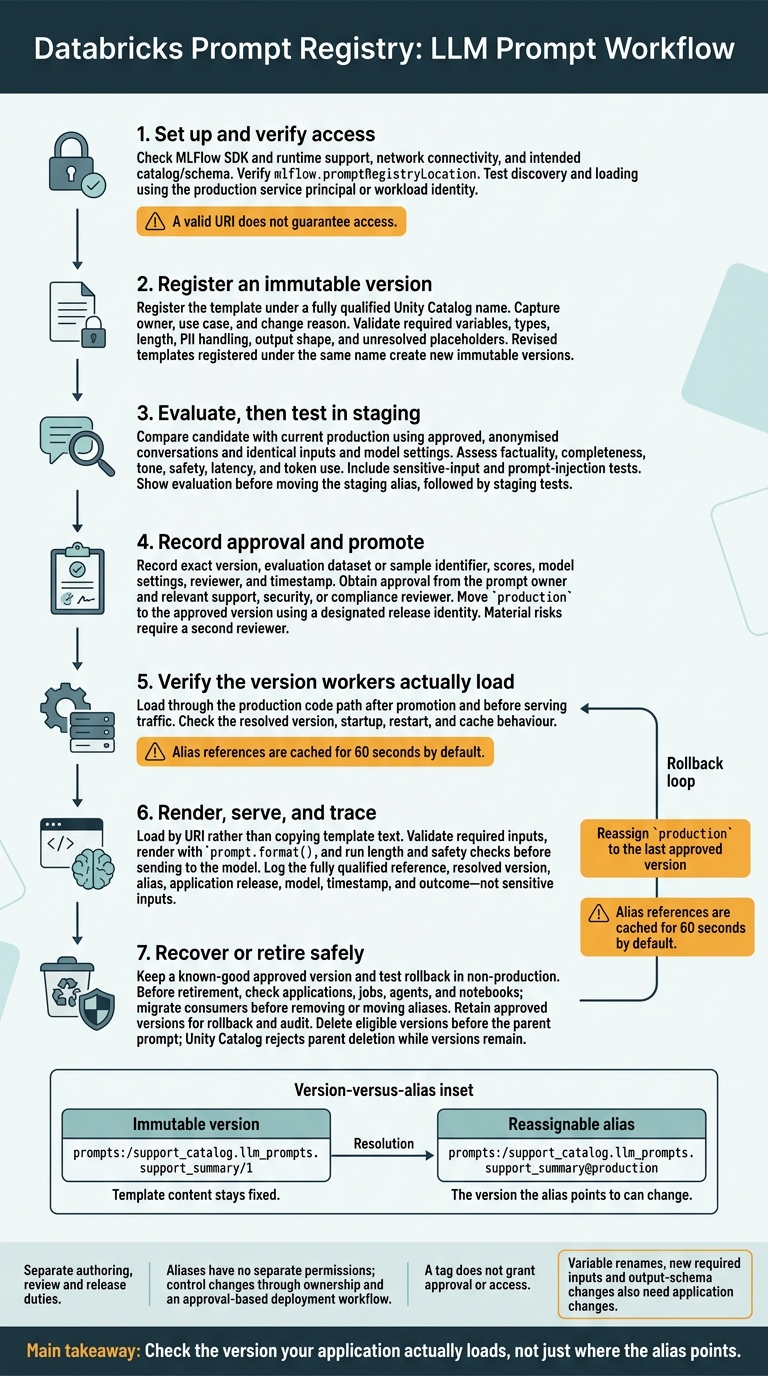 {Databricks Prompt Registry Release Workflow}
:::
{Databricks Prompt Registry Release Workflow}
:::
2. Register prompts and manage versions
Register a prompt template
Once you’ve set the registry location, register the first prompt version. Use a fully qualified Unity Catalog name for the support summary prompt. The registration parameters are name, template, commit_message and tags.[1]
import mlflow

initial = mlflow.genai.register_prompt(
    name="support_catalog.llm_prompts.support_summary",
    template="""Summarise the following customer-support conversation in clear,
concise British English.

Conversation:
{{content}}

Focus areas:
{{focus_areas}}

Return:
- a short summary
- the customer's main issue
- actions already taken
- recommended next steps""",
    commit_message="Initial support-summary prompt",
    tags={
        "owner": "support-ai-team",
        "use_case": "customer-support-summaries",
        "status": "candidate"
    }
)
Treat tags as the minimum metadata needed to track team ownership and use cases.
Define content as required conversation text. Make focus_areas a required string or a consistent list of topics. Before release, validate presence, type, length, PII handling, output shape and any unresolved placeholders. Test sensitive inputs and prompt-injection attempts too.
Create versions and set aliases
Register the revised template under the same fully qualified name to create a new immutable version. Keep older versions so you can compare results and roll back when needed.[1][4]
candidate = mlflow.genai.register_prompt(
    name="support_catalog.llm_prompts.support_summary",
    template="""Summarise the customer-support conversation in no more than
120 words. Use British English and do not invent facts.

Conversation:
{{content}}

Prioritise these focus areas:
{{focus_areas}}

Return valid sections headed Summary, Issue, Actions and Next steps.""",
    commit_message="Add output limit, explicit no-invention rule and fixed output headings",
    tags={
        "owner": "support-ai-team",
        "use_case": "customer-support-summaries",
        "status": "candidate"
    }
)

# Use the returned version number.
mlflow.genai.set_prompt_alias(
    name="support_catalog.llm_prompts.support_summary",
    alias="staging",
    version=candidate.version
)
Aliases let reviewers assess candidates without changing application code.[2][4]
| Immutable version | Reassignable alias |
|---|---|
prompts:/support_catalog.llm_prompts.support_summary/1 |
prompts:/support_catalog.llm_prompts.support_summary@production |
| Template content stays fixed | The version the alias points to can change |
Test, promote and roll back versions
After registering a candidate, evaluate it before moving any alias. Use approved, anonymised conversations with the same inputs and model settings as the current production version. Compare factuality, completeness, tone, safety, latency and token use, then run staging tests.
Before promotion, get approval from the prompt owner and the relevant support, security or compliance reviewer. Record the exact version, evaluation dataset or sample identifier, scores, model settings, reviewer and timestamp.[2][4]
# Run after evaluation and approval.
mlflow.genai.set_prompt_alias(
    name="support_catalog.llm_prompts.support_summary",
    alias="production",
    version=candidate.version
)

# Roll back only to the last approved version.
mlflow.genai.set_prompt_alias(
    name="support_catalog.llm_prompts.support_summary",
    alias="production",
    version=initial.version
)
Promote wording-only changes through the prompt registry. Renaming variables, adding required inputs or changing the output schema also needs application changes. After a rollback, check that workers have reloaded the prompt: alias-based references are cached for 60 seconds by default.[7]
3. Use prompts in applications
Load a version or alias
After promotion, applications should load prompts by URI, not copy their text. Use mlflow.genai.load_prompt() to load the shared prompt at runtime. Pin a version for tests and audits; use an alias for release traffic.
import mlflow

fixed = mlflow.genai.load_prompt(
    "prompts:/mycatalog.myschema.customer_support/2"
)

prompt = mlflow.genai.load_prompt(
    "prompts:/mycatalog.myschema.customer_support@production"
)
After every promotion or rollback, check the resolved version before serving traffic.
With loading in place, use catalog search to find the approved template for a given schema.
Find prompts in a catalog and schema
Specify the catalog and schema when searching Unity Catalog so teams use the same approved prompt set. Use the documented filter-string signature, then filter names and tags locally if needed.
prompts = mlflow.genai.search_prompts(
    "catalog = 'mycatalog' AND schema = 'myschema'"
)

support_prompts = [
    p for p in prompts
    if "support" in p.name.lower()
    and p.tags.get("team") == "customer-care"
]
Test both discovery and loading with the production service principal or workload identity. A valid URI does not guarantee access.
Render variables and log the resolved version
After loading the prompt, bind its variables and record which version produced the rendered output. Validate the required variables, render with prompt.format(), then run length and safety checks before sending the output to the model.
Avoid storing raw sensitive inputs unless policy allows it. For audit trails, log the resolved prompt version alongside the application build and model ID.
import mlflow

prompt = mlflow.genai.load_prompt(
    "prompts:/mycatalog.myschema.customer_support@production"
)

required = {"customer_question", "locale"}
values = {"customer_question": question, "locale": "en-GB"}

missing = required - values.keys()
if missing:
    raise ValueError(f"Missing prompt variables: {sorted(missing)}")

rendered = prompt.format(**values)

# Pass `rendered` to your configured model or agent.
prompt_metadata = {
    "prompt_name": prompt.name,
    "prompt_version": prompt.version,
    "prompt_alias": "production",
    "application_version": "2025.04.3",
    "model": "approved-model",
}
4. Manage team access and approvals
Assign roles and permissions
Once versions and aliases exist, decide who can review, approve and move them. Keep workflow roles separate from platform permissions. Authors register prompts and prepare versions. Evaluators assess quality, safety, latency and cost. Application engineers check integration, while owners approve alias promotion, rollback and retirement.
Keep group ownership separate from release authority. Shared access should not give every contributor control over production. Give each identity only the privileges it needs, and limit production management to designated release identities.[4][2] Aliases have no separate permissions, so control changes through ownership and a deployment workflow that requires approval.[1][2]
Record metadata and approvals
Treat each prompt version as a governed artefact, not just a template. Record its owner, use case, risk level, model, variables, data sensitivity and reason for the change. Link the immutable version number to its evaluation evidence and approval record. A tag does not grant approval or access.[8][10]
In the version history, store the reviewer, approval timestamp in UK format with the time zone, unresolved risks and rollback version. Require recorded approval for prompts that handle personal data, change safety instructions, call tools or agents, or support high-impact decisions. Prompts with material risks need a second reviewer.
Retire prompts safely
Remove inactive prompts without breaking the apps that depend on them.
Before setting a retirement date, check applications, jobs, agents and notebooks for dependencies. Migrate consumers, then remove or move aliases. Keep approved versions for rollback and audit, and do not delete anything until you have confirmed its dependencies.
Delete eligible versions before deleting the parent prompt. Unity Catalog rejects deletion of the parent while versions remain.[1]
Prompt Registry in MLFLOW - Prompt Management | Register and Load Prompt Template in MLFLOW
5. Conclusion and deployment checks
After alias promotion, complete these checks before production traffic uses the prompt. Verify access, versioning, approvals and rollback before release. Log the resolved prompt reference at runtime, and keep authoring, review and release roles separate.
Check deployment readiness
Check runtime readiness. Confirm that the MLflow SDK and runtime environment support prompt-loading and alias-management features. Test access using the deployment identity, check network connectivity, and verify that mlflow.promptRegistryLocation points to the intended catalog.schema.[2][3]
Validate the release candidate. Check that variable names, required values, types and formatting match the application code. Test normal, empty, long and unexpected inputs. Missing required values should produce clear failures. Confirm ownership, an approved version, documented approval, and acceptance thresholds for quality, factuality, safety, latency, token usage and cost.[4][9]
Test the exact prompt reference. Use a fixed version for reproducibility or a controlled alias for updates. Verify the intended catalog and schema. After promotion, load the prompt through the production code path. Test startup, restart and cache behaviour to establish when workers resolve alias changes.[2][5][1]
Confirm traceability and recovery. Log the fully qualified reference, resolved version, alias, release, model, timestamp and outcome - but not sensitive inputs. Keep a known-good version ready, and test alias rollback in non-production.[2][4][1]
FAQs
How can I release prompt changes without disrupting live applications?
Treat prompts as versioned assets in CI/CD. Keep development, staging and production separate, each with its own prompt references, credentials and release pointers. Use release labels to pin production to an approved version until the next version is promoted.
Test changes on a small share of traffic through canary rollouts before a full release. Automate rollback so a stable version can be restored within 5 minutes. Every production change must pass peer review and regression testing, with approval recorded.
How can my team prevent conflicting prompt updates?
Treat prompts as versioned assets with a history that cannot be altered and side-by-side comparisons of changes. Earlier versions must never be overwritten. Keep development, staging and production separate. Use release labels and promotions between environments to keep production pinned to an approved version.
Require approval from a named person before each release, prevent people from approving their own changes and limit who can edit. Keep searchable audit records showing who changed which version, when and where they changed it, and what was released. These records should let teams trace conflicts and recover from them.
How do I isolate prompt quality from model changes?
Treat prompts as versioned assets. During testing, keep the model version, settings and input parameters fixed. That way, you can trace output changes to prompt edits rather than model updates or shifts in configuration.
For every request, log the exact prompt version, model parameters and runtime settings. Compare prompt versions using identical test inputs and the same pinned model to isolate the effect of each prompt change.