
Cloud cost overruns are a common challenge for organisations, but they can be controlled with the right strategies. From setting budgets to automating resource management, this article outlines 10 practical ways to reduce cloud expenses by 15–25%. Here’s a quick summary of the key tactics:
- Set Budgets and Alerts: Establish spending limits with tiered notifications to catch overspending early.
- Autoscaling with Caps: Set maximum thresholds for scaling to prevent runaway costs.
- Right-Size Compute Instances: Match resources to actual usage to avoid paying for idle capacity.
- Tag Resources Consistently: Use metadata to track and allocate costs accurately.
- Leverage Spot Instances and Reserved Commitments: Save up to 90% by using discounted pricing models for specific workloads.
- Optimise Storage with Lifecycle Policies: Automate data movement to cheaper storage tiers based on usage patterns.
- Eliminate Idle and Unused Resources: Identify and remove unused resources like orphaned storage or idle VMs.
- Minimise Data Transfer Costs: Keep data within the same zones and use caching to reduce transfer fees.
- Conduct Regular Cost Reviews: Audit expenses frequently to catch inefficiencies and align spending with business needs.
- Establish Governance and Guardrails: Automate policies and controls to enforce cost-saving practices.
::: @figure 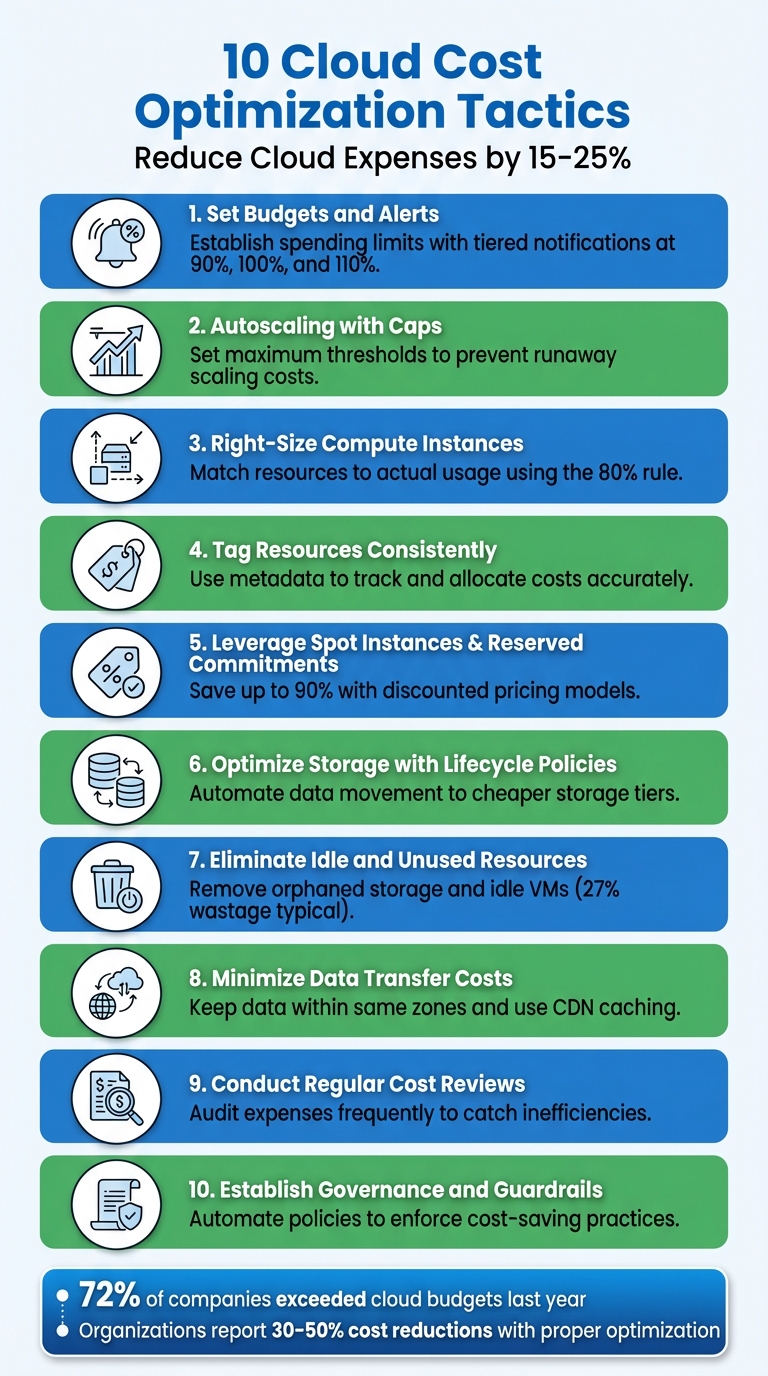 {10 Cloud Cost Optimization Tactics to Reduce Expenses by 15-25%}
:::
{10 Cloud Cost Optimization Tactics to Reduce Expenses by 15-25%}
:::
Lower Your Cloud Bill in 2024 (5 Cost Optimization Tips)
1. Set Budgets and Alerts Early
Before your resources go live, it's smart to establish spending limits. Most cloud providers update billing data daily, which means unexpected cost spikes could go unnoticed for hours or even an entire day [4]. By setting budgets with automated alerts, you can shift from simply reviewing past bills to addressing potential overspending as it happens.
Set up tiered alerts to keep costs under control: one at 90% of your budget (your ideal spend), another at 100% (your target limit), and a final alert at 110% (indicating you're over budget) [8]. Additionally, use forecasted alerts to predict potential overspending before the billing cycle wraps up [3][8].
If you're using AWS, note that it needs about five weeks of historical usage data to generate accurate budget forecasts [4]. So, it's worth setting up budgets right away, even if forecasting isn't immediately available. For environments with higher risk or those not in production, consider daily tracking to stay on top of costs [5].
Automating responses to breaches in thresholds can save time and money. Actions like restricting permissions, moving data to cheaper storage tiers, or shutting down non-critical instances can make a big difference. To ensure you're notified promptly, use multiple communication channels such as email, SMS, or Slack [4][6][7]. Also, enforce a tagging policy from day one to assign each resource to a specific team, project, or cost centre. This approach allows for precise budgeting and helps identify exactly what's driving costs [1][3][8].
Finally, take it a step further by implementing autoscaling with capacity limits to maintain even tighter control over expenses.
2. Implement Autoscaling with Caps
Autoscaling is a great way to handle traffic fluctuations, but without proper boundaries, it can spiral out of control. A misconfigured trigger, a DDoS attack, or even something as simple as a memory leak can cause your system to scale endlessly, leaving you with an eye-watering bill. By setting maximum thresholds, you create a financial safety net that ensures scaling doesn’t go beyond what you’re prepared to spend.
Maximum thresholds can help you avoid massive scaling spikes that cause cost overruns, but a threshold that's set too low might negatively affect performance.- Microsoft Azure Well-Architected Framework [9]
To stay in control, define both minimum and maximum limits for your autoscaling groups. For Kubernetes, this involves configuring minReplicas and maxReplicas in your Horizontal Pod Autoscaler (HPA). For cloud instance groups, set the minimum, desired, and maximum node counts to keep provisioning in check. Adding cooldown periods is also a smart move - it gives your system time to stabilise before scaling again, reducing the risk of over-provisioning.
It’s essential to test these limits under realistic traffic loads. This will help you find the sweet spot: the minimum scaling needed to maintain performance without wasting resources. Be cautious - limits that are too restrictive can cause performance issues during genuine traffic spikes, while overly generous ones can lead to unnecessary costs. In non-production environments, consider stricter caps or scheduling shutdowns during off-peak hours to save even more.
Lastly, combine autoscaling caps with budget alerts. These alerts will notify you the moment your spending approaches your set limits, giving you time to act before costs escalate.
3. Right-Size Compute Instances
One of the most common ways organisations waste money in the cloud is by running compute instances that are larger than necessary. Over-provisioning capacity often results in idle resources that sit unused, month after month, while still racking up costs.
To tackle this, accurate instance sizing is crucial. By aligning compute capacity with actual requirements, you can significantly reduce unnecessary expenses. Start by monitoring key metrics like vCPU, memory, network, and disk I/O for at least two weeks - ideally a month - to get a clear picture of usage patterns [11].
The first step in right sizing is to monitor and analyse your current use of services to gain insight into instance performance and usage patterns.– AWS Whitepaper [11]
A practical approach is to follow the 80% rule: consider downsizing only if peak CPU and memory usage consistently stay below 80% of the proposed capacity [11]. Cloud providers offer native tools to simplify this process, such as AWS Compute Optimiser, Google Cloud Recommender, and Azure Advisor, which can automate recommendations [12].
It's also worth noting that many platforms don’t track memory usage by default, so installing monitoring agents can help you gather precise data [11][15]. To maintain optimal sizing, schedule regular reviews - monthly works well - and test any configuration changes in non-production environments before rolling them out [12][14].
4. Tag Resources Consistently
When your cloud resources aren't properly tagged, it’s like trying to read a map without labels. Sure, you might know the total amount due on your cloud bill, but figuring out which teams, projects, or environments are responsible for those costs? That’s a whole other challenge. Tagging solves this by assigning metadata - key-value pairs - to each resource, giving you the context you need to allocate costs accurately. This level of detail makes it easier to track spending across your organisation.
Tags help clarify ownership, identify environments (like production or development), and allocate costs to specific projects. A well-thought-out tagging strategy should cover three key areas: business (e.g. cost centre, project, owner), technical (e.g. environment, application ID, version), and security (e.g. compliance, data classification). A real-world example? The UK Home Office managed to cut their cloud bill by 40% by tightening oversight and improving accountability practices [1].
Good tagging practices enable your organisation to attribute and charge back cloud spending to the right teams, cost centres, projects and programmes.– Government Digital Service and Central Digital and Data Office [1]
To make tagging work, start by defining a tagging dictionary with standardised keys and values. For instance, you might use 'Env' with values like 'Prod', 'Dev', or 'Test'. Enforce these standards using Service Control Policies or your cloud provider's native policy tools to block untagged resources. To minimise human error, automate tagging during resource provisioning with Infrastructure as Code tools.
Don’t forget to manually activate tags in your billing console so they show up in cost reports [16]. Regular audits are also a must - tools like AWS Tag Editor or GCP’s Resource Manager can help you stay on top of things. With only 22% of companies accurately allocating cloud spend [13], consistent tagging isn’t just helpful - it’s essential.
5. Leverage Spot Instances and Reserved Commitments
Cloud providers offer substantial discounts if you're willing to commit to capacity or accept interruptions. Spot instances allow you to access unused capacity at discounts of up to 90% compared to standard rates. On the other hand, reserved commitments - such as Reserved Instances or Savings Plans - can save you up to 72% if you commit to one- or three-year terms [18][19]. The key is matching these models to your workload needs, ensuring the discount approach aligns with the specific characteristics of your tasks.
For workloads that run consistently, like production databases, core application servers, or services with steady demand, reserved commitments are the best fit. In contrast, spot instances are ideal for tasks that can tolerate interruptions, such as batch processing, CI/CD pipelines, big data analytics, or development environments. Keep in mind that spot instances can be reclaimed by the provider with just a two-minute warning, so your applications must be designed to handle these interruptions smoothly [19].
These approaches can lead to impressive savings. Some organisations have reported cutting costs by 70–90% using these models [20].
To maximise savings further, diversify across instance types and availability zones. This reduces the risk of interruptions, which typically average under 5% [19][21]. Instead of always opting for the lowest price, consider allocation strategies like Price Capacity Optimised.
This balances cost with availability, ensuring you maintain access to resources when you need them [21]. Many organisations find the best results by combining both models: reserved commitments for predictable workloads and spot instances for elastic, on-demand tasks.
Before committing, ensure your resources are right-sized to avoid overprovisioning. Then, gradually invest in additional reserved commitments as your demand evolves [19]. Finally, focus on monitoring your net savings rather than just utilisation metrics - high utilisation means little if it doesn't translate into meaningful cost reductions.
6. Optimise Storage with Lifecycle Policies
Storage costs can spiral out of control when data lingers in expensive high-performance tiers long after its usefulness has waned. This is where lifecycle policies come into play. These automated rules help you manage your data by moving it to lower-cost storage tiers - or deleting it altogether - based on its age and how often it’s accessed. The result? You avoid paying premium rates for data that’s rarely used.
The real advantage of lifecycle policies is their hands-off nature. Once you set the rules, the system takes over, saving you from the tedious task of manually sorting through mountains of data. For example, you could create a policy to archive log files after 90 days and delete them after three years. As Justin Lerma, Technical Account Manager at Google Cloud, puts it:
Setting a lifecycle policy lets you tag specific objects or buckets and creates an automatic rule that will delete or even transform storage classes... This approach acts like a systematic scheduler, ensuring optimal storage class transitions - except instead of costing money, this butler is saving you money[22].
To make the most of lifecycle policies, categorise your data based on its business importance, how often it’s accessed, and how long it needs to be retained. If access patterns are hard to predict, services like Amazon S3 Intelligent-Tiering or Google Cloud Autoclass can automatically adjust storage tiers based on actual usage. For Azure users, consolidating small files into larger ones (e.g., using ZIP or TAR formats) before moving them to cooler storage tiers can help minimise transaction costs.
When designing your lifecycle policies, keep storage-specific rules in mind. For instance, Google Cloud Storage requires a minimum 30-day storage duration for certain tiers, and retrieving archived data can sometimes incur high costs. If you’re using object versioning, you can also set policies to delete outdated versions automatically, preventing unnecessary storage charges.
Need help optimizing your cloud costs?
Get expert advice on how to reduce your cloud expenses without sacrificing performance.
7. Eliminate Idle and Unused Resources
Idle resources in cloud environments can quietly drain your budget. For instance, a stopped virtual machine might still rack up costs due to attached storage or IP addresses. Similarly, orphaned storage volumes - left behind after deleting a virtual machine - can continue charging indefinitely. In fact, public cloud wastage can account for as much as 27%, resulting in billions of pounds in unnecessary expenses [10][13].
The key to tackling this issue is knowing what to look for. Orphaned storage volumes, marked as Unattached
in your cloud console, are a common culprit. Stopped instances, while not running, often still incur charges for associated disks and IPs. Test environments, often forgotten after short-term projects, can also quietly accumulate costs. For databases, you should check for RDS instances with zero connections over a 168-hour period - these are prime candidates for deletion [24].
A structured approach is essential for identifying these unused resources. For example:
- Monitor compute instances with CPU and memory usage below 5% for 15 days.
- Audit snapshots older than 90 days to flag outdated backups.
- Review load balancers with zero request counts to spot those serving no traffic.
- Look for unassociated Elastic IPs that aren’t tied to any active resource [1].
Once identified, take steps to secure these resources before removing them. Create final snapshots of databases and storage volumes to preserve any critical data [24]. Implement mandatory tagging - such as 'Ownership', 'Application', or 'Criticality' - to clarify who is responsible for each resource [25]. Assigning a Directly Responsible Individual (DRI) for every cost item ensures clear accountability [8][23].
To prevent future waste, limit provisioning permissions to key stakeholders [10]. This prevents cloud sprawl
, where resources multiply unchecked. For predictable test environments, automate shutdown schedules - for example, turning off resources between 18:00 and 08:00 when development activity is low. Beyond financial costs, unused cloud resources also contribute to environmental impact, with the cloud sector’s carbon footprint now surpassing that of the airline industry [13].
8. Minimise Data Transfer Costs
Keeping data transfer costs in check is a vital part of managing your overall cloud expenses. These fees can add up quickly, especially when data moves across regions, availability zones, or the public internet. A little planning can go a long way in avoiding unnecessary charges.
One effective approach is to ensure your data stays close to where it's processed. For instance, place your compute and storage resources within the same availability zone to avoid cross-zone transfer fees. Similarly, setting up NAT gateways within the same zone as high-traffic instances helps cut down on additional costs. When services need to communicate, using VPC endpoints - particularly Gateway endpoints for services like Amazon S3 and DynamoDB - keeps traffic on private networks. This avoids the extra hourly and per-GB charges associated with public internet transfers [26]. These steps align with broader cost-saving strategies across your cloud setup.
Another smart tactic is caching. Using Content Delivery Networks (CDNs) like Amazon CloudFront can significantly reduce data transfer from origin servers. Edge caching not only improves performance but also helps lower costs. For example, the CloudFront Security Savings Bundle can cut usage costs by up to 30% [26]. If you're working in a hybrid cloud environment with heavy traffic between on-premises systems and the cloud, dedicated connections like AWS Direct Connect often provide more cost-effective per-GB rates compared to standard internet transfers [26][27].
Other practical measures include compressing large files before transferring them, analysing VPC Flow Logs to pinpoint and optimise high-traffic patterns, and, for massive data migrations, using physical devices like the AWS Snow Family. These offline transfer tools can be a more economical solution when dealing with petabyte-scale data volumes [2][26].
9. Conduct Regular Cost Reviews and Audits
Keeping a close eye on spending through regular reviews can help you catch cost issues before they spiral out of control. Without frequent audits, unnoticed charges - like unused storage volumes, idle virtual machines, or orphaned snapshots - can quietly pile up and inflate your expenses. By establishing a consistent review process, you can identify these problems early and address them before they take a toll on your budget. This practice builds on earlier cost-saving strategies by continuously rooting out inefficiencies.
Accountability plays a key role in managing cloud expenses effectively. Assigning a Directly Responsible Individual (DRI) or resource owner for each cost item ensures there's no ambiguity about who is responsible for monitoring and optimising specific expenses. This approach not only simplifies decision-making but also helps teams focus on connecting cloud spending to business value. Metrics like cost per customer or cost per transaction can serve as useful benchmarks for evaluating efficiency [8][13].
When reviewing cost reports, organise your data in ways that make it easier to spot trends and problem areas. Group expenses by technical categories (such as resource types), organisational units (like departments or teams), and business models (projects or cost centres). This level of detail helps you identify exactly where your money is going [8]. Additionally, it may be worth considering a shift from Infrastructure as a Service (IaaS) to Platform as a Service (PaaS) or Software as a Service (SaaS) solutions. These options can reduce the effort required for management and potentially streamline costs [8][23].
Periodic audits go hand-in-hand with resource optimisation and scaling controls. They ensure that every cost-saving measure you’ve implemented is delivering the intended results. With cloud services replacing the static capital expenditure (Capex) of hardware with a more flexible operational expenditure (Opex) model, your spending should adjust to reflect your business needs [1]. Regular reviews keep this alignment intact, ensuring your costs remain tied to strategic goals rather than drifting off course.
10. Establish Governance and Guardrails
After tackling cost reviews and resource optimisation, the next step is to put solid governance in place. A well-designed governance framework acts as a safety net, preventing costly mistakes before they happen. Instead of depending on people to remember cost-saving practices, automated policies and controls take over, ensuring consistent behaviour across your organisation. This shifts the burden from individual vigilance to system-wide safeguards, making it much harder for expenses to spiral out of control.
For instance, governance policies can automatically restrict deployments to approved resource types, enforce autoscaling configurations, and limit deployments to certain regions to avoid hefty data transfer fees [9]. Pairing these policies with resource quotas can further control costs. By capping the number and size of resources that a project or department can use, you minimise overprovisioning and reduce the financial impact of potential security breaches, such as unauthorised crypto-mining activities [9][28].
Prioritize platform automation over manual processes. Automation reduces the risk of human error, improves efficiency, and assists the consistent application of spending guardrails.- Microsoft Azure Well-Architected Framework [9]
Another effective measure is implementing approval workflows. These workflows act as checkpoints in your deployment process. Before new resources are launched, they must meet specific criteria, such as staying within budget limits or including the correct cost-centre tags. Automated budget triggers can pause deployments for manual review if spending exceeds thresholds [28]. This creates a balance between keeping costs under control and maintaining operational flexibility, ensuring critical services continue without unnecessary interruptions.
To further tighten cost management, enforce access controls using RBAC (Role-Based Access Control) and a least-privilege approach. These restrict who can provision high-cost resources, reducing the risk of accidental overspending [9][17]. Additionally, Infrastructure as Code (IaC) ensures consistency in deployments. By using code-based templates to define infrastructure, IaC guarantees rule-based deployments and simplifies decommissioning [9][2].
A prime example of the impact of these strategies comes from the UK Home Office. By encouraging architects and developers to consider the financial implications of their technical decisions, they managed to cut their cloud expenses by 40% [1]. Automated governance ties all these cost-saving strategies together, creating a cohesive system that keeps spending in check while maintaining operational efficiency.
How Hokstad Consulting Can Help

Putting these strategies into action requires both expertise and a well-planned, automated approach. That’s where Hokstad Consulting comes in. They specialise in reducing cloud costs by 30–50% by making cost management an integral part of your DevOps processes. Instead of treating cost optimisation as a one-time task, they weave it into your workflows using an Everything as Code
methodology. This approach embeds cost controls directly into your infrastructure, ensuring consistent application of spending guardrails and preventing unnecessary expenses from creeping in. These processes are seamlessly integrated into your DevOps operations, as outlined below.
Whether you’re looking for a detailed cloud cost audit, strategic planning for migration, or ongoing DevOps support, Hokstad Consulting tailors its services to fit your specific cloud environment. Here’s an overview of their key offerings:
| Service | Key Tactics | Business Impact |
|---|---|---|
| Cloud Cost Engineering | Right-sizing resources, automated scaling policies, lifecycle management | Achieve 30–50% cost savings through targeted optimisation |
| DevOps Transformation | CI/CD pipeline automation, Infrastructure as Code, monitoring solutions | Speed up deployment cycles while maintaining cost control |
| Strategic Cloud Migration | Zero-downtime transitions, hybrid setups, performance optimisation | Lower hosting costs while boosting system reliability |
Hokstad Consulting also provides flexible engagement options to suit various business needs. Their No Savings, No Fee
model is particularly appealing if you want to cut cloud costs without any upfront investment - you’ll only pay a capped percentage of the savings they deliver. For ongoing support, their retainer model includes continuous monitoring, security audits, and performance optimisation, ensuring your cloud environment remains efficient and secure over time.
Conclusion
Cloud cost overruns don't have to be inevitable. By taking proactive steps - like setting budgets early, adjusting resources to fit actual needs, tagging assets consistently, and removing idle infrastructure - you can keep costs under control. Consider this: 72% of global companies went over their cloud budgets last fiscal year [29]. However, organisations that prioritise optimisation have demonstrated that architectural improvements and financial accountability can significantly lower their cloud expenses [1].
This focus on cost management is driving the rise of FinOps, which treats cloud cost optimisation as a crucial part of cloud management, alongside security and operations. With 89% of stakeholders recognising FinOps as essential for managing cloud complexity [29], it's clear that cost control is no longer a one-time fix - it’s an ongoing discipline needed for sustainable cloud operations.
From budgeting to governance, implementing these strategies effectively requires expertise, automation, and a structured approach. Whether you're grappling with escalating costs or aiming to avoid future overspending, Hokstad Consulting can help. They bring specialised knowledge and a proven system to embed cost controls directly into your DevOps workflows. Plus, their model is risk-free - you only pay a capped percentage of the savings they achieve for you.
Take action now to curb unnecessary expenses and achieve 30–50% cost reductions while maintaining performance. Start implementing these strategies today to ensure a sustainable and cost-efficient future in the cloud.
FAQs
How do budgets and alerts help prevent cloud cost overruns?
Setting budgets and setting up alerts are key ways to keep your cloud spending in check. With budgets, you can set clear financial boundaries for your cloud usage, giving you a solid framework to manage expenses effectively. Alerts, on the other hand, serve as an early warning system, notifying your team when costs are nearing those limits. This gives you the chance to act before overspending occurs.
Using these tools together allows you to track spending in real-time, steer clear of surprise charges, and maintain tighter control over your cloud expenses.
How can spot instances and reserved commitments help reduce cloud costs?
Spot instances are a great way to save money, offering cost reductions of 70% to 90%. They're perfect for workloads that can handle interruptions, such as batch processing or data analysis.
Reserved commitments, meanwhile, let you lock in capacity ahead of time, delivering steady savings of up to 72% compared to on-demand pricing. These are ideal for consistent, long-term workloads with predictable resource needs.
By using a mix of these options, you can manage cloud costs effectively while meeting your business requirements.
Why is consistent tagging crucial for managing cloud costs?
Consistent tagging plays a crucial role in keeping cloud costs under control. It helps businesses organise their resources with a clear structure that’s easy to track and manage. Using standardised key-value tags like environment=production, cost-centre=HR, or project=Payroll allows companies to monitor spending by team, project, or department without the hassle of manual checks. This approach not only simplifies cost reporting but also highlights areas with higher expenses and supports cost-saving measures like rightsizing or scheduling resource shutdowns.
A well-thought-out tagging policy also ensures that automated cost dashboards and reports remain accurate and complete, preventing missed insights or unexpected charges. Regular audits, combined with a shared tagging framework, help maintain accountability and promote cost-conscious practices across the organisation. If you’re looking for guidance, Hokstad Consulting can help you design and implement a tagging strategy that aligns with your financial and cloud management goals.