Kubernetes namespaces help keep workloads isolated within a shared cluster. Automating their management through CI/CD pipelines ensures consistency, reduces errors, and optimises resources. Here’s what you need to know:
- GitOps: Tools like Argo CD and Flux CD treat namespaces as code, ensuring consistent configurations and automatic corrections.
- Pipeline-driven provisioning: CI/CD tools such as Jenkins, GitLab CI/CD, and GitHub Actions dynamically create and manage namespaces during deployments.
- Templates: Helm and Kustomize standardise namespace configurations, making updates easier.
For UK organisations, namespace management supports compliance, cost control, and resource efficiency. Tools like Argo CD and Flux CD excel in regulated environments, while Jenkins and GitHub Actions provide flexibility for smaller teams. Hokstad Consulting specialises in building tailored namespace strategies, helping reduce cloud costs by up to 50%.
Key takeaway: Automating namespace management improves consistency, compliance, and cost-efficiency, especially for multi-cluster setups.
From Zero to Kubernetes Deployment: Harness Continuous Delivery in Action
Common Patterns for Automating Kubernetes Namespace Management
Effective namespace management in Kubernetes often relies on automation to handle creation, configuration, and enforcement. Three key patterns have emerged as reliable approaches to streamline these processes, particularly when integrated with CI/CD pipelines. The tools discussed here typically combine one or more of these patterns to deliver scalable namespace automation across teams and clusters.
GitOps for Namespace as Code
GitOps treats Git repositories as the single source of truth for namespaces and their associated policies. With this approach, namespaces are defined declaratively in YAML files, alongside configurations like ResourceQuotas, LimitRanges, NetworkPolicies, and RoleBindings, all committed to a Git repository. Tools such as Argo CD and Flux CD continuously monitor these repositories, ensuring the cluster's state aligns with the definitions in Git by automatically reconciling any differences.[2]
This method provides a clear audit trail, which is particularly crucial for organisations in regulated sectors such as financial services or healthcare in the UK. Another advantage is automatic drift correction: if someone makes manual changes to a namespace in the cluster, tools like Argo CD or Flux will revert it to match the Git-defined state. This ensures consistency across development, staging, and production environments.[2] Both tools also support Helm and Kustomize, enabling teams to create reusable, version-controlled namespace templates that can be applied across multiple clusters. Additionally, rollback capabilities make it easier to recover from configuration issues.[2][5]
GitOps lays a strong foundation for more dynamic, pipeline-based approaches to namespace automation.
Pipeline-Driven Namespace Provisioning
While GitOps focuses on codifying namespace configurations, pipeline-driven provisioning dynamically creates namespaces during the deployment process. In this pattern, CI/CD pipelines - such as those in Jenkins, GitLab CI/CD, or GitHub Actions - interact directly with the Kubernetes API during build or deploy stages. Pipelines typically execute kubectl commands or use Kubernetes client libraries to create or update namespaces as needed, often for temporary environments linked to feature branches or merge requests.[2][4]
A standout example is Jenkins X, which automates the provisioning of preview environments. Each pull request gets its own dedicated namespace, managed through pipelines and Git repositories.[2] This approach is particularly useful for creating on-demand namespaces that don’t require the same governance as production environments. However, it’s important to implement proper clean-up processes to avoid orphaned resources, which can lead to unnecessary cloud costs.
Namespace Templates and Overlays
Namespace templates add another layer of standardisation, complementing the GitOps and pipeline-driven strategies. Tools like Helm charts and Kustomize overlays allow you to define a base namespace configuration, including objects like Namespaces, ResourceQuotas, LimitRanges, NetworkPolicies, and RBAC rules. Teams can then customise parameters such as names, quotas, and labels by using Helm values or Kustomize overlays, while still adhering to the base template.[2][3]
This approach ensures that all namespaces comply with organisational policies. For instance, you can enforce CPU and memory limits to prevent noisy-neighbour issues or mandate labels for cost allocation and chargeback reporting. If changes are needed - such as updating resource quotas or introducing a new NetworkPolicy - you simply modify the base template and redeploy, ensuring consistent updates across all managed namespaces.[3][4] These templates integrate seamlessly with GitOps tools like Argo CD and Flux, as well as pipeline-driven workflows, making them a versatile option for automating namespace management.
CI/CD Tools for Namespace Management
::: @figure 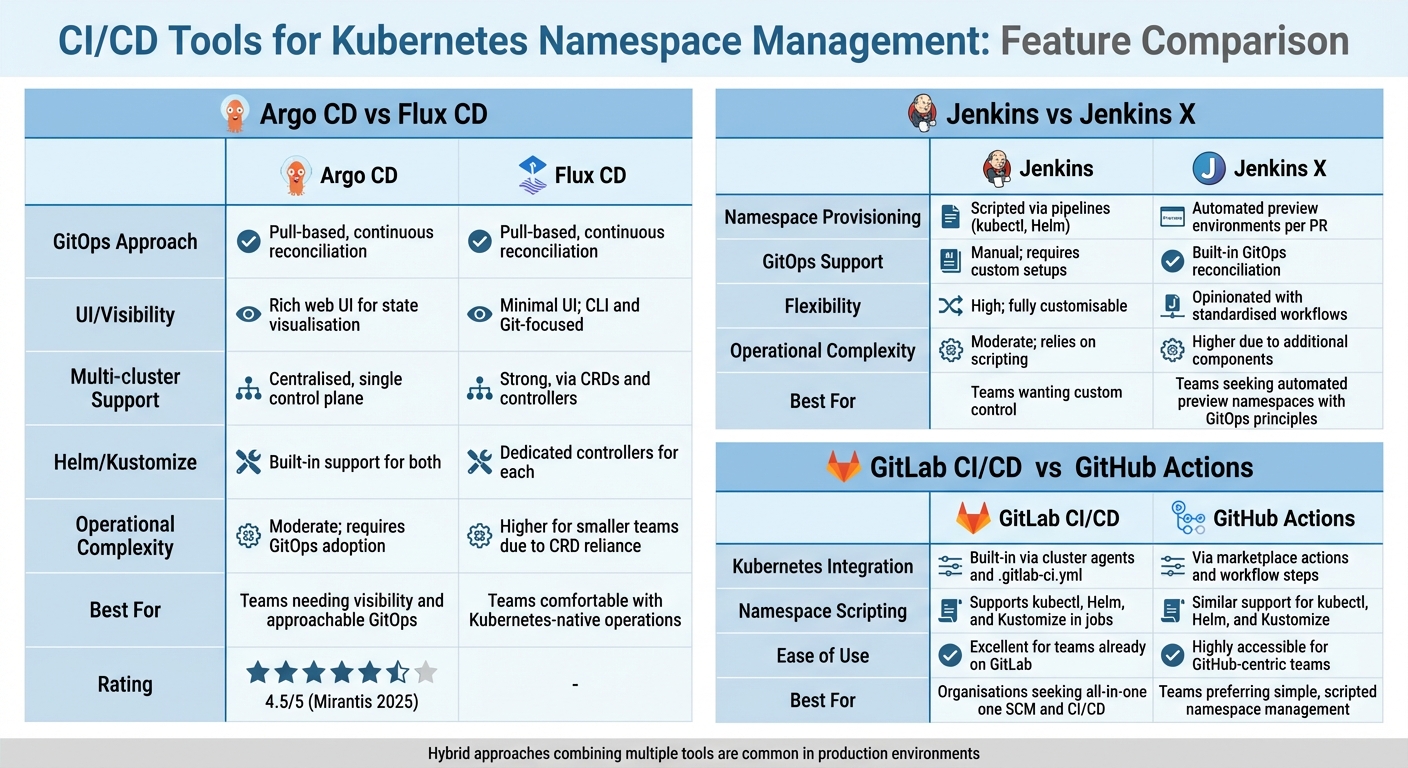 {Comparison of CI/CD Tools for Kubernetes Namespace Management}
:::
{Comparison of CI/CD Tools for Kubernetes Namespace Management}
:::
The choice of CI/CD tools can shape how efficiently your team operates, influencing deployment speed and reducing operational hassles. Each tool comes with its own philosophy - some stick closely to GitOps principles, treating Git as the ultimate source of truth, while others lean on pipeline-driven scripting, giving you more direct control over namespace creation and deletion. Below, we explore how different tools handle namespace management, helping you decide which one aligns best with your organisation’s needs, governance, and workflows.
Argo CD
Argo CD is a Kubernetes-native tool that revolves around GitOps practices. It continuously monitors Git repositories for changes to namespace definitions and ensures your cluster state matches what’s stored in Git. By defining namespaces and policies in YAML and committing them to Git, Argo CD automates the application of changes. It supports various formats like Helm, Kustomize, Jsonnet, and plain YAML, making it adaptable to teams using templating or overlays.
A standout feature of Argo CD is its multi-cluster support. You can manage namespaces across development, staging, and production clusters from a single control plane. It also integrates robustly with RBAC and SSO, making it a strong choice for teams that need clear visibility and control. Its web interface provides detailed insights into cluster state, sync status, and health checks, which is especially handy for platform and operations teams. According to Mirantis’ 2025 Kubernetes management tools overview, Argo CD scored 4.5/5 and is regarded as a leading GitOps CI/CD tool [5].
However, Argo CD requires full commitment to GitOps principles, which can be a hurdle for teams used to ad-hoc kubectl commands. Smaller teams might find the operational demands - like managing controllers, Git repositories, and sync policies - more than they need.
Flux CD
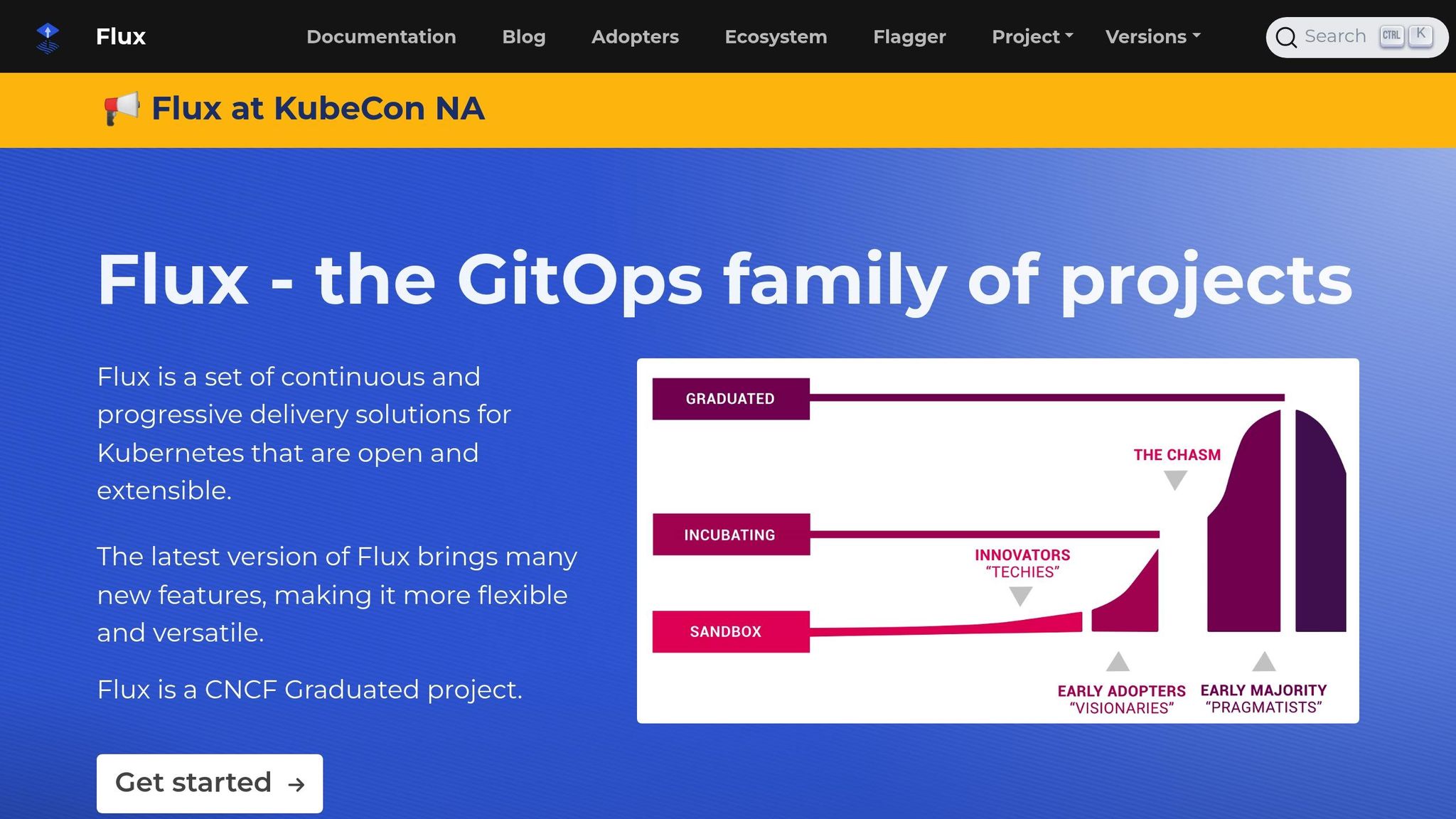
Flux CD also adopts a GitOps-driven approach but is designed as a collection of Kubernetes controllers and custom resource definitions (CRDs). This makes it highly modular and Kubernetes-native. One of its notable features is image automation, which updates container image tags in Git automatically, ensuring namespaces stay current without manual intervention.
Flux is more focused on operators and works seamlessly with CLI tools. It also integrates with policy tools like OPA and Kyverno, enabling teams to enforce namespace constraints (e.g., mandatory labels or resource limits) during reconciliation. For multi-cluster setups, Flux offers strong support, though its reliance on CRDs and controllers may feel complex for smaller teams.
| Feature | Argo CD | Flux CD |
|---|---|---|
| GitOps approach | Pull-based, continuous reconciliation | Pull-based, continuous reconciliation |
| UI/visibility | Rich web UI for state visualisation | Minimal UI; CLI and Git-focused |
| Multi-cluster support | Centralised, single control plane | Strong, via CRDs and controllers |
| Helm/Kustomize | Built-in support for both | Dedicated controllers for each |
| Operational complexity | Moderate; requires GitOps adoption | Higher for smaller teams due to CRD reliance |
| Best for | Teams needing visibility and approachable GitOps | Teams comfortable with Kubernetes-native operations |
Jenkins and Jenkins X
Moving away from GitOps, Jenkins offers a more traditional, scripted approach to namespace management. With its Kubernetes plugin, Jenkins can run build agents as ephemeral pods, while pipelines allow custom scripting for namespace operations. This flexibility lets teams design their own naming conventions, quota policies, and cleanup logic. However, without a GitOps framework, maintaining consistency across jobs becomes a manual task, increasing the risk of orphaned namespaces and higher cloud costs.
Jenkins X, on the other hand, is tailored for Kubernetes and incorporates GitOps principles. It automates preview environments by provisioning dedicated namespaces for each pull request, managed via pipelines and Git repositories. These namespaces are cleaned up automatically when the pull request is closed or merged. While this reduces the need for custom scripts, Jenkins X introduces additional layers of complexity, which can be challenging for smaller teams or those without dedicated platform engineers.
| Feature | Jenkins | Jenkins X |
|---|---|---|
| Namespace provisioning | Scripted via pipelines (kubectl, Helm) | Automated preview environments per PR |
| GitOps support | Manual; requires custom setups | Built-in GitOps reconciliation |
| Flexibility | High; fully customisable | Opinionated with standardised workflows |
| Operational complexity | Moderate; relies on scripting | Higher due to additional components |
| Best for | Teams wanting custom control | Teams seeking automated preview namespaces with GitOps principles |
GitLab CI/CD and GitHub Actions

Both GitLab CI/CD and GitHub Actions integrate with Kubernetes by running pipeline jobs in containers that interact with your cluster using tools like kubectl, Helm, or Kustomize. In GitLab, teams often use CI templates to standardise processes like namespace creation, deployment, and cleanup. GitHub Actions workflows typically define jobs that dynamically apply Kubernetes manifests or Helm charts to namespaces (e.g., myapp-pr-123), with automatic deletion after a retention period or on merge.
These platforms rely on scripted workflows for namespace management. This makes them a good fit for teams already using GitLab or GitHub, embedding namespace logic directly into CI pipelines. For smaller teams or those new to Kubernetes, this approach provides a lightweight solution without requiring a separate GitOps controller. However, teams must establish consistent patterns for naming, quotas, and cleanup to avoid inefficiencies.
| Feature | GitLab CI/CD | GitHub Actions |
|---|---|---|
| Kubernetes integration | Built-in via cluster agents and .gitlab-ci.yml
|
Via marketplace actions and workflow steps |
| Namespace scripting | Supports kubectl, Helm, and Kustomize in jobs | Similar support for kubectl, Helm, and Kustomize |
| Ease of use | Excellent for teams already on GitLab | Highly accessible for GitHub-centric teams |
| Best for | Organisations seeking all-in-one SCM and CI/CD | Teams preferring simple, scripted namespace management |
Many teams adopt a hybrid approach, using GitLab CI/CD or GitHub Actions for build and testing stages, while relying on Argo CD or Flux CD to manage the desired state in Kubernetes. This combination allows for a seamless integration of GitOps principles with pipeline-driven workflows, balancing automation with flexibility.
Need help optimizing your cloud costs?
Get expert advice on how to reduce your cloud expenses without sacrificing performance.
Additional Tools for Namespace Management in CI/CD Pipelines
Beyond the leading CI/CD tools, there are smaller utilities that can make a big difference in managing namespaces. These tools help streamline workflows, standardise configurations, and cut down on manual tasks. They're especially useful in setups with multiple clusters or tenants, where teams juggle numerous namespaces across development, staging, and production environments.
kubectx and kubens
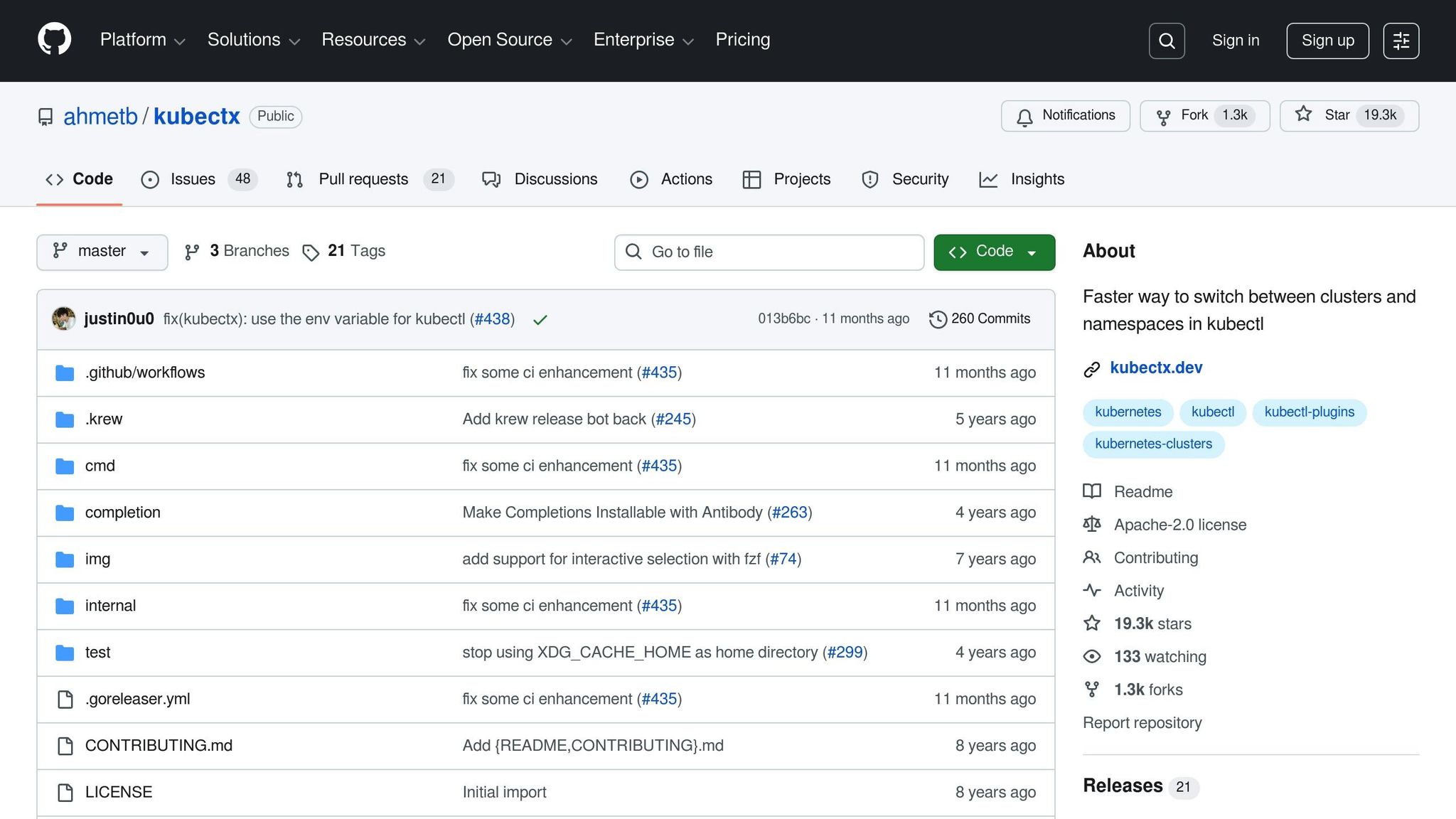
kubectx and kubens are lightweight command-line tools that simplify switching between Kubernetes contexts and namespaces. Instead of typing out lengthy kubectl commands, these tools let you quickly toggle between clusters or user contexts (kubectx), or change the active namespace in your current context (kubens). Often installed as kubectl plug-ins, they integrate seamlessly into most workflows.
In multi-tenant CI/CD environments, these tools help minimise errors and improve efficiency. For instance, a GitLab CI or GitHub Actions job might start with commands like:
kubectx prod-eu
kubens payments
This ensures that subsequent commands target the correct cluster and namespace, reducing the risk of accidentally applying changes to the wrong environment - an issue that becomes more likely as infrastructure scales [6].
Helm and Kustomize
Helm and Kustomize are powerful tools for managing Kubernetes configurations, enabling consistent namespace setups across different clusters.
-
Helm packages Kubernetes manifests into versioned charts. These charts can include everything from namespace definitions to resource quotas, network policies, and application workloads. Using environment-specific values files (e.g.,
values-staging.yamlorvalues-prod.yaml), you can define a namespace's structure - such as resource limits, default requests, and RBAC roles - in one reusable chart. For example, a CI/CD pipeline might execute:helm upgrade --install payments-namespace infra/namespace-chart --namespace payments --create-namespace -f values-prod.yaml -
Kustomize, in contrast, works with overlays and patches applied to base YAML manifests. A base might define core namespace configurations like
LimitRanges,ResourceQuotas, and baselineNetworkPolicies. Overlays can then customise these settings for specific environments or tenants, adjusting CPU and memory quotas, adding labels, or tweaking network policies. A pipeline might apply these overlays using:kubectl apply -k overlays/prod-payments
Modern kubectl versions include built-in Kustomize support, making it a straightforward option for overlay-based customisation. Many teams use both tools: Helm for applications requiring templating and version control, and Kustomize for namespace and cluster-wide configurations. This combination is well-supported by most CI/CD and GitOps platforms [2].
For UK organisations aiming to optimise costs and meet compliance needs, Hokstad Consulting offers services to design and implement namespace strategies. They can build GitOps workflows and fine-tune Helm or Kustomize configurations for multi-cluster environments, ensuring a seamless and efficient namespace management process.
Building a Namespace Strategy with Expert Support
Selecting the right Kubernetes namespace tools requires careful consideration of regulatory requirements, multi-cluster complexities, and cost management. For UK organisations, the first step is mapping these tools to governance needs. This involves ensuring strong RBAC (Role-Based Access Control), detailed audit trails, and policy enforcement that align with standards like ISO 27001 or UK GDPR. Tools must seamlessly integrate with Kubernetes' RBAC to support multi-tenancy while maintaining namespace isolation. Additionally, the organisation’s team structure will influence whether a GitOps controller (such as Argo CD or Flux CD) or an integrated CI/CD platform is the better fit.
Beyond automation, an effective namespace strategy should address multi-cluster management and cost control. For multi-cluster environments, it’s crucial to use tools that centralise management across multiple Kubernetes clusters. These tools should map Git repositories or folders to specific clusters and namespaces, ensuring clear isolation and secure access controls. Cost visibility can be improved by standardising labels and annotations within namespaces and workloads, enabling automated labelling in CI/CD pipelines for accurate cost tracking. To prevent resource overuse, namespaces should be provisioned with quotas and limits for CPU, memory, and storage. Linking GitOps changes to cost metrics can further encourage efficient resource usage.
Hokstad Consulting works with UK organisations to design tailored namespace strategies. They start by evaluating existing DevOps practices, cloud spending, and regulatory requirements to align clusters, environments, and teams with the right RBAC, quotas, and network policies. Hokstad specialises in GitOps-based namespace automation, leveraging tools like Argo CD, Flux CD, Helm, or Kustomize, and integrating them with CI platforms such as Jenkins, GitLab CI/CD, or GitHub Actions. This approach ensures namespaces and policies are fully managed as code. They also incorporate cost monitoring and optimisation into the strategy by standardising labels, using Kubernetes cost tools, and fine-tuning resource requests, autoscaling, and cluster sizing. These efforts help manage monthly cloud expenses while maintaining performance. Hokstad’s expertise extends to pipeline optimisation and AI-assisted automation, using custom AI agents to streamline deployments, detect anomalies, and enforce governance across multi-cluster or hybrid Kubernetes setups.
To get started, organisations can pilot GitOps-managed namespaces with a single non-critical application. Define development, testing, and production namespaces in Git, complete with quotas, labels, and RBAC rules. Integrate this repository with a GitOps controller and the existing CI pipeline. Once the process is stable, scale this model to additional teams and clusters using standardised namespace templates, such as Helm charts or Kustomize bases. These templates should include essential security, cost, and observability settings for consistent namespace deployments. Hokstad Consulting’s approach, which often caps fees as a percentage of the savings achieved, has delivered impressive results. Clients have reported cloud cost reductions of 30–50%, including annual savings of £120,000 and deployment times reduced from six hours to just twenty minutes [1].
Conclusion
To wrap things up, let's revisit the key takeaways. Kubernetes namespace management plays a crucial role in ensuring safe and efficient CI/CD processes for modern UK organisations. By isolating environments, enforcing resource limits, and defining RBAC, network policies, and compliance controls, namespaces provide a structured framework for managing clusters. Automating the lifecycle of these namespaces through CI/CD pipelines eliminates the need for manual intervention, reduces configuration inconsistencies, and ensures that every change is both auditable and repeatable.
Automation techniques like GitOps, pipeline-driven provisioning, and templating work together to enhance this process. GitOps ensures consistency through version control, pipeline-driven tools enable on-demand environment creation, and tools like Helm or Kustomize provide standardised configurations. Meanwhile, utilities like kubectx and kubens simplify everyday operations, allowing engineers to switch contexts quickly and safely.
When choosing tools and strategies, it’s essential to consider factors like team size, regulatory requirements, and operational complexity. Smaller teams may benefit from lightweight solutions, while heavily regulated industries might lean towards GitOps-first approaches for better compliance.
An automated and well-thought-out namespace strategy not only streamlines scaling and reduces operational headaches but also slashes cloud costs. For example, Hokstad Consulting has helped UK businesses achieve 30–50% reductions in cloud expenses and significantly faster deployment times by implementing GitOps-driven automation, standardised configurations, and AI-assisted monitoring. This approach underscores the broader theme of efficient, compliant, and cost-effective namespace management.
FAQs
How does GitOps simplify namespace management for regulated industries?
GitOps makes managing namespaces in regulated industries much easier by automating deployment processes. This ensures consistency and repeatability, cutting down the chances of human error and helping organisations stick to strict regulatory standards.
One of its key strengths is providing a clear, auditable trail of every change. This not only boosts transparency and accountability but also aligns with regulatory demands. As a result, managing complex environments becomes more straightforward and efficient, giving teams greater confidence in their workflows.
What are the advantages of using Helm and Kustomize for managing Kubernetes namespaces?
Helm and Kustomize are powerful tools that make managing Kubernetes namespaces much easier and more efficient. Helm simplifies the process with its templating system and version control features, allowing you to create consistent and scalable namespace configurations. Meanwhile, Kustomize focuses on flexibility, enabling you to apply overlays and make adjustments without modifying the original configuration files.
These tools not only help automate processes but also minimise errors, making it simpler to maintain Kubernetes environments. By streamlining workflows, they save valuable time and boost deployment reliability.
How can organisations save on cloud costs using automated Kubernetes namespace management?
Organisations have the potential to cut cloud costs dramatically by automating Kubernetes namespace management using CI/CD pipelines and Infrastructure as Code (IaC). This method ensures smarter resource allocation, adjusts environments to the right size, and reduces mistakes often linked to manual provisioning.
By tightening up resource usage and removing unnecessary waste, automated namespace management can lead to cloud expense reductions of 30–50%. Additionally, it accelerates deployment cycles, freeing up teams to concentrate on delivering value rather than getting bogged down with infrastructure management.