
Key rotation is a must for secure cloud systems. It involves replacing sensitive credentials - like encryption keys, API tokens, and passwords - on a regular schedule to reduce security risks. Manual key rotation is error-prone and unsustainable for organisations managing hundreds or thousands of credentials across multi-cloud environments like AWS, Azure, and Google Cloud. Automating the process ensures consistent policies, reduces operational risks, and meets compliance requirements such as PCI DSS, ISO 27001, and NIS2.
Key Takeaways:
- What is Key Rotation? Regularly replacing cryptographic keys and credentials to limit exposure in case of compromise.
- Why Automate? Manual processes are inefficient and prone to errors, especially at scale.
- Tools for Automation: Cloud-native services like AWS KMS, Azure Key Vault, and Google Cloud KMS offer built-in rotation features. Third-party tools like HashiCorp Vault provide cross-platform solutions.
- Compliance Benefits: Automated rotation supports regulatory standards by enforcing schedules, maintaining audit trails, and reducing human error.
- Best Practices: Use aliases for seamless key updates, integrate rotation into CI/CD pipelines, and monitor for anomalies during transitions.
Automating key rotation isn’t just about security - it simplifies operations, ensures compliance, and reduces downtime risks.
Using Azure Key Vault Key Rotation Policies
Core Principles of Automated Key Rotation
Creating a dependable automated key rotation system hinges on a strong grasp of security and cryptographic principles. These principles shape decisions around rotation frequency, failure handling, and safeguarding systems during transitions.
Security and Cryptographic Basics
A core concept in key rotation is forward secrecy. By rotating keys regularly, you limit the risk if a key is compromised. Shorter key lifespans mean that a stolen key can only decrypt a small amount of data - typically covering a 30- or 90-day window - instead of years of records[8].
Here’s how key management terms differ:
- Key rotation: Generates a new key version while keeping older versions available for decryption.
- Re-encryption: Actively re-encrypts data with a new key, often when updating algorithms or after a breach.
- Revocation: Immediately disables a compromised key to prevent further use[8][7].
Take AWS Key Management Service (KMS) as an example. During routine rotation, AWS KMS creates a new key version: new data is encrypted with this version, while older versions remain available for decryption. If a key is compromised, it’s revoked, and sensitive datasets are re-encrypted. To minimise risk, it's better to avoid using a single master key across your entire infrastructure. Instead, envelope encryption with per-service keys ensures that a compromised key only affects a specific dataset, time window, or service[3].
For instance, a UK-based financial services company might use separate keys for customer payment data, internal analytics, and development environments. Payment data keys could be rotated every 30 days, while development keys might follow a 90-day schedule. Services handling regulated data, especially those exposed to the internet, should adopt the shortest possible rotation intervals.
Designing Rotation Policies
Effective key rotation policies begin with deciding between time-based and usage-based triggers. Time-based triggers are common and straightforward to audit. For instance:
- Google Cloud IAM flags service account keys older than 90 days[8].
- Azure Key Vault allows policies like rotating keys 30 days before expiry or every 90 days from creation[13].
Usage-based triggers, though less common, rotate keys based on data volume or transaction counts. Additionally, event-driven triggers should complement scheduled rotations. For example, keys must be rotated immediately in response to incidents like suspected breaches, insider misuse, or the deprecation of outdated algorithms such as SHA-1[8].
Policies must also distinguish between key encryption keys (KEKs) and data encryption keys (DEKs) in envelope encryption setups. KEKs, which protect multiple DEKs, are rotated less frequently - typically every 6–12 months. This process usually involves re-wrapping DEKs rather than re-encrypting all data[10]. DEKs, on the other hand, are rotated much more aggressively - per object, file, session, or at short intervals - because they are cheaper to generate and limit the impact of a compromise[3].
For UK organisations, balancing security and cost is key. Extra KMS operations can increase latency and incur additional charges in GBP, so rotation policies should align with actual usage patterns rather than applying blanket rules. Consulting experts like Hokstad Consulting can help design tailored encryption and rotation schemes that align with specific workloads and budgets.
Once policies are established, the next step is implementing automation safeguards to ensure smooth transitions and avoid service disruptions.
Safety Measures for Automation
Automation without safeguards can lead to outages. Key versioning is essential. Systems must support multiple active key versions during transitions. This ensures that new data uses the latest key, while older versions remain available for decryption[3][13][10].
Another safeguard is dual-reading: applications first try decrypting data with the current key and fall back to older versions if needed. Staged rollouts, such as AWS’s practice of deactivating keys after 100 days and deleting them at 110 days, help manage risks during transitions[8][7].
For secrets like database credentials, running old and new credentials in parallel during a grace period can prevent disruptions. For example, databases can accept both old and new passwords temporarily, giving applications time to update without downtime[3].
Monitoring and logging are crucial for compliance and operational stability. Every rotation event should be logged with details like timestamp, actor, key identifier, version, and outcome. Azure Key Vault integrates with Azure Monitor and Activity Logs, enabling alerts for unusual activity[13]. Similarly, AWS CloudTrail and Google Cloud Audit Logs provide detailed records of key usage, which support compliance and forensic investigations[11]. For more advanced logging, Thales CipherTrust CCKM adds detailed audit capabilities to AWS KMS, helping organisations meet standards like PCI DSS and ISO 27001[1].
UK organisations should configure alerts for potential issues, such as:
- Rotation failures or timeouts
- Rotations outside expected schedules
- Frequent ad-hoc rotations
- Use of deprecated or revoked keys[14].
Cloud Platform Key Rotation Tools
Major cloud providers offer built-in tools to automate key rotation, though the specifics of configuration, monitoring, and integration vary. Knowing the features of these tools can help you design workflows tailored to your infrastructure and compliance needs. By using these native tools, you can put the key rotation strategies and safeguards discussed earlier into practice. These tools demonstrate how platform capabilities can simplify the often-complex process of managing key rotation.
AWS Key Rotation Features
AWS Key Management Service (KMS) supports automatic rotation of customer-managed symmetric keys every 365 days. You can activate this feature for individual keys through the AWS Management Console, CLI, or API. Once enabled, AWS KMS generates new key versions under the same key ID. This ensures that new data is encrypted using the latest key, while older key versions remain available for decrypting existing data[1].
However, AWS KMS doesn't allow custom rotation intervals. If your organisation needs more frequent rotations - say every 90 days to meet stricter policies - you'll need to set up custom workflows using AWS Lambda or Step Functions[1]. Costs related to key rotation primarily come from KMS API usage and storage rather than the rotation itself, so tracking API usage is essential for managing expenses in the UK.
For application credentials, AWS Secrets Manager simplifies rotation with pre-built templates and Lambda functions. These templates handle credentials for services like RDS, Redshift, and DocumentDB. During rotation, the function updates the credential (e.g., an RDS password), tests connectivity, and promotes the new version. AWS SDKs automatically fetch the latest secret version[2].
In multi-account setups, AWS provides a pattern for rotating IAM access keys across accounts within an AWS Organisation. This approach deactivates keys after 100 days and deletes them at 110 days, using CloudFormation StackSets to deploy the necessary infrastructure. Notifications alert teams if any rotation fails[7].
Amazon EventBridge enhances automation by enabling event-driven workflows. For example, you can configure rules to trigger Lambda functions or send alerts when keys or credentials approach expiry[7].
Azure Key Vault Rotation Features
Azure Key Vault offers auto-rotation for cryptographic keys through configurable rotation policies. These policies allow you to define actions like creating a new key version (rotate
) and sending notifications (notify
) at specific intervals. For example, you might set notifications to trigger 30 days before expiry and schedule automatic rotation seven days before the deadline[13].
You can configure these policies using the Azure Portal, CLI, PowerShell, or REST API. Integration with Azure Monitor and Activity Logs ensures detailed auditing and alerting. Azure Key Vault seamlessly integrates with services like Azure SQL Database, App Service, Storage, and VM disk encryption, ensuring that applications always use the most up-to-date keys and secrets.
For instance, Azure SQL Database applications can access credentials stored in Key Vault via managed identities. Rotation involves updating the SQL login password and the corresponding Key Vault secret in a coordinated manner, often automated using Logic Apps or Automation Runbooks[15]. Similarly, when TLS/SSL certificates stored in Key Vault are renewed, Azure App Service automatically picks up the new version, maintaining HTTPS support without requiring redeployment[15].
Azure Event Grid can trigger Logic Apps or Azure Functions for tasks like updating downstream systems, validating connectivity, and rolling back changes if needed. These workflows, combined with tools like Azure Monitor and Application Insights, help ensure rotations are well-documented and meet service-level agreements[15].
Google Cloud KMS Rotation Features
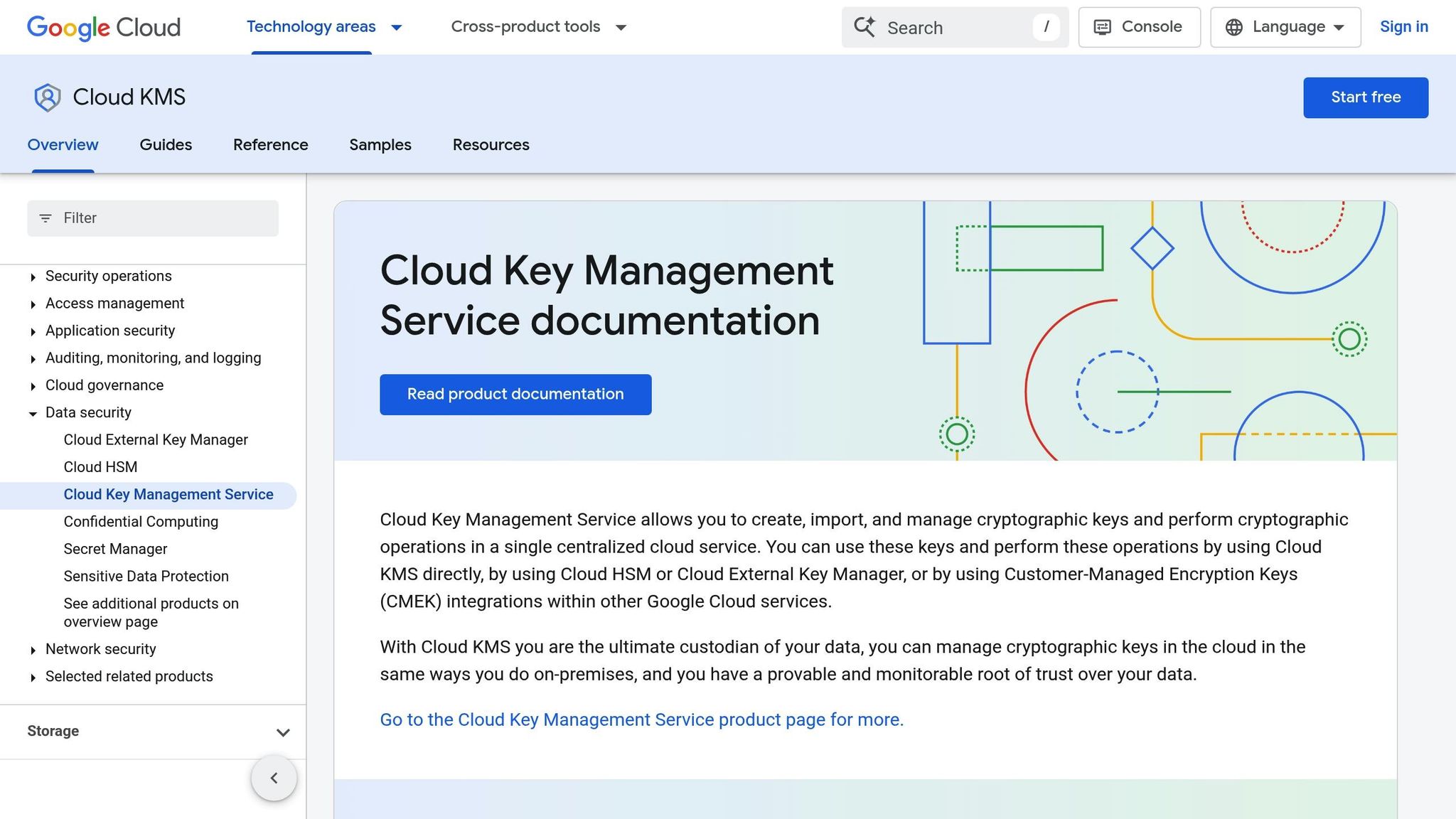
Google Cloud KMS provides a rotation schedule feature, allowing you to set intervals - such as every 30 days - for key rotation. The service automatically generates new key versions while retaining references to existing ciphertext, ensuring continued access to previously encrypted data[6][10].
Google advises setting rotation intervals based on the sensitivity of your data and compliance needs. High-value keys may require more frequent rotation, while longer intervals might suffice for less critical use cases. Aligning key rotation with broader secrets and certificate management can streamline compliance efforts[6].
Applications should always use the primary key version, ensuring new encryption operations use the latest key while older versions remain available for decryption[10]. Google Cloud KMS logs all key-related operations to Cloud Logging, with metrics and alerts available through Cloud Monitoring. These tools can notify teams of failures or unusual key usage patterns[6].
For service account keys, rotation involves several steps: creating a new key, updating applications, disabling the old key, and eventually deleting it. Automation can simplify this process, often using Cloud Asset Inventory to identify keys older than a specific age, such as 90 days[8].
For organisations managing multi-cloud environments, firms like Hokstad Consulting specialise in designing and automating cross-cloud key rotation workflows. They can integrate these processes into CI/CD pipelines while ensuring robust security controls and logging, helping to minimise risks and control costs in GBP.
Need help optimizing your cloud costs?
Get expert advice on how to reduce your cloud expenses without sacrificing performance.
Cross-Platform Tools and Techniques
Using core principles and cloud-native tools, cross-platform strategies simplify key rotation across multi-cloud environments. Managing keys in AWS, Azure, and GCP can be challenging due to differences in APIs, rotation schedules, and monitoring tools. A unified cross-platform approach creates a single control point, ensuring consistent rotation policies and tracking key lifecycles effectively.
Centralised Key Management Solutions
Centralised key management platforms act as a unified layer across multiple cloud providers. Instead of configuring key rotation separately in AWS KMS, Azure Key Vault, and Google Cloud KMS, these platforms let you define policies once and apply them across all environments. This reduces manual work and maintains a consistent security framework.
HashiCorp Vault is a popular choice for managing keys and secrets across clouds. It supports policy-driven rotation with configurable intervals and retains multiple active versions of secrets during the process. For example, when rotating database credentials, Vault creates a new set of credentials, deactivates the oldest version, but keeps the previous version until the next cycle. This overlapping model ensures credentials remain valid for at least 30 or 90 days, avoiding application downtime during rotations [5].
Thales CipherTrust Cloud Key Management (CCKM) simplifies AWS KMS key rotation through a single console. Its AWS Key Discovery Tool inventories keys across accounts and identifies those needing rotation. Organisations often find hundreds of unrotated or orphaned keys, illustrating how manual processes can leave environments exposed [1].
Fortanix Key Management Service automates rotation and lifecycle management across clouds, offering strong compliance support. These platforms typically allow you to classify keys by risk level - for instance, rotating high-risk database credentials every 30 days while extending lower-risk API key rotations to 90 days. This ensures consistent enforcement across AWS, Azure, and GCP [1][3].
To maintain compatibility, these solutions preserve older key versions during rotations. Services like Azure Key Vault, AWS Secrets Manager, and Google Cloud Secret Manager label or stage previous key versions, ensuring applications continue functioning during transitions [7].
An alternative to traditional key rotation is the use of dynamic credentials. Tools like HashiCorp Vault and CyberArk Conjur generate short-lived, on-demand credentials that expire automatically. This approach eliminates the need for long-lived keys, as database logins, cloud access tokens, and API keys are created just-in-time and revoked after use, significantly reducing the risk of compromise [12].
At scale, cross-cloud inventory and discovery tools become essential. Google Cloud’s Cloud Asset Inventory can identify service account keys older than 90 days, triggering automatic rotation workflows [8]. Similarly, Thales CCKM’s discovery feature helps locate unused or orphaned keys, allowing teams to plan rotations based on usage patterns [1].
These centralised solutions also integrate seamlessly with automated DevOps workflows, as explored in the next section.
DevOps Integration Patterns
Integrating key rotation into CI/CD pipelines ensures repeatable, auditable processes closely tied to application deployments. By treating secrets and keys as code, you can minimise configuration drift and manual errors.
Tools like Ansible, Puppet, and Chef automate rotation logic through playbooks. For example, a pipeline might trigger a rotation job using AWS Lambda, Azure Functions, or Google Cloud Functions. This job updates a secret in a centralised manager and deploys the updated configuration to applications [3].
GitOps takes this concept further by storing desired states - including secret references - in Git. Tools like Argo CD or Flux reconcile cluster states, ensuring applications always use the most current keys. When a key rotates, a GitOps controller detects the change and updates running applications, providing an audit trail and simplifying rollbacks if needed [9].
Event-driven workflows also play a key role. Cloud events like near-expiry
or rotation due
notifications from secret managers - or scheduled events from CloudWatch, Azure Monitor, or Google Cloud Scheduler - can trigger serverless functions to generate new keys, update stores, and retire old ones. For instance, an Azure Key Vault near-expiry event might trigger an Azure Function to rotate a certificate and update downstream services [7].
For SSH key rotation across EC2 instances, Azure VMs, and Google Compute Engine, automated solutions use a secrets manager to store private keys and serverless functions to handle rotation. AWS, for example, combines Secrets Manager, Lambda, and Systems Manager to rotate SSH keys on a schedule. Azure and Google offer similar setups using Azure Functions with Automation or Google Cloud Functions with OS Config. In containerised environments, dynamic credentials generated at pod startup - using methods like Vault’s Kubernetes auth - remove the need for static keys entirely [2].
By adopting automated CI/CD pipelines and Infrastructure as Code (IaC), teams can eliminate manual bottlenecks and improve consistency and security in key rotation [16].
The next step in this evolution involves AI tools, which enhance these processes by adapting rotation schedules based on real-time risk.
AI-Assisted Key Management
Artificial intelligence and analytics are transforming key rotation by introducing tailored schedules based on real-world usage patterns. Instead of applying fixed intervals, AI systems analyse historical data, access logs, and threat intelligence to recommend schedules that align with actual risks.
For example, an AI system might suggest rotating database credentials every 30 days if accessed from multiple regions or every seven days if accessed from high-risk IP addresses. These insights can be integrated into tools like HashiCorp Vault or cloud-native key managers to adjust schedules automatically [4].
Machine learning can also detect unusual key access, flagging potential compromises immediately. If a service account key is used outside normal hours or accesses an unusually high number of resources, the system can rotate the key and notify the security team, reducing exposure time [4].
AI is also effective at identifying stale or unused keys. By analysing access logs from AWS KMS, Azure Key Vault, and Google Cloud KMS, these systems prioritise high-risk keys for frequent rotation while extending intervals for lower-risk credentials. This helps focus efforts where they are most needed.
Integration with AI-driven insights typically happens through APIs and event-driven architectures. For instance, events from CloudWatch, Azure Monitor, or Google Cloud Logging can trigger functions that call a vault or key manager based on AI recommendations. If an AI model detects an unusual access pattern, it can initiate an immediate rotation, while routine adjustments can occur during maintenance windows to avoid disruptions [4].
Firms like Hokstad Consulting specialise in designing workflows that embed AI insights into CI/CD pipelines and cloud operations, making key management smarter and more resilient.
Building Reliable Key Rotation Workflows
Creating dependable key rotation workflows means carefully planning every phase of the key lifecycle - from the moment a key is generated to its secure destruction. A well-designed workflow ensures a balance between security, operational stability, and cost, while adhering to UK regulations such as PCI-DSS, ISO 27001, and FCA guidelines for financial services.
Complete Lifecycle Design
An effective key rotation workflow typically includes four key stages: creation, active/rotation, deprecation, and destruction. Each stage incorporates cloud-based security measures and audit controls.
Creation: Keys should be generated using FIPS-validated hardware security modules (HSMs) wherever possible. At this stage, tagging keys with data-classification labels - such as
high-risk
orPII-related
- is crucial for enforcing policies later. Keys must also be created under least-privilege IAM roles to meet PCI-DSS and ISO 27001 standards.Active/Rotation: During this phase, cloud platforms often support automatic or policy-driven key versioning. New key versions handle encryption while older versions remain available for decryption, ensuring uninterrupted service.
Deprecation: Keys in this stage are restricted to decryption-only use. For instance, policies can block
kms:Encryptactions while still allowingkms:Decrypt. This forces new data to use updated keys while maintaining access to previously encrypted data.Destruction: Keys are deleted using scheduled mechanisms with grace periods - typically 7 to 30 days - allowing recovery if necessary. After the grace period, keys are permanently destroyed, and immutable logs of the process should be maintained in line with UK data-retention policies.
Google Cloud recommends a multi-step rotation process where old and new keys overlap temporarily. They advise disabling old keys first, monitoring system performance, and only deleting them after confirming stability [8].
This structured approach minimises risks like data loss or service interruptions, while ensuring compliance with regulatory standards.
Application Integration Patterns
For seamless key rotation without downtime, applications must integrate effectively with the key lifecycle. The key is leveraging runtime key resolution and multi-version support. Instead of hardcoding key versions, applications should use logical identifiers - like KMS aliases or Key Vault key names - that abstract the underlying key material. This way, encryption operations automatically use the latest key version, while decryption works with any previous version.
For example, an application might reference an AWS KMS alias such as alias/database-encryption-key. When the key is rotated, updating the alias ensures the application uses the new key without any code changes.
To simplify integration for developers, wrap KMS or Key Vault interactions in client libraries. Tools like HashiCorp Vault or cloud-native secret managers provide consistent paths or names that remain unchanged, even as the underlying key material rotates. This approach enables frequent rotations - weekly or even daily - without requiring application-level changes, provided dependencies like timeouts and retries are correctly configured.
Phased rollouts are essential for ensuring safe rotations. AWS offers a detailed pattern using CloudFormation StackSets, Lambda, and Secrets Manager to rotate IAM access keys across an organisation. This method starts with a small subset of services, monitors metrics and errors, and gradually expands the rollout. If issues arise, aliases can revert encryption to the previous key version without disrupting the system.
For databases, background re-encryption jobs can migrate data to the new key while both versions remain valid. Azure Key Vault, for instance, allows automatic key versioning based on user-defined policies, simplifying phased transitions [13]. To prevent disruptions, health checks, synthetic transactions, and centralised logging should be used to detect and resolve decryption issues early.
Different architectures need tailored integration approaches:
- Microservices: Use a standardised secrets-access library or sidecar per language to fetch keys from KMS or Key Vault at startup or on a short cache interval.
- Serverless functions: Resolve keys during invocation using managed identities or service principals, letting the platform handle token refreshes.
- Data platforms: Enforce encryption with customer-managed keys (CMKs) and rely on native rotation features. Coordinate client updates through infrastructure-as-code for consistency across environments.
These methods align with the automation and centralisation strategies discussed earlier.
Governance and Cost Considerations
Technical strategies alone aren’t enough - strong governance is critical to maintaining security and efficiency. Assign clear responsibilities across teams:
- A central security or cryptography team should define enterprise-wide policies, such as minimum rotation frequencies (e.g., every 60–90 days for high-risk workloads), approved algorithms, and logging standards.
- Platform or cloud teams should manage tooling, shared CI/CD patterns, and guardrails like enforced rotation policies.
- Application teams must ensure proper integration with these patterns, including correct alias usage and multi-version key handling.
Restrict key administration to specific roles, separating these from data access roles to enforce least privilege. Documented processes for rotation approvals, emergency rotations, and exception handling simplify audits and reduce gaps in compliance.
Cost and performance trade-offs also play a major role. Frequent rotations reduce the risk of exposure if a key is compromised but increase operational demands through more API calls, encryption operations, and audit log entries. For sensitive data - such as financial or healthcare information - frequent rotations and short-lived credentials make sense. For lower-risk systems, longer intervals with strong monitoring might be more practical.
Automated workflows and centralised tools can significantly reduce manual effort and costs. UK organisations should tailor rotation intervals based on risk assessments, regulatory requirements, and their own reliability data. Overly frequent rotations for low-risk keys can lead to unnecessary complexity and higher costs, so it’s important to strike the right balance.
Hokstad Consulting offers tailored solutions for UK businesses to implement key rotation workflows that prioritise security, compliance, and cost control. Their expertise in DevOps, cloud cost management, and automation helps organisations build efficient, scalable key management systems. By implementing automated pipelines, infrastructure-as-code, and monitoring tools, they eliminate manual bottlenecks and reduce errors - key factors for maintaining compliance and operational efficiency.
Conclusion
Automating key rotation addresses a major challenge in cloud security: managing cryptographic keys at scale while avoiding unnecessary risks and operational headaches. Manual key rotation is not only time-consuming and prone to errors but also becomes impractical when dealing with hundreds or thousands of keys safeguarding sensitive data. By automating this process, organisations can reduce human error and implement consistent, policy-driven rotation across their systems, strengthening security throughout cloud environments.
Leading cloud providers - AWS, Azure, and Google Cloud - offer managed key services that simplify automated rotation. For example, AWS Key Management Service (KMS) supports configurable automatic rotation policies and integrates with CloudTrail for audit logging. Similarly, Azure Key Vault provides centralised key management with auto-rotation policies that can work seamlessly with Event Grid and Azure Functions to streamline workflows. Google Cloud KMS even advises organisations to routinely rotate all keys
as a fundamental security practice. These services can easily integrate into automated workflows, making them an essential part of modern security strategies.
To build effective key rotation workflows, organisations must establish clear policies, manage the entire lifecycle of keys, enable comprehensive logging, and follow secure deployment patterns. In the UK, these practices also align with standards such as ISO 27001, PCI-DSS, and financial-sector regulations. Automating workflows not only reduces manual intervention and on-call burdens but also improves incident response times and lowers the risk of breaches.
The benefits of automation extend beyond operational gains. From a governance standpoint, automated key rotation demonstrates compliance with internal security policies, reduces risk scores, and simplifies external audits by providing consistent evidence of security practices. While there is an upfront investment in designing and implementing these workflows, the long-term savings in operational effort, combined with the mitigation of financial and reputational risks, make automation a worthwhile endeavour.
For UK organisations looking to implement automated key rotation, Hokstad Consulting offers tailored solutions across AWS, Azure, Google Cloud, and hybrid environments. Their services include evaluating current key management practices, designing robust rotation policies, and integrating key management services with CI/CD pipelines, monitoring tools, and incident response systems. By leveraging automated pipelines, Infrastructure as Code, and advanced monitoring, they help eliminate manual bottlenecks, achieving up to 75% faster deployments and 90% fewer errors[16]. Additionally, they optimise architectures to reduce cloud spending on security tools, delivering security, compliance, and cost efficiency across entire cloud estates.
To get started, organisations should inventory their existing keys and secrets, classify systems based on sensitivity and regulatory requirements, enable and test native rotation features, and pilot an automated workflow before scaling up. When internal resources are stretched, consulting experts like Hokstad can help integrate automation into current DevOps practices, ensuring enhanced security, compliance, and cost management.
FAQs
What is the difference between time-based and usage-based triggers for automated key rotation, and when should you use each?
Time-based key rotation works by automatically updating keys after a predetermined period, like every 30 days or six months. This regular schedule helps minimise the risk of prolonged exposure and is especially useful for staying aligned with security policies or regulatory requirements.
In contrast, usage-based triggers rotate keys after a specific amount of activity - such as reaching a threshold of encryptions or API calls. This method is particularly effective in situations where keys experience heavy usage, as it reduces risks tied to overuse or potential compromise.
The choice between these methods depends on your organisation's security needs. Time-based rotation offers a straightforward, predictable solution suitable for most cases. Meanwhile, usage-based rotation provides extra protection in environments with high activity levels or increased sensitivity.
How can AI improve the key rotation process, and what are the benefits of using AI for key management?
AI has the potential to transform the key rotation process by taking over intricate tasks, minimising human mistakes, and ensuring alignment with security protocols. With AI, organisations can track key usage trends, anticipate rotation needs, and address vulnerabilities with greater precision.
Incorporating AI into key management systems brings several advantages. For one, it bolsters security by identifying irregularities and maintaining consistent rotation routines. It also boosts efficiency, streamlining time-consuming manual tasks and conserving resources. Moreover, AI-powered systems can adjust to new and emerging threats, keeping your key management resilient and prepared for the future.
How can automated key rotation be seamlessly integrated into DevOps pipelines to enhance security and ensure compliance?
Automating key rotation in DevOps pipelines is a smart move for keeping security tight and staying on top of compliance standards. Tools like AWS Secrets Manager, Azure Key Vault, and Google Cloud KMS make this process easier by offering built-in support for automatic key rotation. These can be seamlessly integrated into your CI/CD workflows using APIs or SDKs, so keys are updated automatically, removing the need for manual steps.
When implementing key rotation, it's important to follow best practices. Set clear rotation policies - like changing keys every 90 days or as dictated by compliance rules. Also, make sure your applications and services are configured to fetch updated keys automatically to prevent any disruptions. By weaving key rotation into your DevOps processes, you can strengthen security without compromising operational flow.