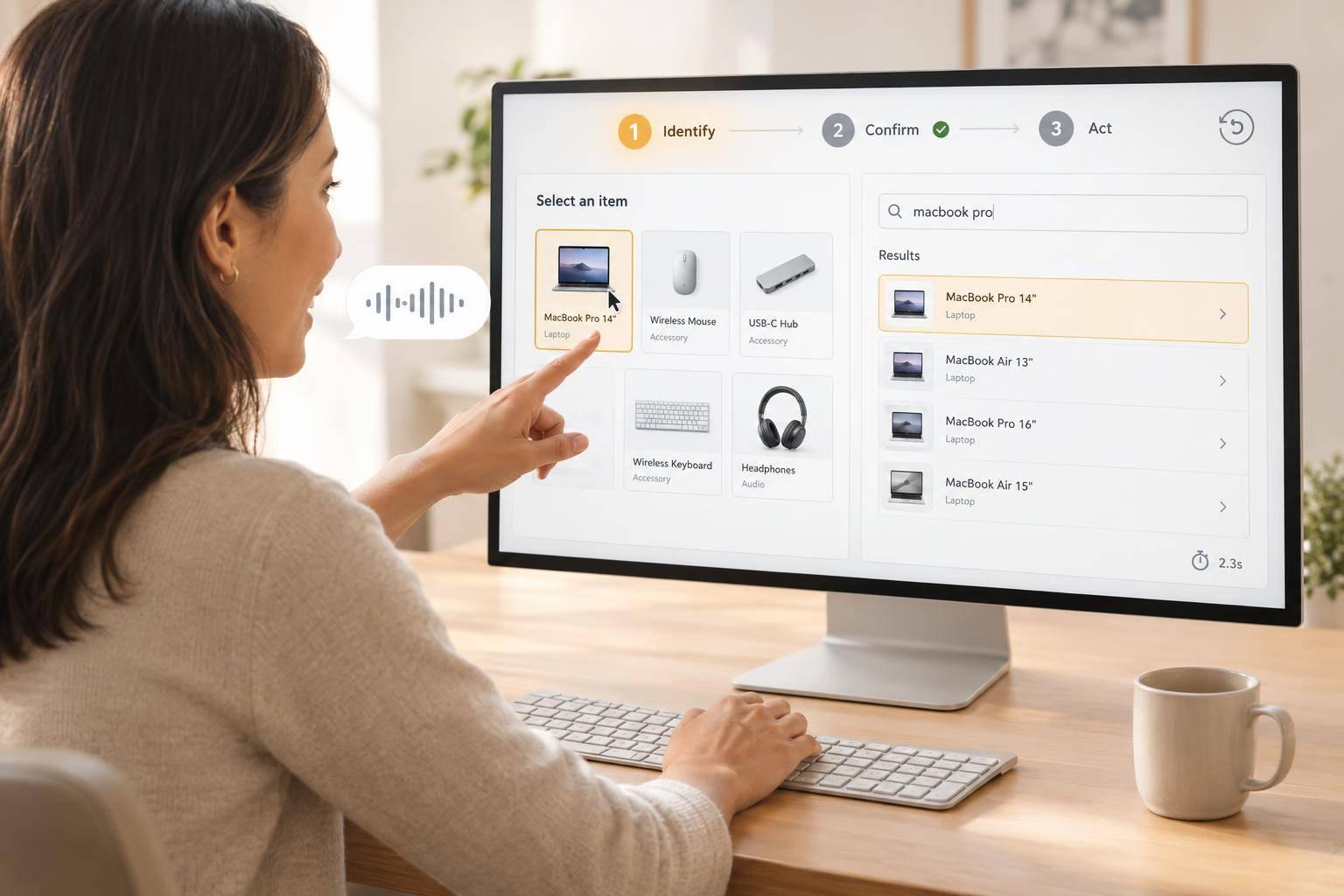
I’d choose speech and pointing for clear spatial targets, and text for stable labels or IDs - not assume one wins every task. For chart points and product images, I’d test both through 3 steps: identify, confirm, then act.
My checks would cover:
- Accuracy and completion: Did the agent select the intended objects and finish the task?
- Time and effort: How much typing, pointing, clarification and correction did it take?
- Learning and access: Can users learn the controls, verify selections and switch inputs when needed?
- Safe action: Can users review hidden items, stop mistakes and undo actions where possible?
Quick Comparison
| Check | Speech and pointing | Text |
|---|---|---|
| Best fit | Clear positions, weak labels | Stable names, IDs or filters |
| Main risks | Noise, missed targets, crowded layouts | Typos, duplicate labels, vague descriptions |
| Access needs | Alternatives to speaking and precise pointing | Accessible entry, labels and feedback |
| Recovery | Clarify or point again | Edit the reference or choose from matches |
The test is the whole task, not just the first selection. Before rollout, I’d set pass-or-fail limits for errors, completion and correction time using the same targets for both methods.
::: @figure 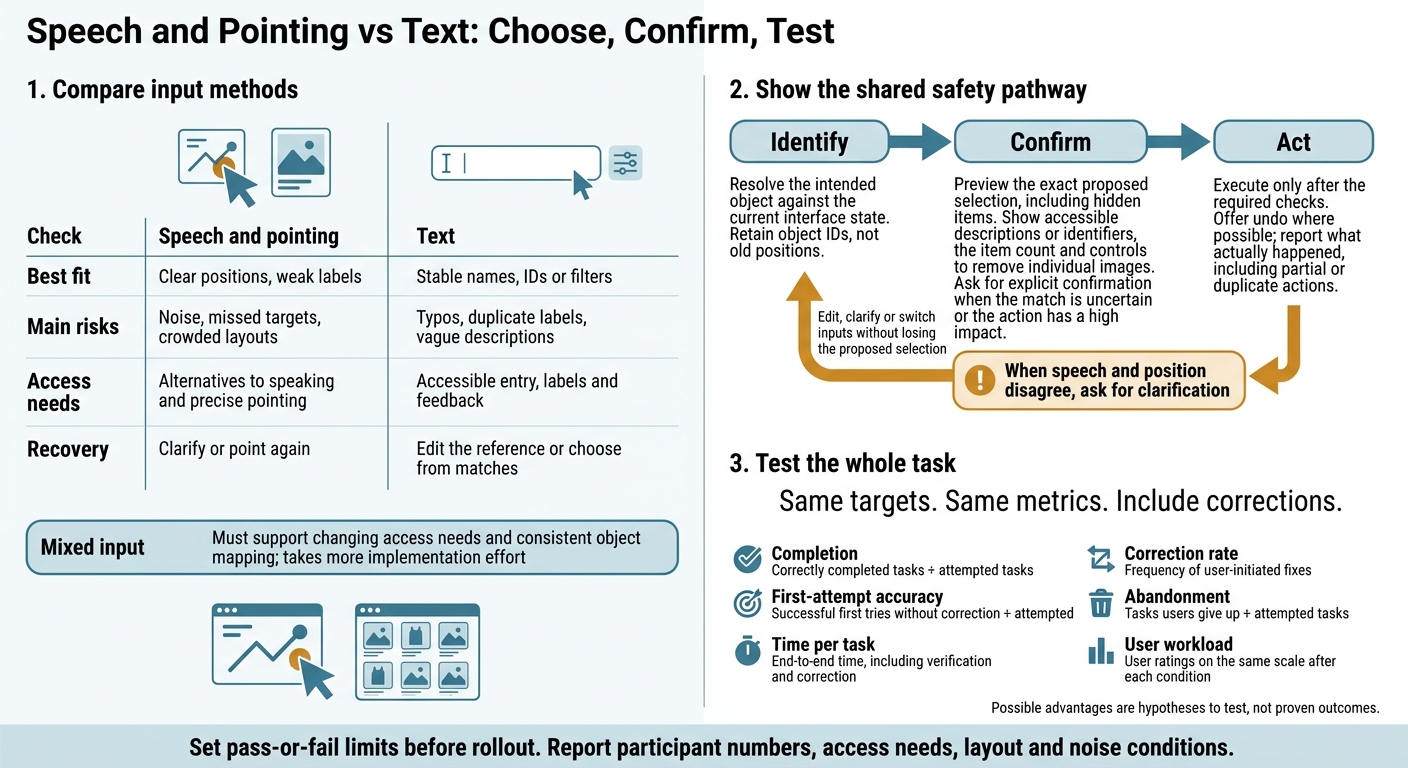 {Speech and Pointing vs Text: Choose, Confirm, Test}
:::
{Speech and Pointing vs Text: Choose, Confirm, Test}
:::
Lecture 17: Multimodal Interaction in Immersive Environments: Gesture, Gaze, Voice, Haptics
Speech and Pointing vs Text: Strengths and Errors
Treat possible advantages as hypotheses, not proven outcomes. Test the same targets and layouts, vary the order of input methods, and measure the total time needed to reach a correct selection, including corrections. Differences become clearer when users select chart points or product images.
| Failure point | Speech and pointing | Text | What to check |
|---|---|---|---|
| Nearby targets | Pointing may select a neighbour | Descriptions may match several objects | Wrong selections around nearby or overlapping targets |
| Identifier mismatch | The spoken reference and position may conflict | IDs may leave out a product variant | Whether the selected object matches the target ID |
| Repeated input | Users may need to point again | Users may need to edit references | Total effort, retries and time |
| Noisy environments | Speech may be misrecognised | Silent entry avoids speech recognition | Incorrect selections under background noise |
| Failed recovery | Pointing again may select another object | Edited text may still produce an ambiguous match | Correction time and unresolved selections |
Speech and Pointing: Spatial Cues and Input Errors
Speech provides the reference; pointing indicates the target. Check tracking, calibration, target geometry and the mapping between positions and objects.
| Area | Possible advantage | Limitation or control to test |
|---|---|---|
| Disambiguation | Position can narrow a spoken reference | Resolve overlaps and conflicting inputs against the same interface state |
| Speed | May avoid a long description | Include delays, clarification and retries; check that both inputs use the same interface state |
| Non-spoken access | Spatial input can identify a location without typing | Offer non-spoken input when speech is unsuitable |
| Motor demands | Spatial input may reduce typing | Test target acquisition with users’ actual input devices |
| Recovery | Users can point again | Preserve the failed selection so users can understand the error |
Tie the reference to the displayed state. When speech and position disagree, ask for clarification rather than choosing one without feedback. This matters most in dense layouts, where nearby targets compete.
Text: Identifiers, Labels and Descriptions
Support names, IDs, labels, descriptions and filters. Give the agent consistent metadata, preview the matched object, and test the whole process from suggestions through to correction.
| Area | Possible advantage | Limitation or control to test |
|---|---|---|
| Precision | An identifier can specify one object | Check that each ID identifies only one object and distinguishes product variants |
| Auditability | The submitted reference can be recorded | Log the resolved object ID too; text alone does not prove a correct match |
| Repeatability | The same reference can be reused | Keep IDs stable when displayed labels change |
| Silent use | No spoken reference is required | Make feedback available without audio too |
| Typing effort | Filters can narrow the candidate set | Measure entry and correction effort, not just query processing |
| Label recall | Suggestions can help users find names | Handle misspellings and synonyms without silently accepting an uncertain match |
Do not assume a plausible match identifies just one object. For duplicate labels or incomplete descriptions, show the remaining candidates and the metadata that tells them apart. Keep entered text editable, and show any correction or synonym mapping before the agent acts. This works best when object metadata stays stable and clearly distinguishes each object.
Chart Points and Product Images: Task Comparisons
Use the same metrics for chart points and product images, then compare where spatial references and text lead to different results.
Chart Points: Values, Series and Overlaps
Use a hypothetical UK SaaS revenue chart to test selection quality against the earlier completion and error metrics. Each mark should resolve to a date, series and revenue value in pounds.
An unlabelled mark needs an accessible data reference. Its screen position alone is not enough.
| Chart selection task | Speech and pointing | Text | Completion and error check |
|---|---|---|---|
| Labelled, isolated point | Point and name the series | Enter the series and date | Check the resolved record against the target |
| Unlabelled, neighbouring points | Point, then inspect the value | Find the record in an accessible data table | Track neighbouring-point errors |
| Overlapping points | Indicate the area, then choose candidates | Specify dates and series | Check for missing and extra points |
| Rule-defined group | Indicate the region and state the rule | Enter a series or value/date filter | Check membership against the rule |
For range requests, state the boundaries explicitly. For trend requests, define the period and rule before the agent selects anything. Measure the time from the request to the correct final set, including any clarification. Report completion, extra selections and missed targets.
Apply the same tests to product grids. Here, ambiguity comes from visual similarity and grid density rather than overlapping chart points.
Product Images: Similar Items and Group Selection
Use the same UK retailer product catalogue and target set for both input methods. Check that selections stay correct when images look similar, are hidden or change position.
| Product image task | Speech and pointing | Typed identifiers or catalogue filters | Access and selection check |
|---|---|---|---|
| One image in a sparse grid | Identify it by position | Enter its image ID | Provide accessible descriptions and IDs for users who cannot inspect the image |
| Multi-item selection in a dense grid | Indicate each image or a bounded group | Filter by attributes, then select image IDs | Check membership and offer an alternative to precise pointing |
| Duplicate labels or unfamiliar names | Use visual location to narrow candidates | Combine attributes instead of relying on names | Include distinguishing details in accessible labels |
| Hidden items or grid reordering | State whether selection covers visible items only | Apply a filter with explicit catalogue scope | Retain object IDs, not old positions, and report hidden selections |
Treat speech and pointing as partially hands-on input. Test the trade-offs between visual inspection, motor input and speech recognition, while providing non-spoken and non-pointing routes.
Before any irreversible action, show the full selected set, including hidden items. Include accessible descriptions or identifiers, the item count and controls to remove individual images.
Access Needs and Error Handling
After comparing input types by task, check whether users can perceive the selection, confirm it and recover from mistakes.
Input Choices and Accessible Feedback
Access needs affect which input a user can use. Even with the same targets, they change selection quality, correction time and error recovery. Compare both methods for the object, user and current interface state to decide which is safe and usable.
| Access need | Speech and pointing | Text-only selection | Required adaptation |
|---|---|---|---|
| Blind users | Speech alone does not reveal spatial targets | Works only when references and controls are screen-reader accessible | Screen-reader navigation, meaningful object references and selection announcements |
| Low vision | Visual cues may be hard to see | Small text or unclear focus can make entry difficult | Resizable text, visible focus and clear selected states |
| Motor impairments | Precise pointing or holding a pointer still may be difficult | Sustained typing may also be difficult | Keyboard and switch access; adjustable dwell time and pointer tolerance |
| Need silent interaction or cannot speak | Speech input may be unusable | Silent use still needs an accessible entry method | A complete non-spoken route that preserves the current selection |
Use on-screen confirmation and screen-reader announcements to name the object and state whether it is selected. Keep keyboard focus stable during updates so users can review and correct the selection without losing context.
Selection is not complete until the user can verify the object and stop an incorrect action.
Preview, Confirm and Correct
In the identify–confirm–act sequence, confirmation and correction belong within selection - not after it. Save the exact proposed selection without executing it. Check the object's identity, permissions and current state, then preview the result. Ask for explicit confirmation when the match is uncertain or the action has a high impact.
When speech is misrecognised, pointing misses or text is ambiguous, let users correct the match. They should be able to edit the interpretation, select the target manually or switch inputs without losing the proposed selection.
Offer undo where possible. Then check and report what actually happened, including any partial or duplicate actions. Apply these checks to the same chart points and product images discussed above.
Conclusion: Choose by Task and Test Before Deployment
Choose Inputs for the Task and Setting
Match the input method to the target and setting. Weigh task fit, selection errors and access needs, including target visibility and label stability. Speech and pointing suit targets with clear spatial cues but weak labels[1]. Text suits precise, auditable selection when identifiers stay stable.
| Input | Recommended use | Requirements and limits |
|---|---|---|
| Speech and pointing | Spatially clear targets with weak labels | Stable layout and accurate pointing; noise and clutter can interfere |
| Text | Stable identifiers; silent work or work that can be inspected | Consistent labels and accessible entry; ambiguity and typing effort remain |
| Mixed input | Mixed access needs or changing conditions | Must support changing access needs and consistent object mapping; takes more implementation effort |
Pilot Tasks and Set Acceptance Criteria
Turn task fit into measurable rollout thresholds. Run pilot tasks using the same chart and product scenarios described above. Set thresholds for completion, selection errors, first-attempt accuracy, correction rate and time per task.
Use the same definitions in both conditions so the results can be compared directly.
| Metric | What to report for each method |
|---|---|
| Completion | Correctly completed tasks ÷ attempted tasks |
| First-attempt accuracy | Successful first tries without correction ÷ attempted tasks |
| Time per task | End-to-end time, including verification and correction |
| Correction rate | Frequency of user-initiated fixes |
| Abandonment | Tasks users give up ÷ attempted tasks |
| User workload | User ratings on the same scale after each condition |
Report participant numbers, access needs, layout and noise conditions, and the criteria used to judge success. Agree error limits before rollout, then weigh correction effort and implementation costs against business value.
Once the pilot meets those thresholds, move from comparison to governance.
Implement and Govern Object Selection
Hokstad Consulting supports AI strategy, implementation and governance for these workflows[2]. This covers workflow design, evaluation, risk-based confirmation and correction, with clear ownership of error monitoring and rollout decisions.
Make deployment conditional on mapping, access and recovery meeting the agreed thresholds.
FAQs
Can I switch input methods mid-selection without losing progress?
The search results don’t confirm whether you can switch between speech, pointing and text input during a selection without losing your progress.
How should I set acceptable selection error limits?
Set limits by risk tier. Low-risk tasks might aim for a 95% first-time pass rate. Higher-risk actions need deterministic checks, dual authorisation or human review - not model confidence alone.
Document thresholds, owners and escalation routes, then review them after changes or incidents. When using voting or sampling, agreement does not prove correctness. Calibrate thresholds against held-out data, taking accuracy, failure severity and cost per decision into account.
How can I test selection with users with different access needs?
Before starting a pilot, define what success looks like, set a KPI baseline, and review permissions and privacy to check that assistive requirements are supported [1].
Keep a readiness register that records accessibility gaps, supporting evidence, accountable owners and firm deadlines for fixes. Close all safety and access gaps before the pilot begins [1].